
Broadcast groups are a special type of public, private, or unlisted Chatter group where only group owners and managers can post to the group. Group members can read posts and comment on them.
Required Editions
| Available in: Salesforce Classic and Lightning Experience |
| Available in: Group, Essentials, Professional, Enterprise, Performance, Unlimited, Developer, and Contact Manager Editions |
By restricting the ability to post, group owners and managers can keep group discussions focused and relevant by cutting down noise. You can configure public, private, and unlisted groups to be broadcast groups.
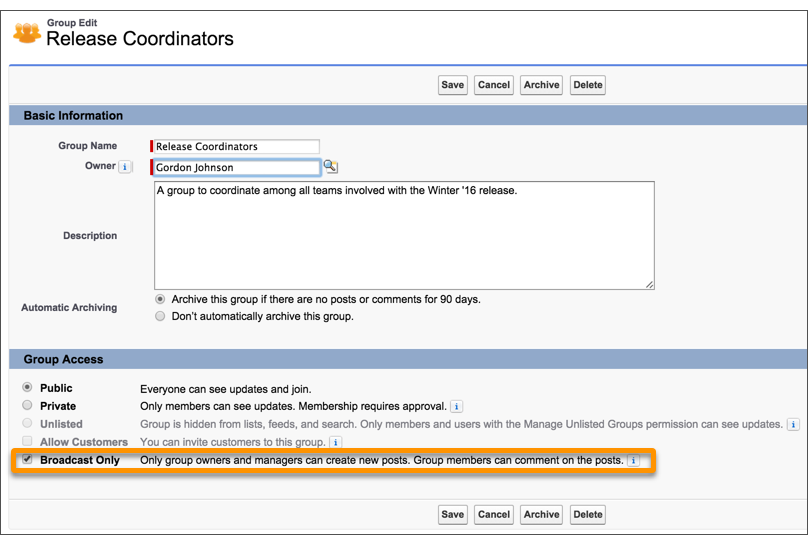
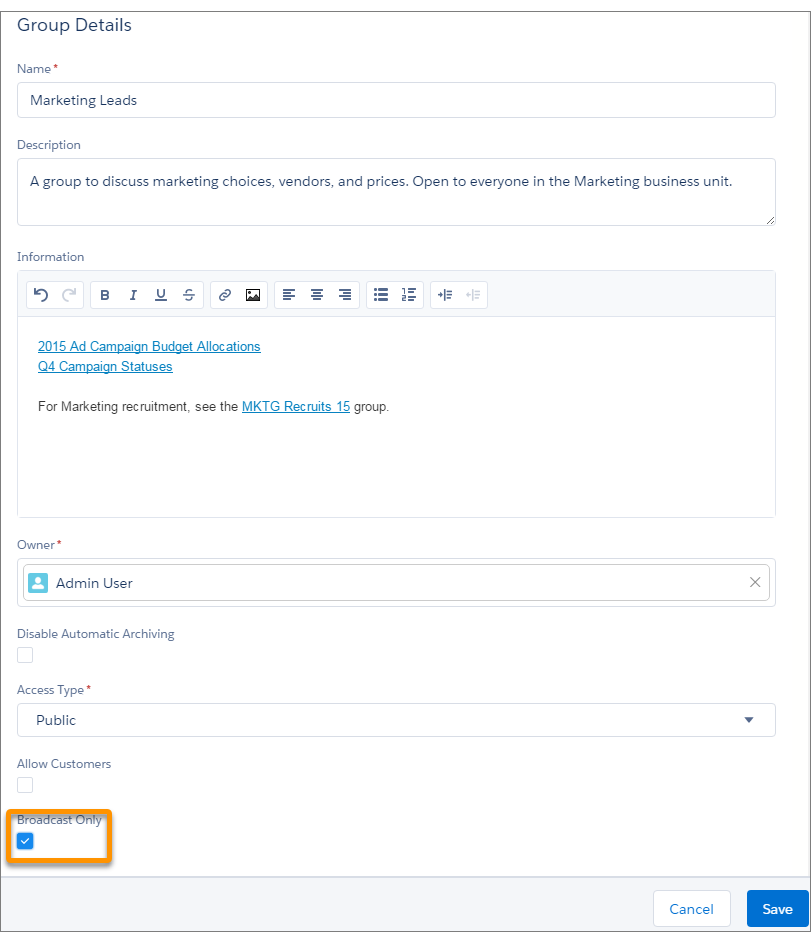
To set a group to broadcast mode, select Broadcast Only in the group settings.

Example Creating broadcast groups are ideal when a limited and consistent set of individuals
must regularly communicate with a large group of people. Some examples include:
- Organization-wide updates from the executive leadership in the company
- Policy changes from your company’s HR department
- Event updates from the organizer of large events or company conferences
- Important action alerts from key IT personnel, including their awesome Salesforce administrator
Broadcast group setting in Salesforce Classic.
Broadcast group setting in Lightning Experience.