You can navigate to a detailed view of a Chatter post
in a feed for a user, record, or group.
Required Editions
| Available in: Salesforce Classic and Lightning Experience |
| Available in: Group, Essentials, Professional,
Enterprise, Performance, Unlimited, Developer, and
Contact Manager Editions
|
-
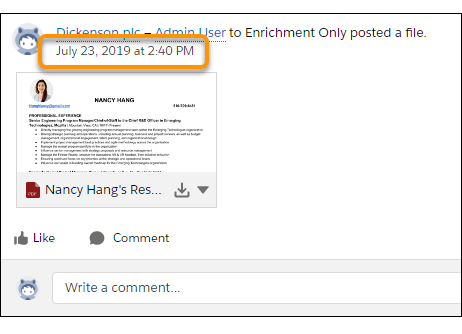
In a feed, click the date and time stamp below the post, for
example, July 23, 2019 at 2:40
PM.
- In a Chatter email notification, click the link in the body of the email.
-
To return to a view of the full feed, select the All
Updates filter.
