Notification settings are available in the New Stream dialog and on the stream itself.
You can create a stream and decide later whether you want to be notified when new posts are added
to a stream. The default is to send a notification for every new post. So if you create a stream
without touching its notification settings, you receive email and in-app notifications for that
stream. If you like, you can change your selection later in the stream feed.
Required Editions
| Available in: Essentials, Group,
Professional, Enterprise, Performance,
Unlimited, Contact Manager, and Developer
Editions
|
The Chatter home page lists your five most recently accessed streams. Click a stream name to
open it. If the stream you want to set notifications for is not listed, click the Streams
heading to navigate to the streams home page. There you can locate your stream, and click its
name to open it.
-
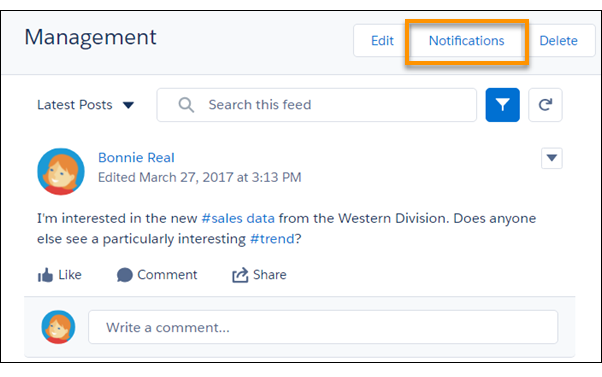
Once you open the stream, click its Notifications button to open the
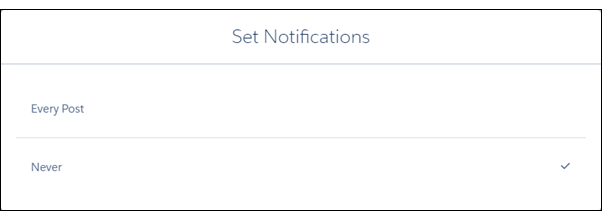
Set Notifications dialog.
-
Select a notifications option.
- Every Post to get an email and an in-app notification whenever a
new post is added to the stream.
- Never to turn off notifications for this stream.