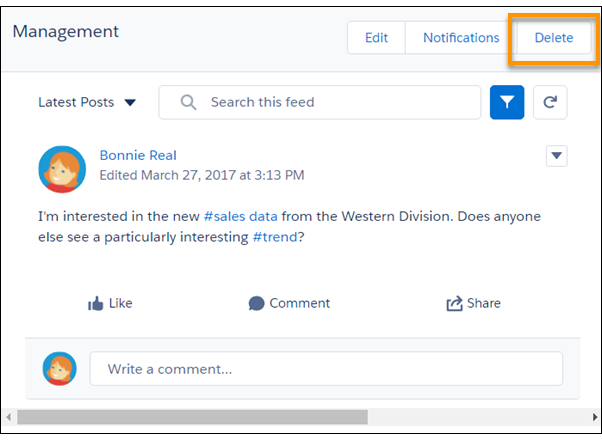
Once you navigate to a stream, a Delete action is available for
deleting the stream. Deleting a Chatter stream doesn’t delete the records or posts that it
contains. It deletes only the stream, which frees up space for you to add more
streams.
Required Editions
| Available in: Essentials, Group,
Professional, Enterprise, Performance,
Unlimited, Contact Manager, and Developer
editions
|
The Chatter home page lists your five most recently accessed streams. Click a stream name to
open it. If the stream you want to edit is not listed, click the Streams heading to navigate to
the streams home page. There you can locate your stream, and click its name to open it.
-
Once you’ve navigated to a stream, click its Delete button.
-
In the Delete dialog, click Delete.