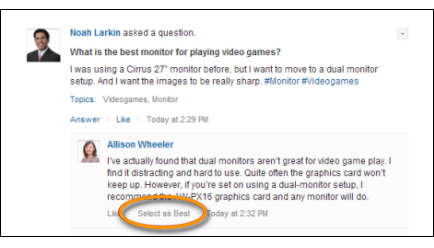
One of the advantages of asking a question in Chatter is that users can select the best
answer. When a question has a best answer, users can quickly resolve an issue by going directly
to the best answer.
Required Editions
| Available in: both Salesforce Classic
and Lightning Experience |
| Chatter Questions is available in: Essentials, Group,
Professional, Developer, Performance, Enterprise,
Contact Manager, and Unlimited Editions
|
Moderators and the person who asked the question can:
- Select the best answer for a question
- Remove the best answer status from an answer
Only one answer can be selected as the best answer. Moderators can be the Chatter
moderator, the Experience Cloud site moderator, or the Salesforce administrator. If a user
doesn’t have permission to select the best answer for a question, they don’t see the
Select as Best option.
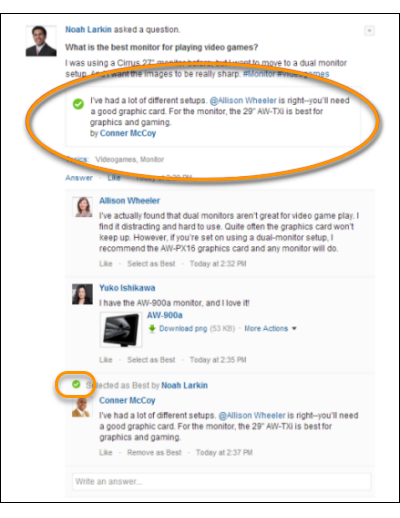
When an answer is selected as a best answer, a check mark ( ) appears next to it. A copy of the best answer also appears at the top of
the list of answers so other users can quickly spot it.
) appears next to it. A copy of the best answer also appears at the top of
the list of answers so other users can quickly spot it.