
Enhance the feed with an action that lets users create tasks directly from a post.
Required Editions
| Available in: Salesforce Classic and Lightning Experience |
| Available in: Group, Essentials, Professional, Enterprise, Performance, Unlimited, Developer, and Contact Manager Editions |
| User Permissions Needed | |
|---|---|
| To customize Chatter feed item layouts | Customize Application |
Actions in the Publisher and feed tracking for the Task object must be enabled.
- From Setup, enter Feed Item in the Quick Find box, then select Feed Item Layouts.
- Click Edit next to Feed Item Layout.
- In the Feed Item Layout, click Quick Actions.
-
For Salesforce Classic, select the Create New Task action and drag
it to the Actions in the Publisher section.
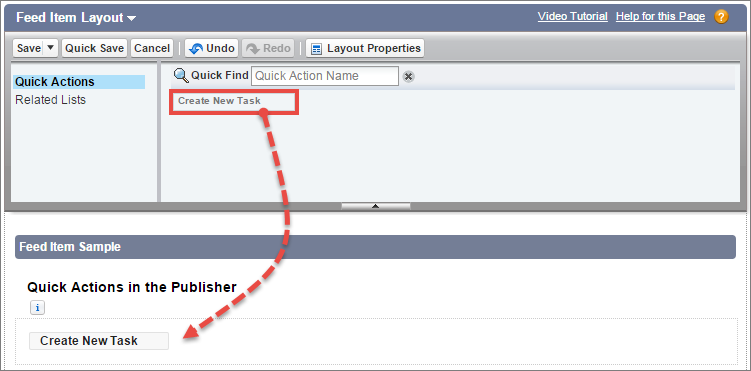
For Lightning Experience, drag Create New Task to the Salesforce Mobile and Lightning Experience Actions section.
If you don’t see the Create New Task action, verify that the Actions in the Publisher feature is enabled under Chatter Settings in Setup.
- Save your changes.
The Create New Task action displays on a post’s menu. When a user creates a task from a post, the task shows up in the My Task list on the user’s Home page. The Create New Task action on posts
- Is available on user-entered posts, but not on system-generated posts like tracked feed updates.
- Generates an update that appears in the user’s feed.
- Can be partly customized. You can’t change the fields, but you can change the layout of the fields. The fields available on the Create New Task Layout are
- Subject
- Due Date
- Assigned To
- Name
- Related To