
Create an audience segment for the auto policy welcome journey.
- Log in to Data 360.
- From the Segments tab, click New.
- Select the Unified Individual DMO to base the new audience segment on.
- Name the segment New Auto Policy Holders, add a description, and select a publish schedule of 24 hours.
- Add a start date and time and an expiration date, and click Save.
- To build the segment, click Edit Rules.
- From the attributes list, select RA_PolicyInformation_02 and select Starting Date.
- Drag the Starting Date attribute to the canvas.
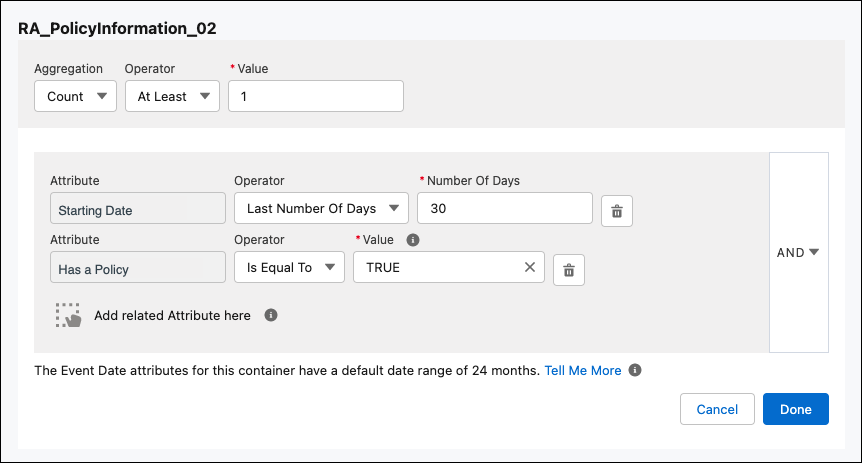
- Set the Operator to Last Number of Days and add 30 in the Number of Days field.
- Click Done.
- From the attributes list, select Has a Policy and drag the attribute to the canvas.
- Select Aggregation to Count, Operator to At Least, and Value to 1.
- Set the Operator to Is Equal To and Value to
TRUE.
- Click Done and then Save.