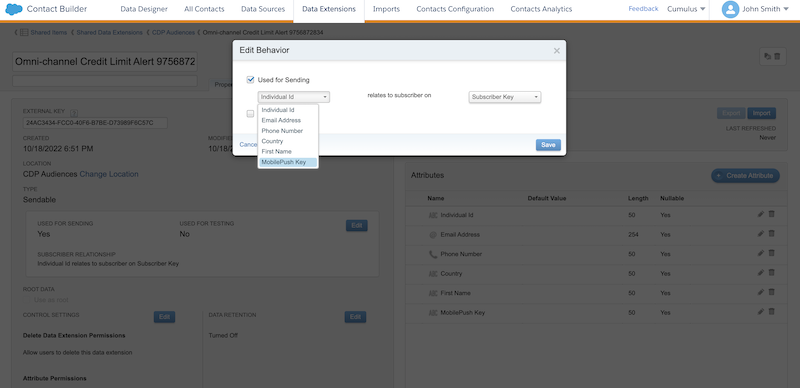
Cumulus updates the send relationship in the activated data extension.
- In Marketing Cloud Engagement, navigate to Audience Builder.
- From the dropdown, select Contact Builder.
- Click the Data Extensions tab.
- Open the Shared Items folder.
- Open the Shared Data Extensions folder, and then select the Data 360Segments folder.
- Locate the Omnichannel Credit Limit Alert data extension, and click into it.
- In the Type section on the left side, click Edit.
- Update the default send relationship set by Data 360. Relate MobilePush
Key to Subscriber Key.