
To manage multiple brands, set up Data 360 across different location tenants.
Data 360 can combine multiple Engagement accounts’ EID data into one Data 360 org.
Within one Engagement EID, you can selectively map multiple business units (BU) to get data flowing into Data 360, which tracks the data lineage of this data. You can also add the data lineage field to filter out different BUs’ data to create a segment with only selected BUs.
Data 360 doesn’t segregate data by users or apply any data filter automatically with the exception of GDPR flags.
For the CRM connector, Data 360 can be installed in any CRM org.
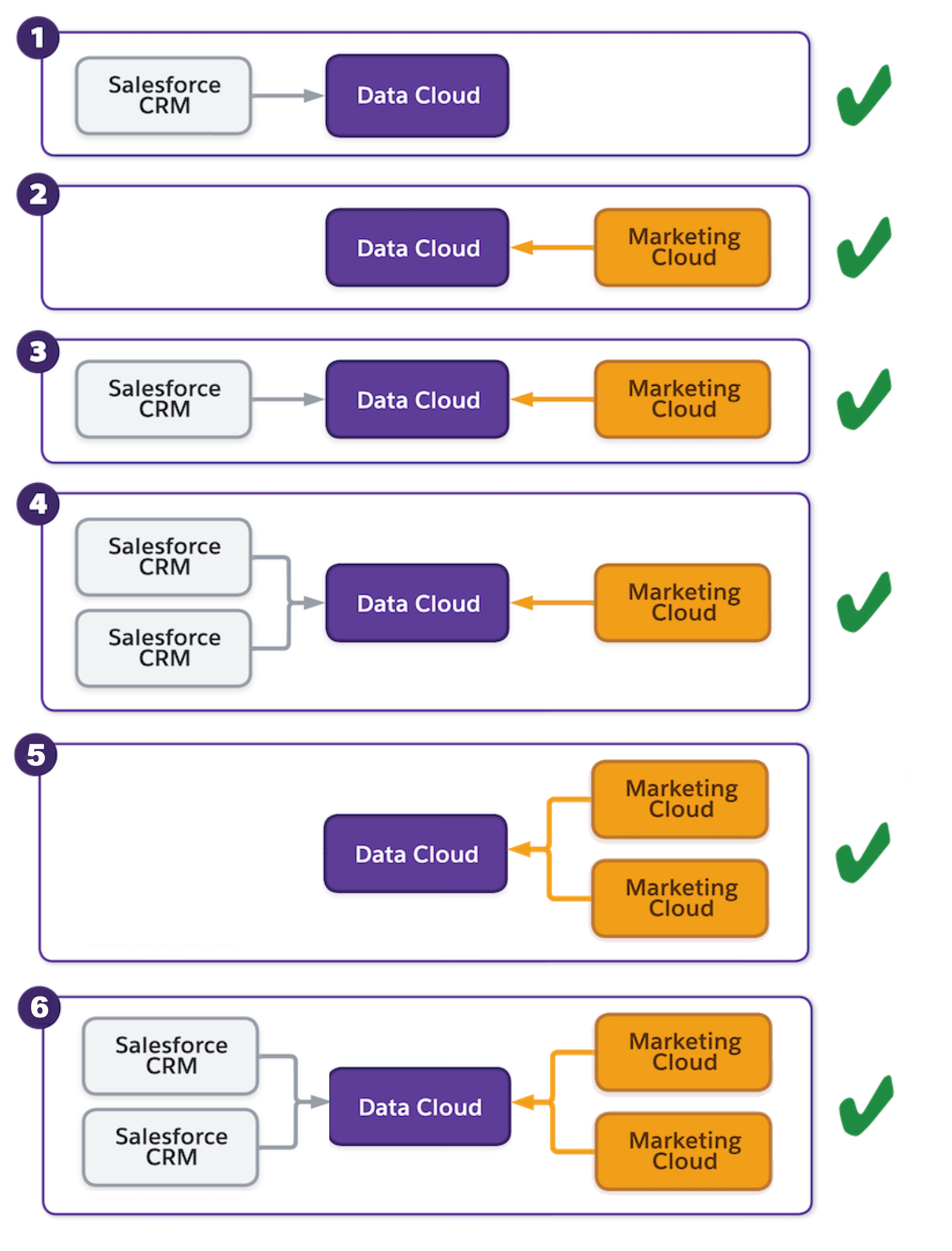

Example If you have CRM 1 with Sales Cloud in the UK and another CRM 2 in France, you can install
the Data 360 app into either CRM or a new one. Multiple CRMs’ data can flow into
one Data 360 org.