Data 360 runs on both Salesforce's first-party infrastructure and
public cloud infrastructure, referred to as a functional domain (FD). Use these steps to find
your Data 360 instance so that you can understand the impact when there’s an
unforeseen incident or if you have a support case where additional information is
required.
Required Editions
| User Permissions Needed |
| To access Data Cloud Setup |
System admin profile OR
Data Cloud Architect permission set
|
| To add or edit users |
Manage Internal Users |
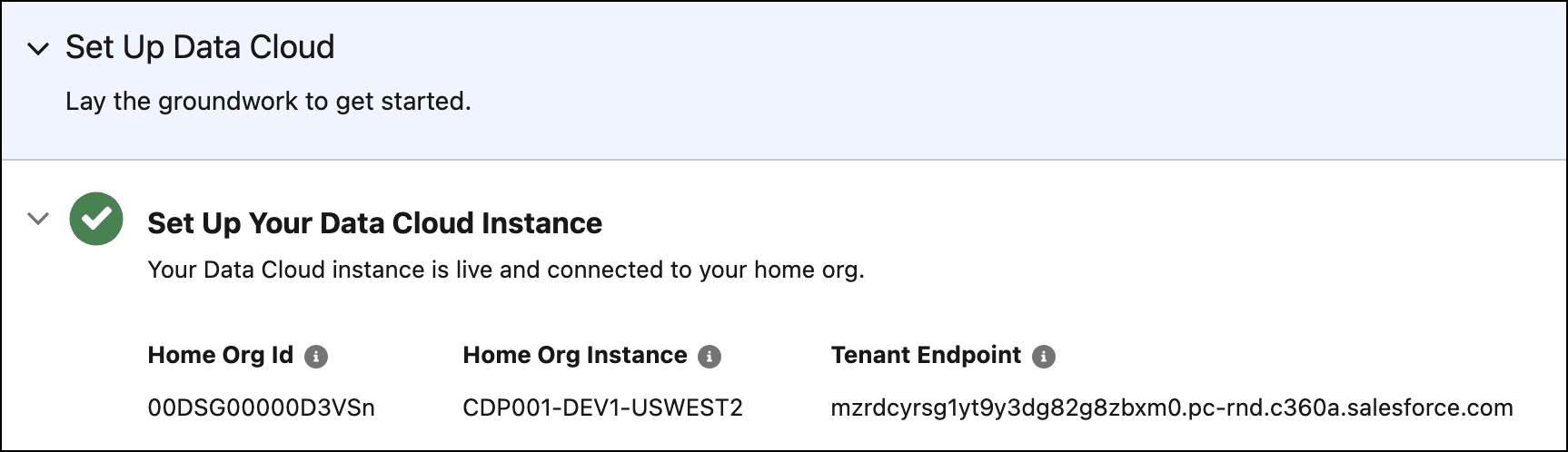
Find your Data 360 Id, instance, and endpoint on the home page of Data Cloud
Setup.
- Go to Data Cloud Setup.
- From the Setup Home and Set Up Your Data Cloud Instance, learn about your Home Org Id, Home
Org Instance, and Tenant Endpoint.