Control which users can see a related list enrichment by assigning them to a permission set that has access to the Data Cloud data space.
Required Editions
| Available in: All Editions supported by Data 360. See Data 360 edition availability. |

| User Permissions Needed | |
|---|---|
| To view enrichments in Object Manager: | View Setup |
| To view a specific enrichment: |
You must have access to the data space used in the enrichment. |
| To create or update enrichments: | Customize Application |
| To view the related list |
You have access through the Data Cloud. User permission set to the data space |
| Object Permissions Needed | |
|---|---|
| To view enrichments in Object Manager: | Data Model Objects object Read permissions |
| To create or update enrichments: | Data Model Objects object Create, Update, and Delete |
- Create a permission set, or use an existing permission set. In policy-based governance orgs, any cloned or custom permission set must be manually enrolled in the data governance policy via Data Cloud Setup –> Data Space Management after creation.
-
Give your permission set access to the data space that your enrichment queries data
from.
- In your CRM org, in Setup, search for and select Permission Sets.
- Select a permission set.
- For Apps, select Data Cloud Data Space Management.
- Under Data Spaces, click Edit.
- Enable the data space that your enrichment queries data from, and click Save.
-
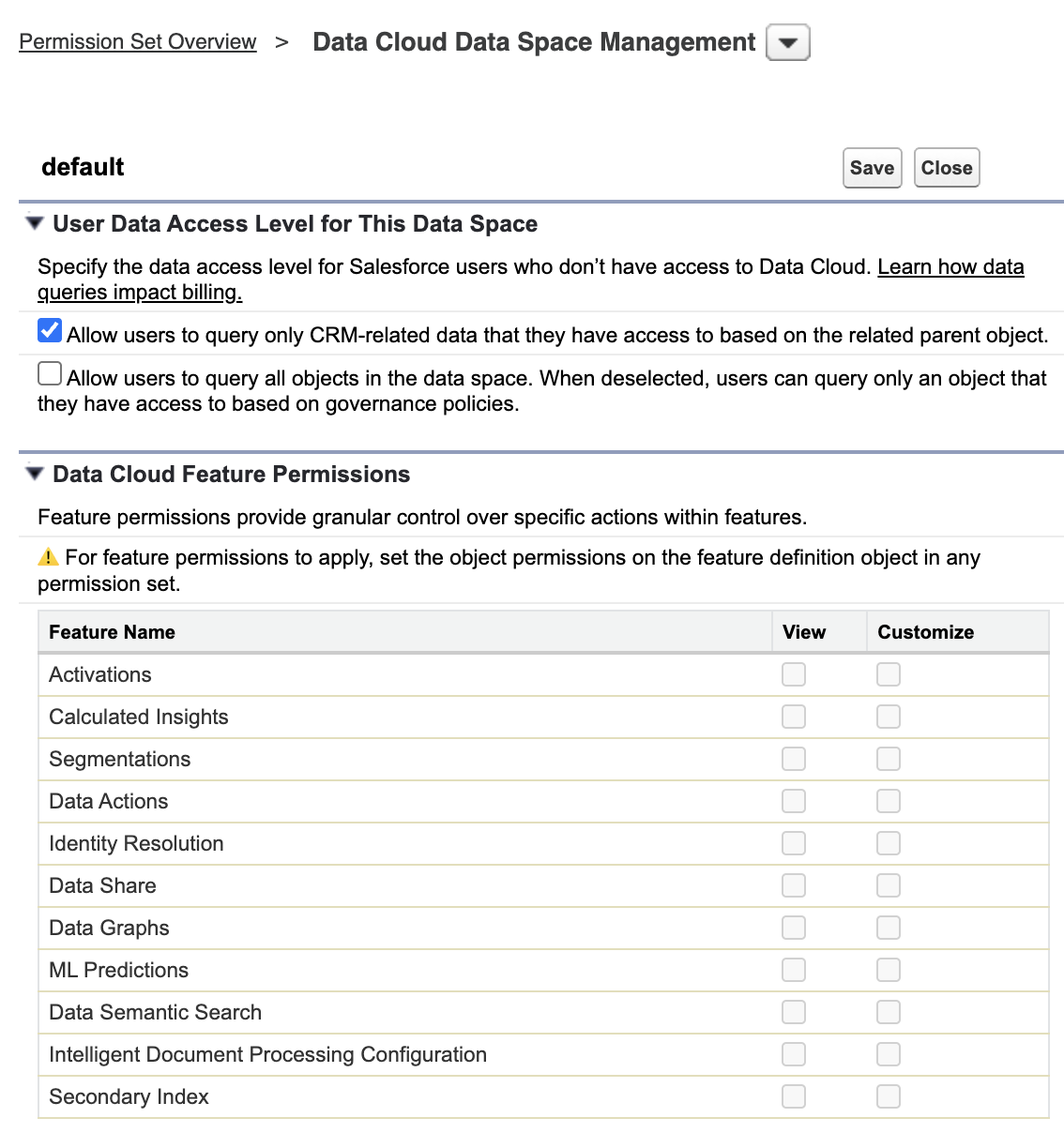
Allow controlled by parent queries.
- Select your permission set.
- For Apps, select Data Cloud Data Space Management.
- Select the data space.
- Under User Data Access Level for This Data Space, select the options to allow controlled by parent access.
- Save your work.
- Assign your permission set to users so that they can view your related list.