
Make changes to your batch data transforms and save the results.
- In Data Cloud, go to the Data Transforms tab.
- From Recently Viewed, click
 next to the data transform name, and select
Edit.
next to the data transform name, and select
Edit.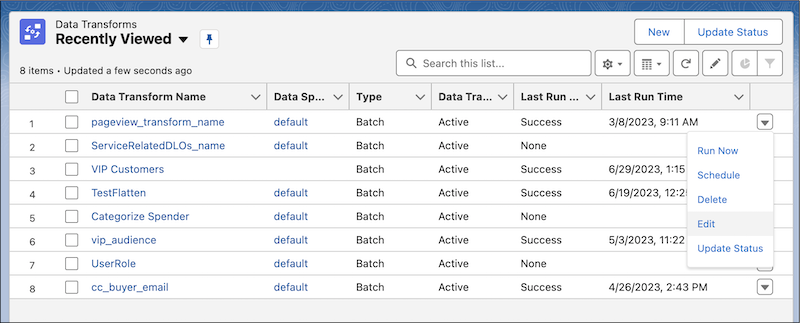 The canvas editor opens and displays the selected batch data transform.
 - Edit the batch data transform.
- Click Save.