
Review retriever metrics and the retrieved data chunks to understand the results of your test. Modify the retriever configuration to try different configurations and expected source data to get an optimal response. Save your configuration as a new version of the retriever.
Retriever Metrics
You can test a retriever in a basic mode and an advanced mode. When you test a retriever in the advanced mode, the retriever playground generates a context recall score and a context precision score based on a reference answer. Testing retrievers in the advanced mode consumes flex credits.
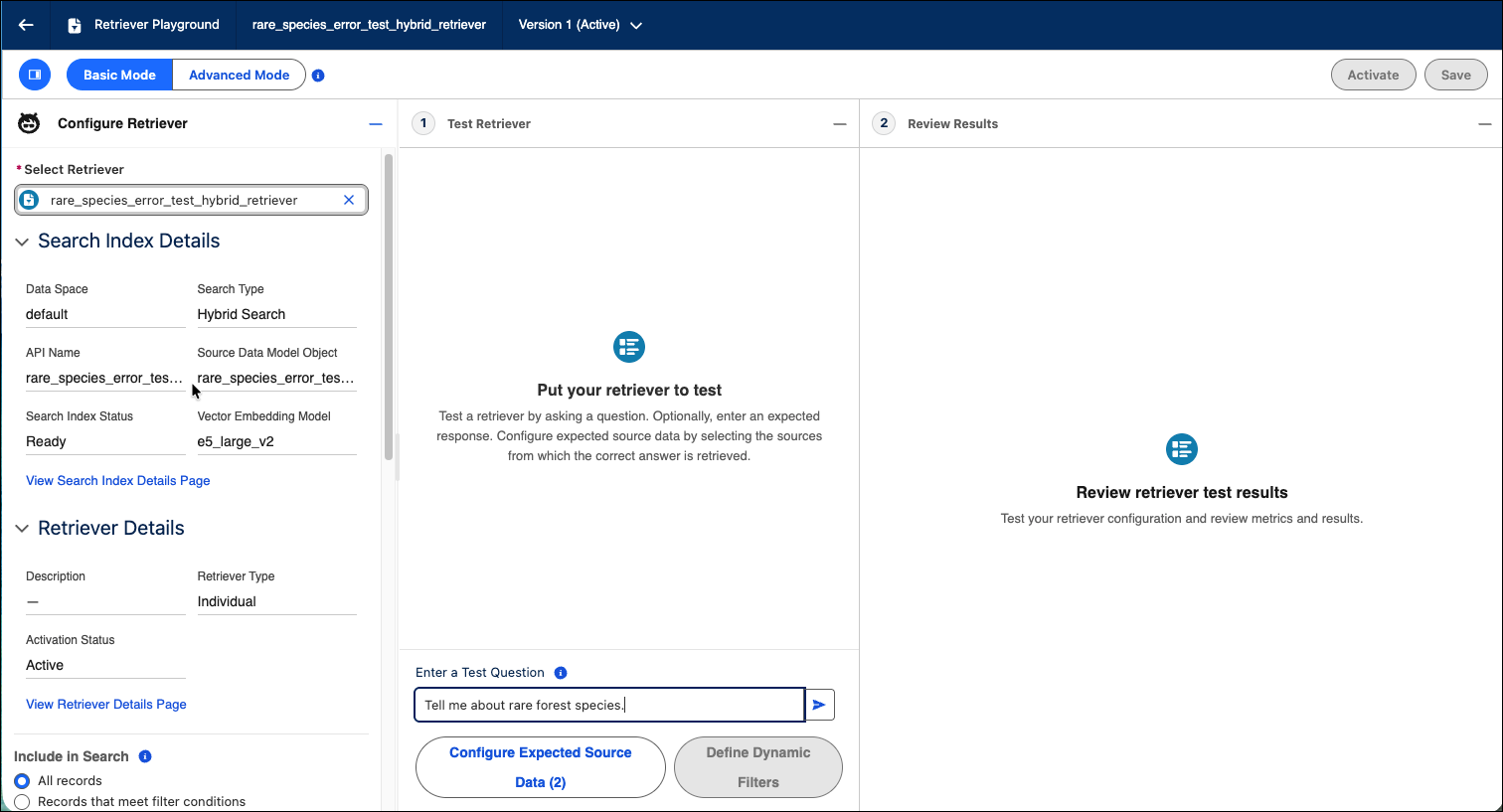
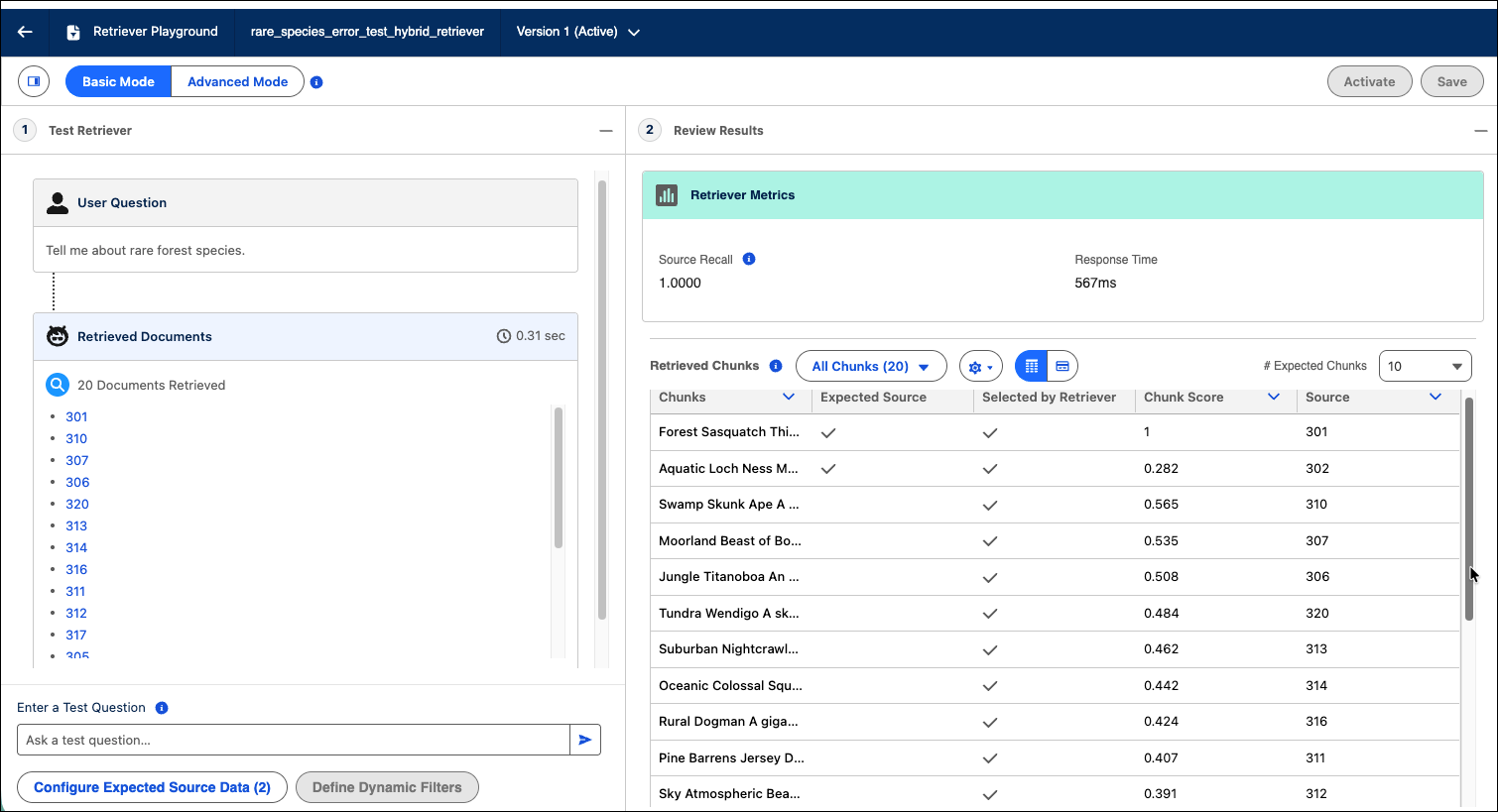
Retriever Playground in Basic Test Mode
| Metric | Description | More Details |
|---|---|---|
| Source Recall Score | Measures the percentage of expected source data chunks that are part of the top retrieved chunks over the total number of chunks in the expected source data. |
If the Source Recall Score is zero, retrieved chunks don't include chunks from the expected source data. The score decreases when the number of expected source data chunks is high, even when there are common chunks between retrieved chunks and the expected source data chunks. |
| Response Time | The time in milliseconds for the retriever to respond with results. | - |
| Context Recall | Available only in Advanced mode. Measures how many of the relevant documents were successfully retrieved based on a reference answer. | Higher recall means fewer relevant documents were missed. For more information see, Ragas Context Recall |
| Context Precision | Available only in Advanced mode. Measures the retriever’s ability to rank relevant chunks higher than irrelevant ones for a given query based on a reference answer. | Higher precision score means the relevant chunks in the retrieved context are placed at top of the ranking. For more information see, Ragas Context Precision. |
Retrieved Chunks Metrics
Review the quality of your retriever response with the data in the Retrieved Chunks table or card view. Compare the overlap between the chunks selected by the retriever to the expected source data chunks to check if the top scoring chunks are from the expected source data.
| Metric | Description |
|---|---|
| # Expected Chunks | Determines the maximum number of expected source data chunks to show in the tables. |
| All Chunks | The table shows data on all retrieved chunks - chunks in the expected source data, chunks selected by the retriever, chunk score, and source record for the chunk. Additionally, the table shows any fields the retriever returns. |
| Selected by Retriever | The table shows filtered column data on the chunks that the retriever selects. |
| Expected Source | The table shows filtered column data on chunks from the expected source. |
| Chunks | All retrieved chunks. |
| Chunk Score | Score value for the chunk that determines relevance ranking. There are many factors that affect chunk scores such as the query text, embedding model etc. |
| Citations | Links to the source content relevant to the retrieved chunk. Verify the validity of the source to ensure trusted responses when you deploy the retriever. |