
Use the Salesforce Data 360 Connect REST API to programmatically interact with predictive models. Get predictions, top factors, and prescriptions using the predict endpoint.
Required Editions
| Available in: All Editions supported by Data 360. See Data 360 edition availability. |
| USER PERMISSIONS NEEDED | |
|---|---|
| Allow users to manage models in AI Models | Enables you to create, update, and delete models in AI Models. |
| PERMISSION SETS | |
|---|---|
| Data Cloud Architect | Admin-level access to all AI Models features, including the ability to create, update, delete, and activate models. |
| Data Cloud User | Restricted access to use a model, including getting predictions and improvements derived from a model. |
Prediction Request
Syntax for the predict endpoint.
POST /services/data/v63.0/ssot/machine-learning/predictPOST Request Body
When you run a prediction, Salesforce applies the model to the set of model inputs and returns a prediction score for each set of input values specified. For example, if you specify three sets of values, you get three predictions in the order that the records were specified in the request.
GET /services/data/v61.0/ssot/machine-learning/configured-models/{ModelIdOrName}
Note You
can use the predictive model name (this example) or model id (API Name). Some APIs also
require the model API name “{ModelIdOrName}”. You can find a model's API name in Model
Builder, on the model details page.
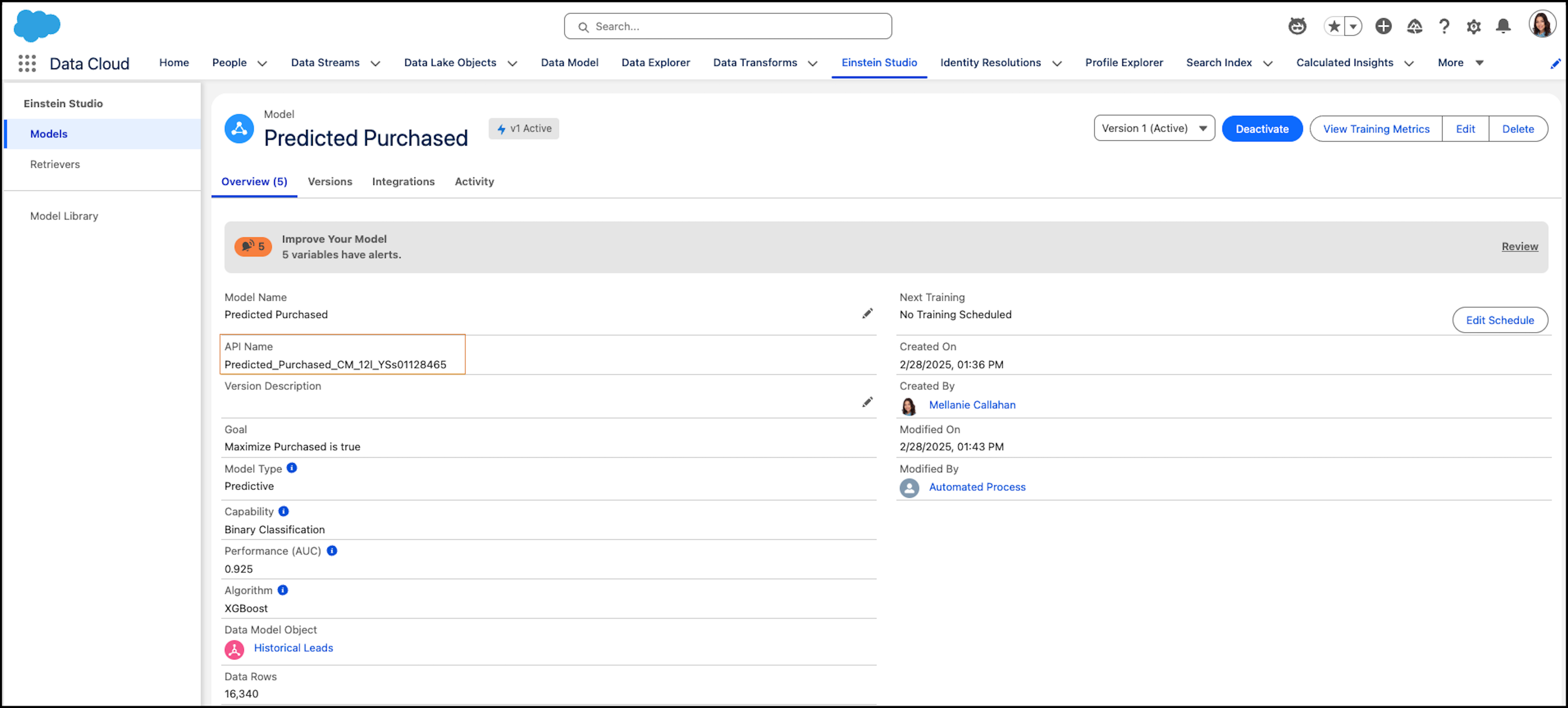
Let's look at the REST request using the Predicted Purchased model.
{
    "model":
    {
        "name": "Predicted_Purchased_CM_12l_YSs01128465"
    },
    "type": "RawData",
    "fieldNames": ["Industry_c__c", "Response_Time_From_Assignment_c__c" , "Company_c__c", "Title_c__c"],
    "rows":
    [
        ["High Tech", 56, "Condax","Student"],
        ["Professional Services",70,"Rantouch","Developer"]
    ],
    "settings" : {
        "maxPrescriptions" : 3,
        "maxTopFactors" : 2,
        "prescriptionImpactPercentage" : 50
    }

}maxPrescriptionsspecifies the maximum number of improvements (1-3) to return in the responsemaxTopFactorsspecifies the number of top predictors (1-3) to return in the responseprescriptionImpactPercentagespecifies the threshold filter (minimum % improvement for the outcome, which in this example is 50%) needed for the improvement to be returned in the response
POST Response
Example POST response.
{
  "aggregatePredictions": [],
  "model": {
    "id": "12l1Q000000blV0QAI"//Id
  },
  "predictionType": "BinaryClassification",
  "predictions": [
    {
      "factors": [
        {
          "fields": [
            {
              "customText": null,
              "inputValue": "Student",
              "label": null,
              "name": "Title_c__c",
              "prescribedValue": "Title"
            }
          ],
          "value": -40.58208510642879
        },
        {
          "fields": [
            {
              "customText": null,
              "inputValue": "56",
              "label": null,
              "name": "Response_Time_From_Assignment_c__c",
              "prescribedValue": "Response Time From Assignment"
            }
          ],
          "value": 10.187649697792125
        }
      ],
      "partition": {
        "id": "12l1Q000000blV0QAI" //Id"
      },
      "predictedValue": 0.5997765233332488,
      "prescriptions": [],
      "status": "Success",
      "type": "BinaryClassification",
      "warnings": {
        "missingFieldNames": [],
        "outOfBoundsFields": []
      }
    },
    {
      "factors": [
        {
          "fields": [
            {
              "customText": null,
              "inputValue": "Developer",
              "label": null,
              "name": "Title_c__c",
              "prescribedValue": "Title"
            }
          ],
          "value": -28.000138322513255
        },
        {
          "fields": [
            {
              "customText": null,
              "inputValue": "70",
              "label": null,
              "name": "Response_Time_From_Assignment_c__c",
              "prescribedValue": "Response Time From Assignment"
            }
          ],
          "value": 6.156639498073147
        }
      ],
      "partition": {
        "id": "12l1Q000000blV0QAI" //Id"
      },
      "predictedValue": 5.278021902657085,
      "prescriptions": [],
      "status": "Success",
      "type": "BinaryClassification",
      "warnings": {
        "missingFieldNames": [],
        "outOfBoundsFields": []
      }
    }
  ],
  "settings": {
    "aggregateFunctions": [],
    "maxPrescriptions": 3,
    "maxTopFactors": 2,
    "prescriptionImpactPercentage": 50
  }
}