In Model Builder, actionable variables are fields that can you can change to influence a model's predicted outcome. Setting actionable variables enables the model to provide prescriptions (suggested actions that a user can take to improve an outcome).
Required Editions
| Available in: All Editions supported by Data 360. See Data 360 edition availability. |
| USER PERMISSIONS NEEDED | |
|---|---|
| Allow users to manage models in AI Models | Enables you to create, update, and delete models in AI Models. |
| PERMISSION SETS | |
|---|---|
| Data Cloud Architect | Admin-level access to all AI Models features, including the ability to create, update, delete, and activate models. |
| Data Cloud User | Restricted access to use a model, including getting predictions and improvements derived from a model. |
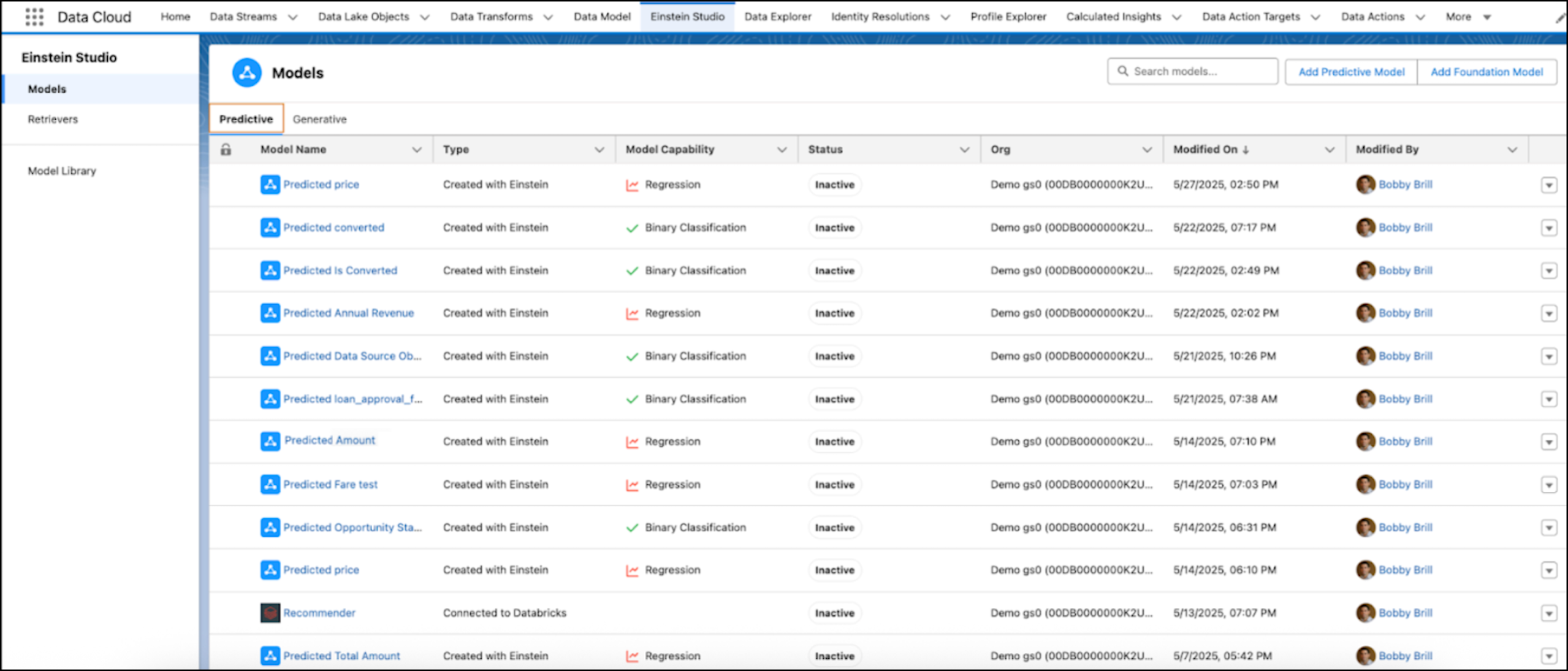
- In AI Models (formerly Einstein Studio), go to the Predictive Models tab.
-
Click your model.
To get predictions and prescriptions, make sure that the model is activated.
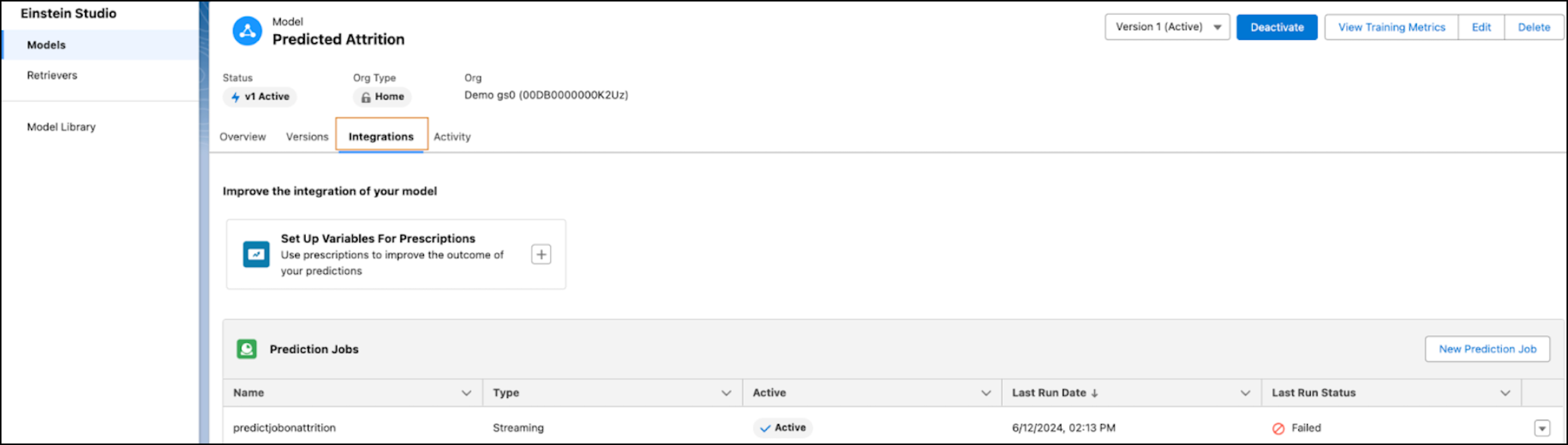
- From the model, click the Integrations tab to set variables for prescriptions.
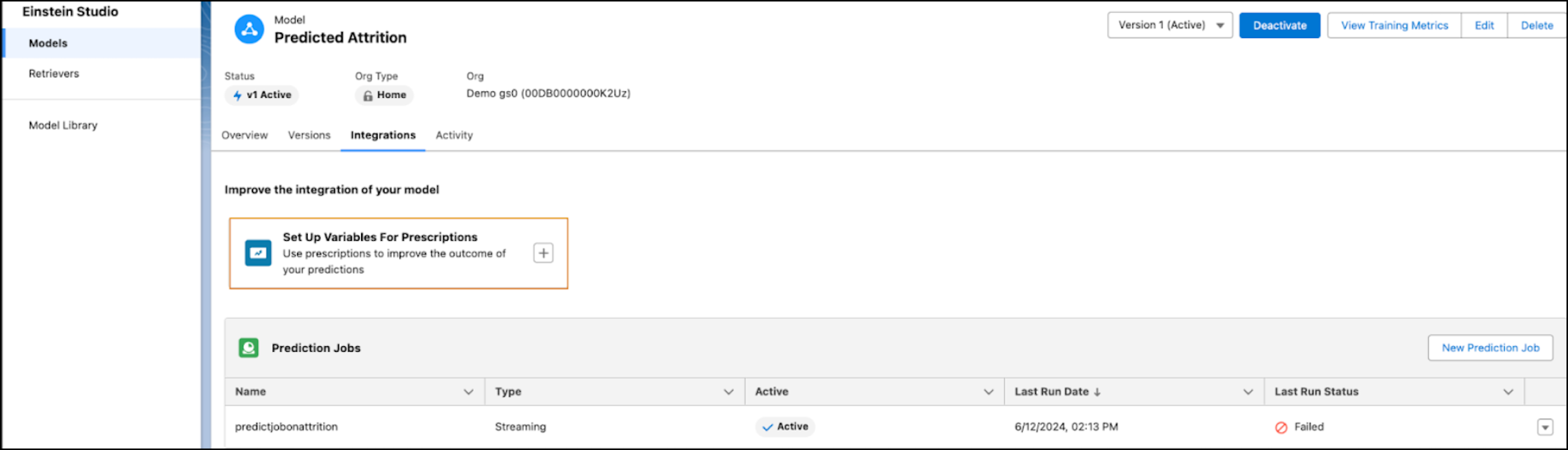
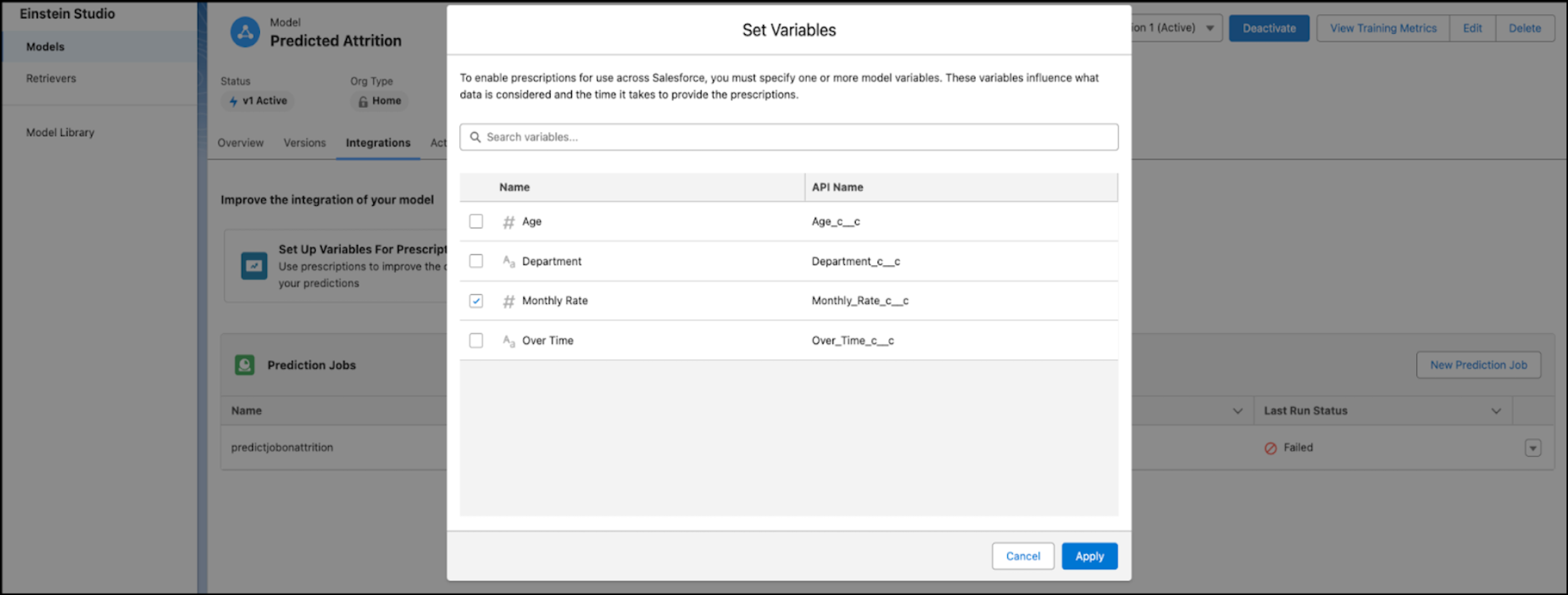
- Click the + icon to search for and select the fields you want to set as actionable variables.
-
Select variables that are likely to influence the predicted outcome. Model Builder
suggests prescriptions based on the variables you set here.
Set at least one actionable variable to get prescriptions from the model.
- Click Apply.