After creating a data stream, add key qualifiers to your data lake object (DLO) fields to
create fully qualified keys (FQK). Configure key qualifiers for all DLO fields that contain
either a primary or foreign key. You can add up to 20 active key qualifiers. A key qualifier is
active when it's used for a DLO field. Data 360 automatically adds and removes key qualifiers to
and from data model object (DMO) fields. You can't edit these system fields.
Required Editions
-
Go to the Data Lake Objects tab.
- Select the DLO and the DLO field.
- For the field, click
 , and select Add Key Qualifier.
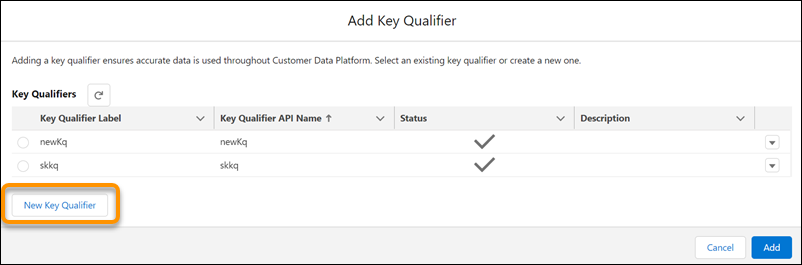
- You can either add an existing key qualifier or create one.
-
To add an existing key qualifier, select a key qualifier label, and click
Add.
-
To create a key qualifier, click New Key Qualifier and enter
a label, API name, and an optional description.
-
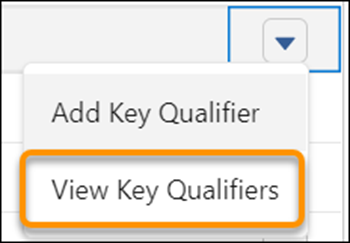
To view existing key qualifiers and fields that share key qualifiers, click for the data lake object field, and select View Key
Qualifiers. Filter or search to target your results.