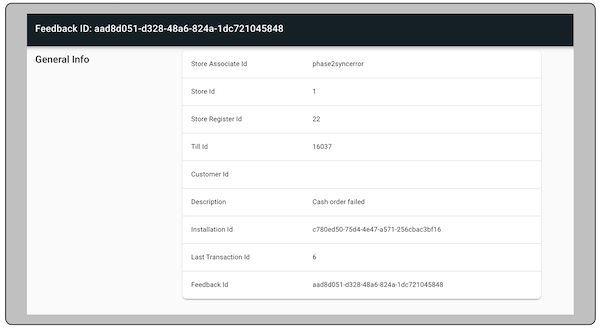
The Point of Sale (POS) app provides an option to see additional details of an error and send feedback and additional details about the error in case of any order and cart actions failure. The data sent as part of failure reporting is used for analyzing the POS app failures to further improve the robustness of the POS app. Store associates can enter comments as feedback and it'll be posted and visible on CMS. These errors are analyzed periodically by Salesforce. Customers interested in this feedback can also view it in our CMS.
Prerequisites
- Modern POS App build: 7.14.5 and later
- Platform Support: iPhone & iPad
- Offline Support: no
POS App Flow
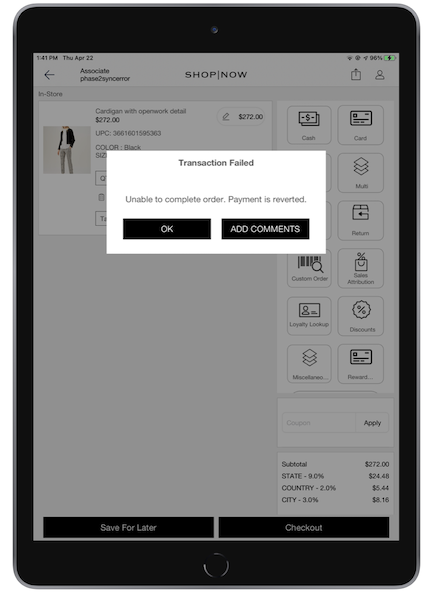
If the store associate puts the order on the POS app and the order doesn't work, the app shows the error message and a way to see more about the error.
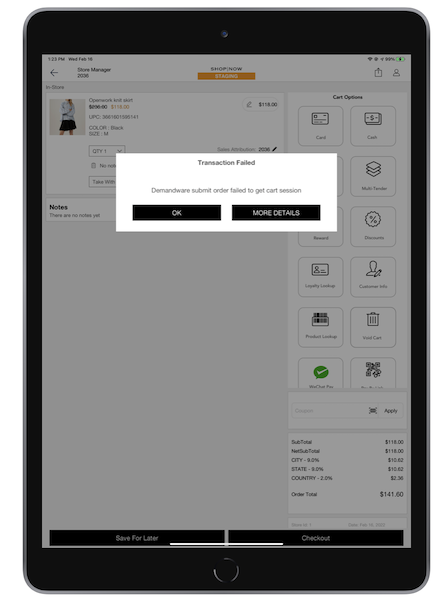
If the associate selects "", the app shows the additional details of the error along with an option to provide additional details and share this error with Salesforce.
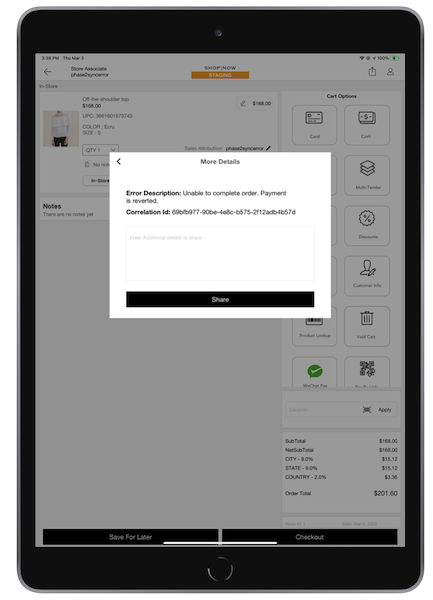
The associate can send feedback or additional steps to replicate the error and close the popup.

Different order failure scenarios
See screenshots of different failure order scenarios
Payment was canceled from the terminal
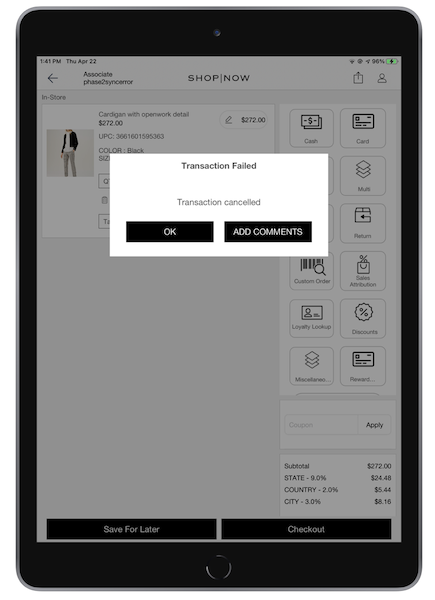
Payment was reverted because of order failure
Viewing the Feedback
Posted Feedback can be viewed in Point of Sale CMS by navigating to .
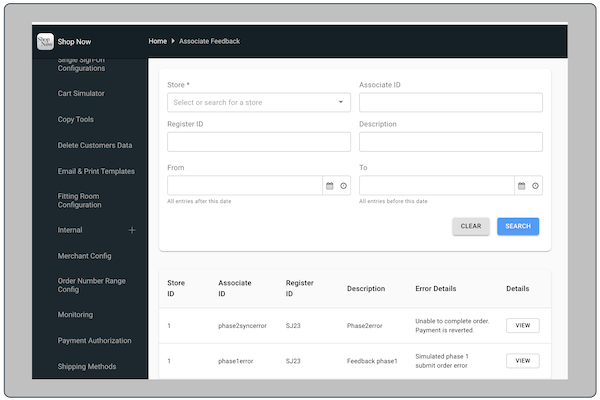
To view particular feedback, the user can select “” under the column. It displays feedback details.