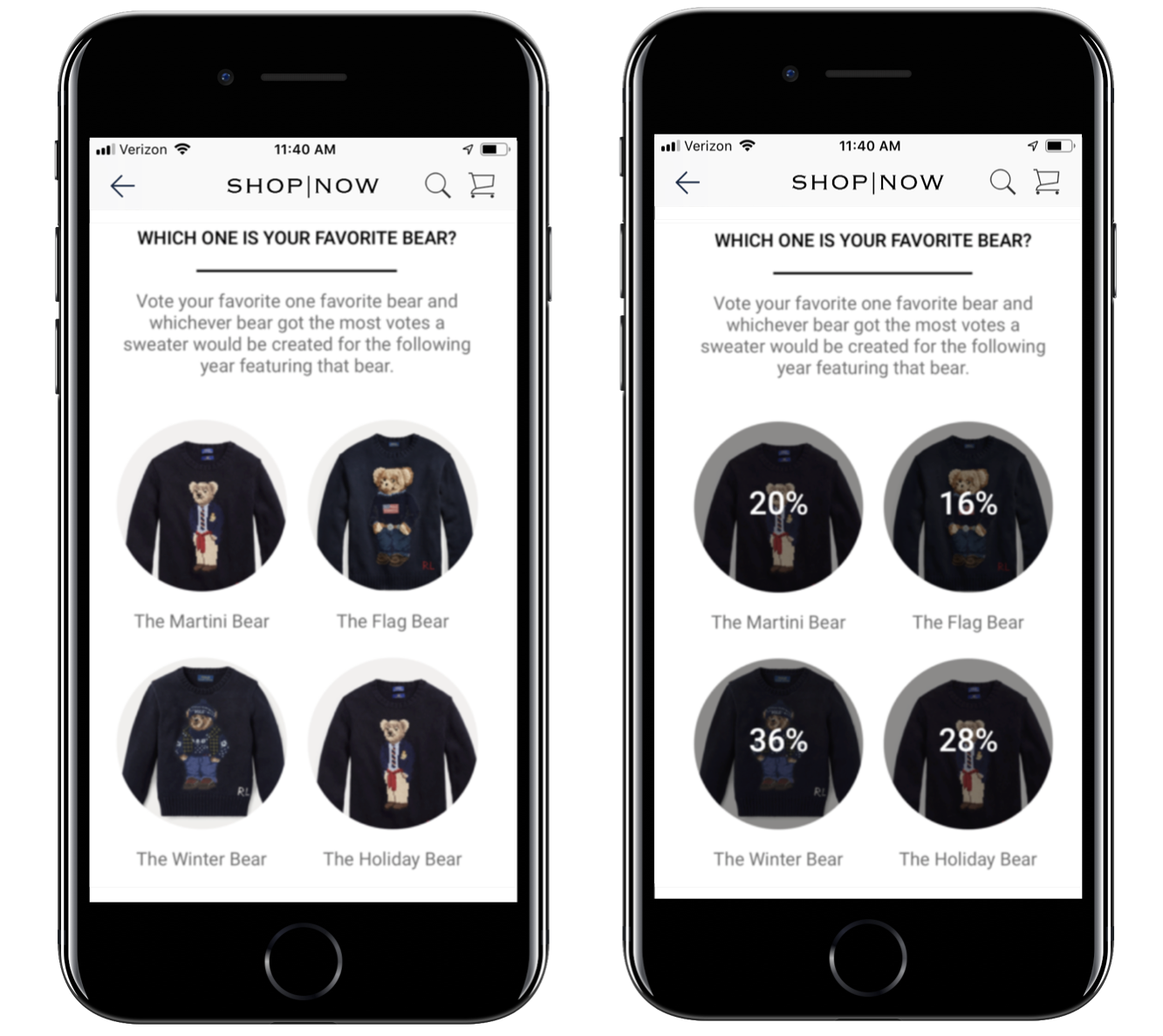
The quiz feature in Point of Sale can be used to administer a poll where users submit an answer and instantly see the poll results.
See Also
Create a Poll
- Go to
- Create the customer attribute that will be associated with the poll question.
- Go to .
- Create a question by clicking on the + icon.
-
Fill out the fields and for the Answer Type select Poll.
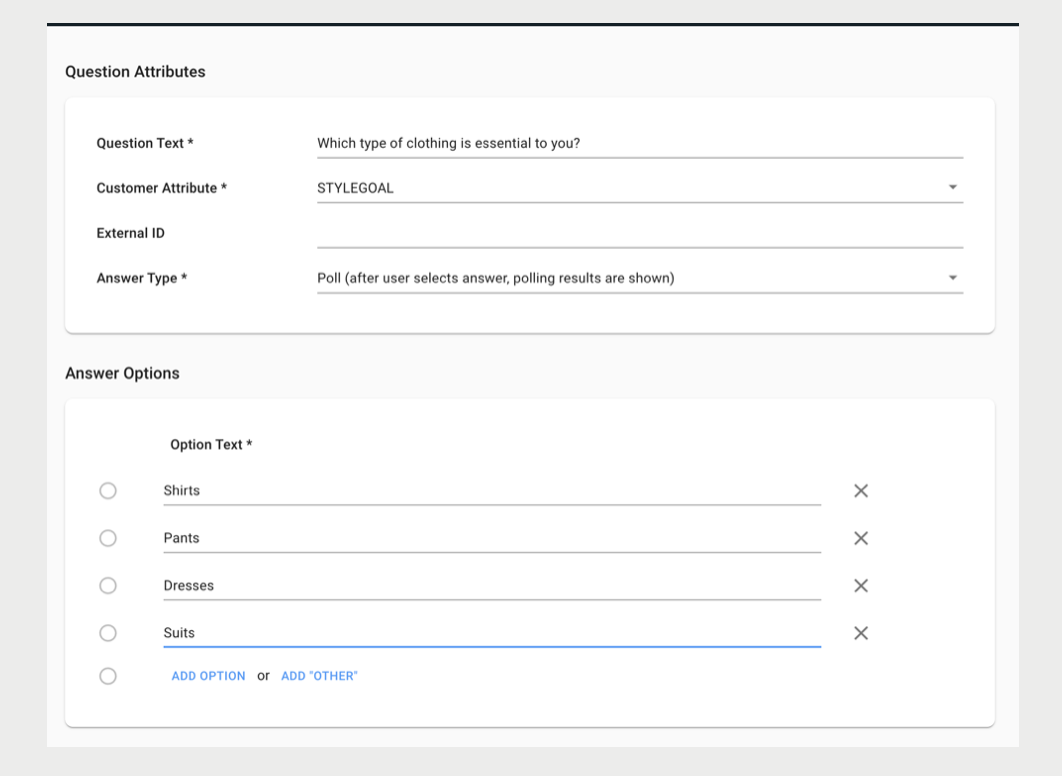
Creat a Poll Layout
A layout can have only one poll question. The configuration of the layout is the same as multiple choice quiz questions. The Edit Quizzes article covers the configuration of multiple-choice questions.
Style the Overlay Text
After the user selects an answer, the poll results are displayed on top of each answer cell. The style of the text is configurable in the Quiz Styles layout. For details on how to create a Quiz Styles layout and associate it with an app config refer to the Use Quiz Styles article.
- Go to .
-
Next to Polling Results Text click FONT SETTINGS.
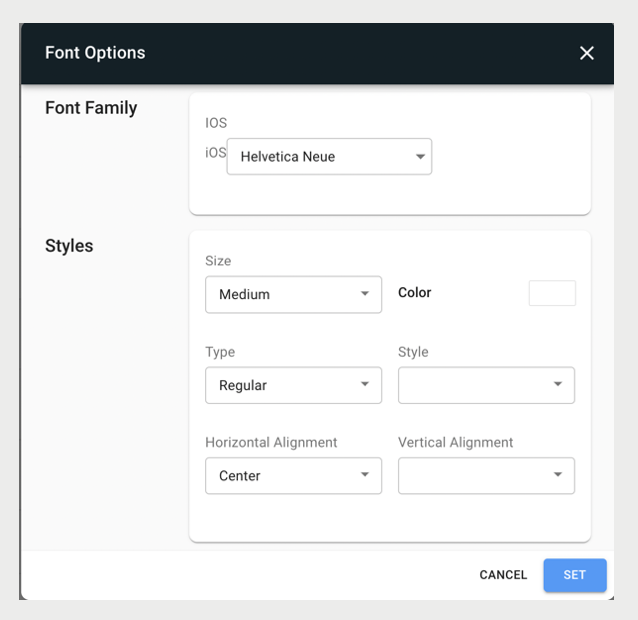
- Customize the font and click SET.
- Click SAVE