
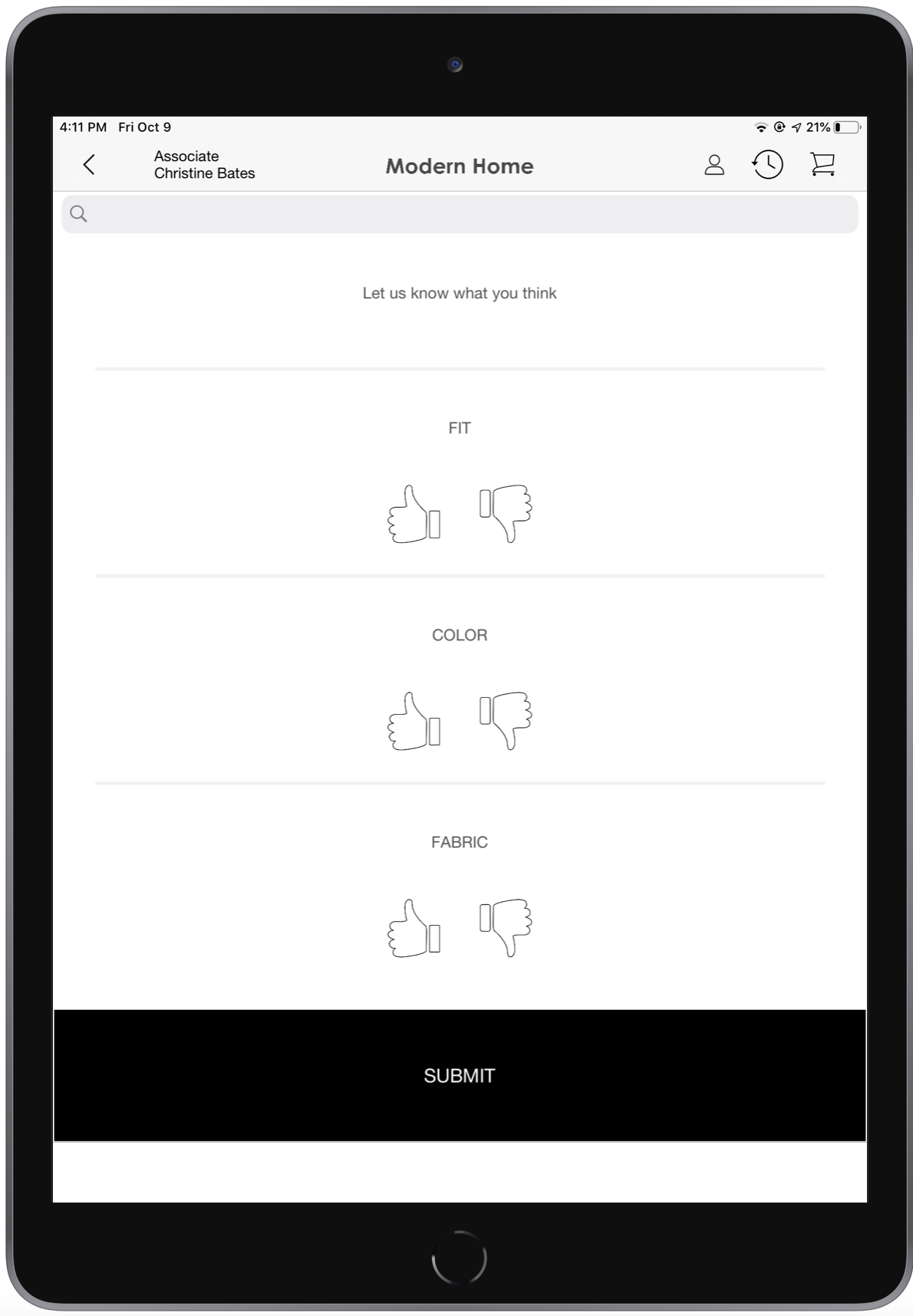
Capture customer feedback about a product using the POS app. By configuring CMS, you can gather valuable insights on products from customers within the app. This feedback loop empowers businesses to promptly address concerns, refine offerings, and improve customer satisfaction. Use the customer's voice to optimize product experiences and drive business growth.
See Also
Create a Product Feedback Quiz
First, create a quiz.
- In CMS, go to .
- Click the plus (+) icon.
-
Select Quiz.
Enter a title and configure the rest of the fields.
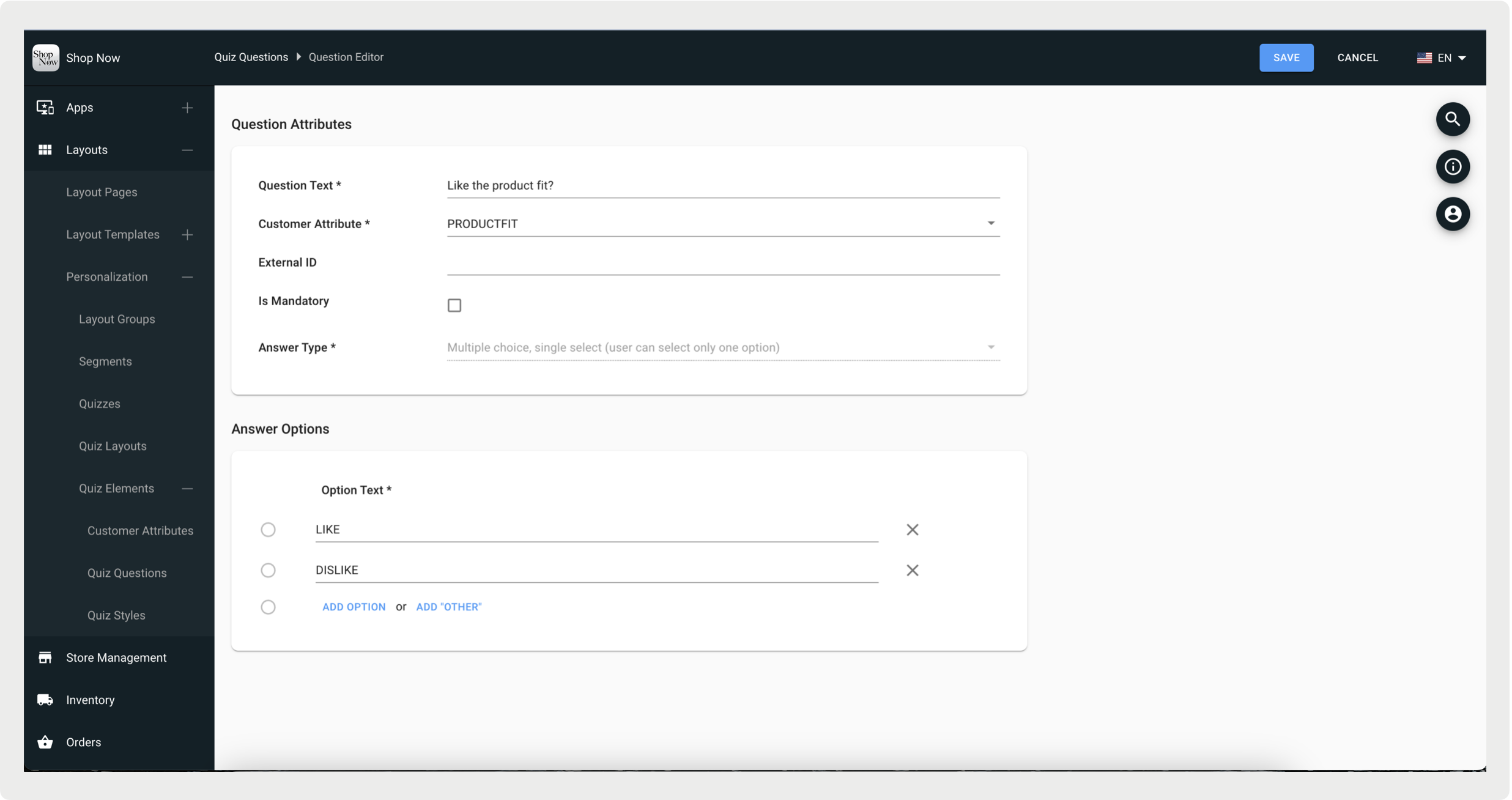
- Save your changes.
-
To customize the quiz answers, go to Quiz Layouts and select a
question page.
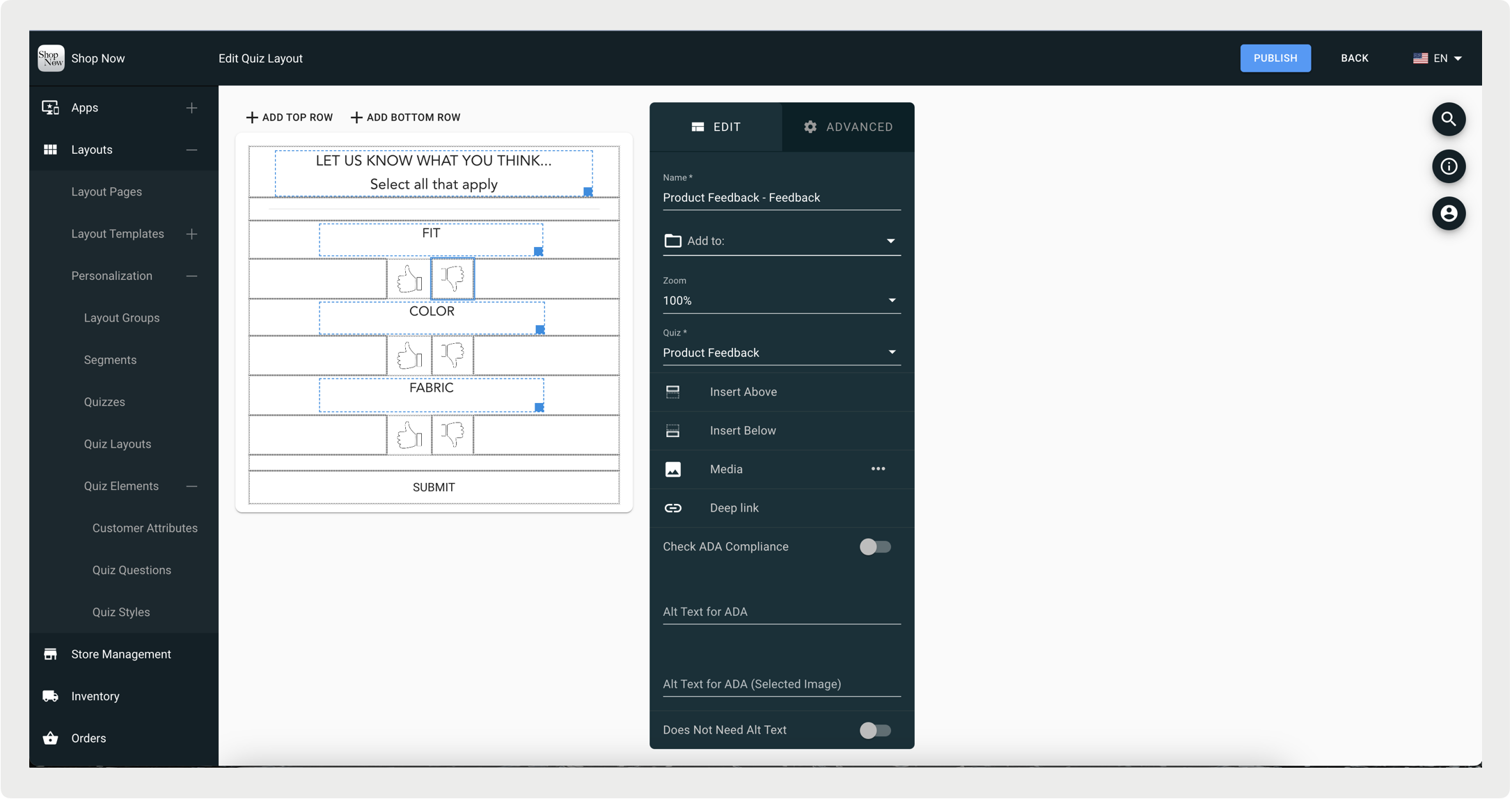
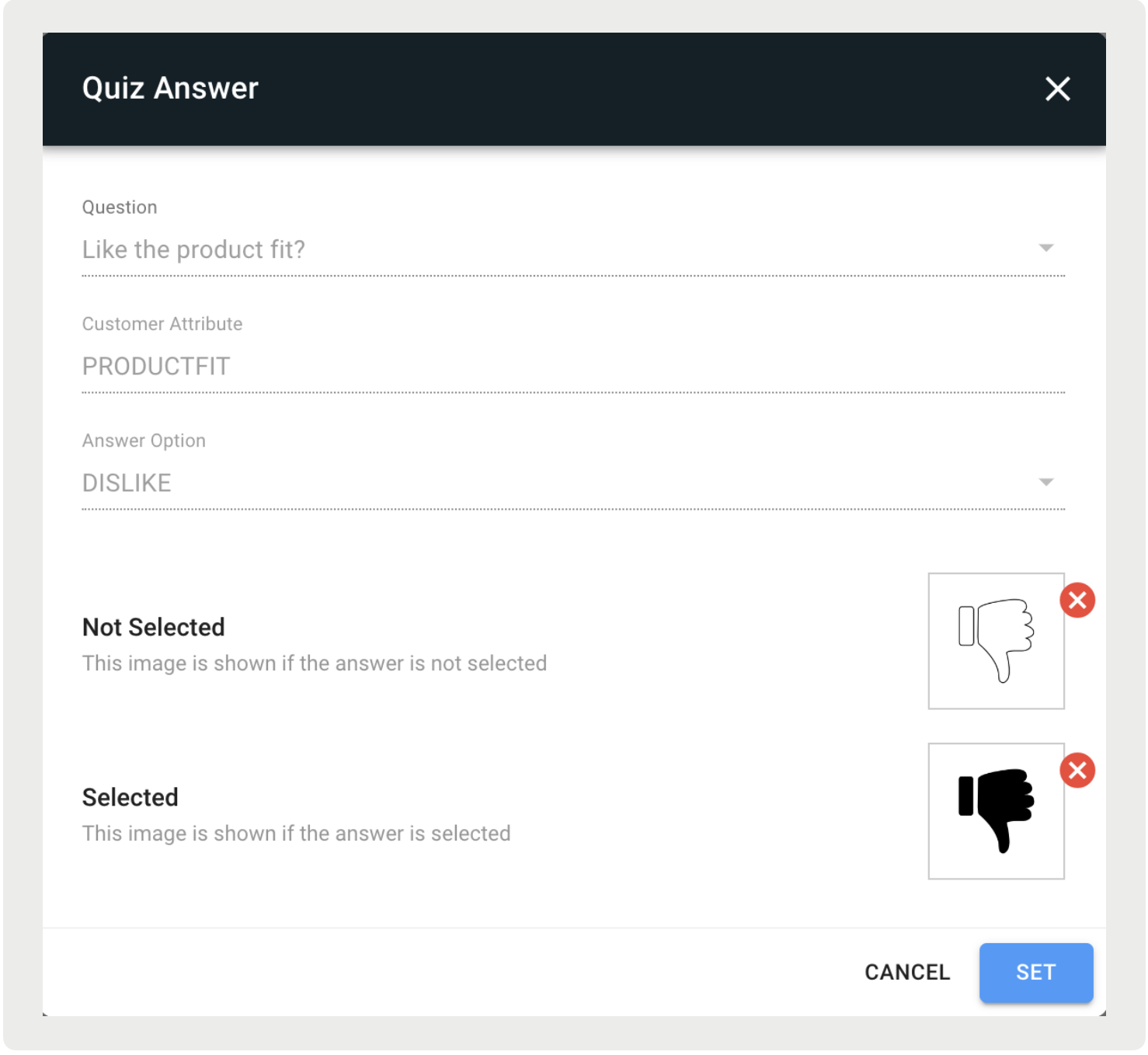
- Double-click into a cell and a modal will pop up allowing you to customize a selected and unselected answer.
 Note In addition to the dropdown list of fonts you can enter the font name manually. Out-of-the-box iOS supports many fonts. Go to iosfonts.com for the entire list.