
Buy Online Return In-Store (BORIS) allows customers to purchase products online and have them shipped. Customers can return the product to a physical store or alternative location if they are unsatisfied with their purchase. Enable Point of Sale's BORIS feature so customers have options for how they receive and return their products. Review the sections and corresponding components in the CMS to get started.
For a general overview of SFOMS integration in CMS, refer to this Configure the Salesforce (SF) Order Management System (OMS) in CMS.
For information on enabling BOPIS, read Configure BOPIS for SFOMS Integration.
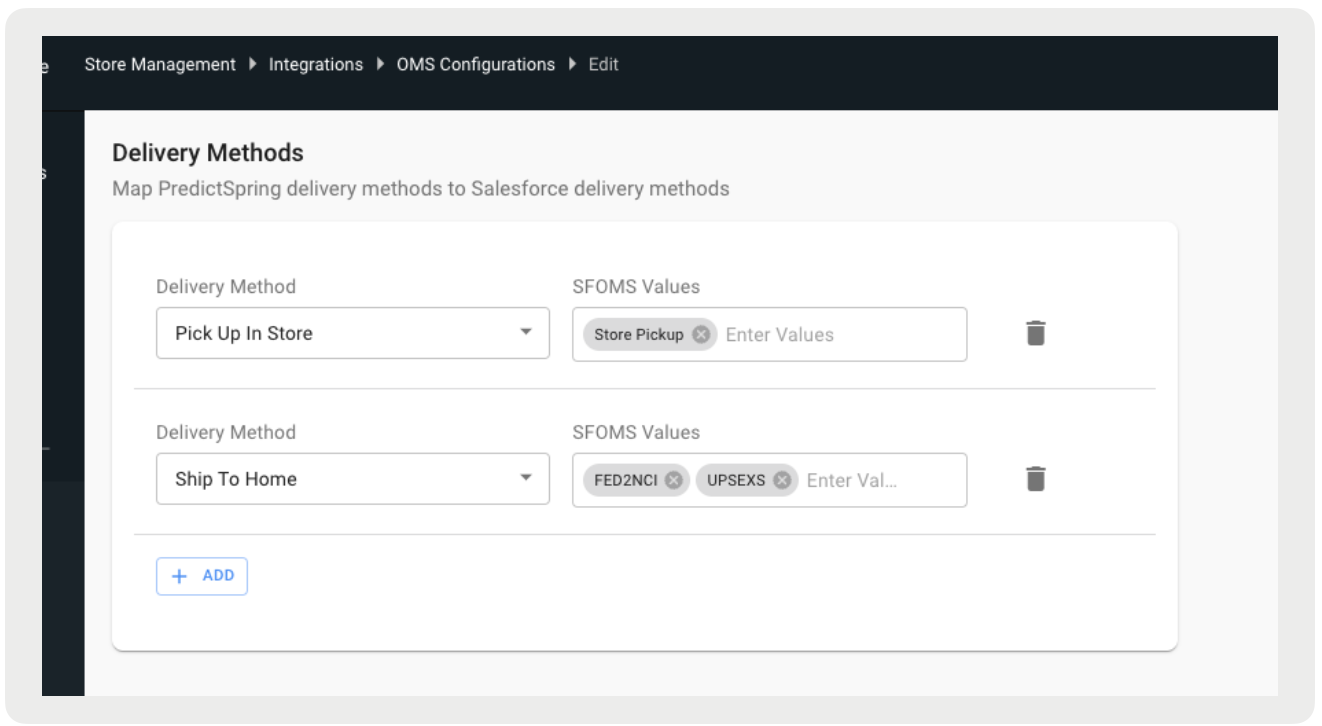
Order Delivery Methods
- In CMS, go to .
- Create or edit an existing Salesforce OMS Integration.
-
Under Delivery Methods, add in the SFOMS Values for "Ship to Home".
Advanced
- In CMS, go to .
- Create or edit an existing Salesforce OMS Integration.
-
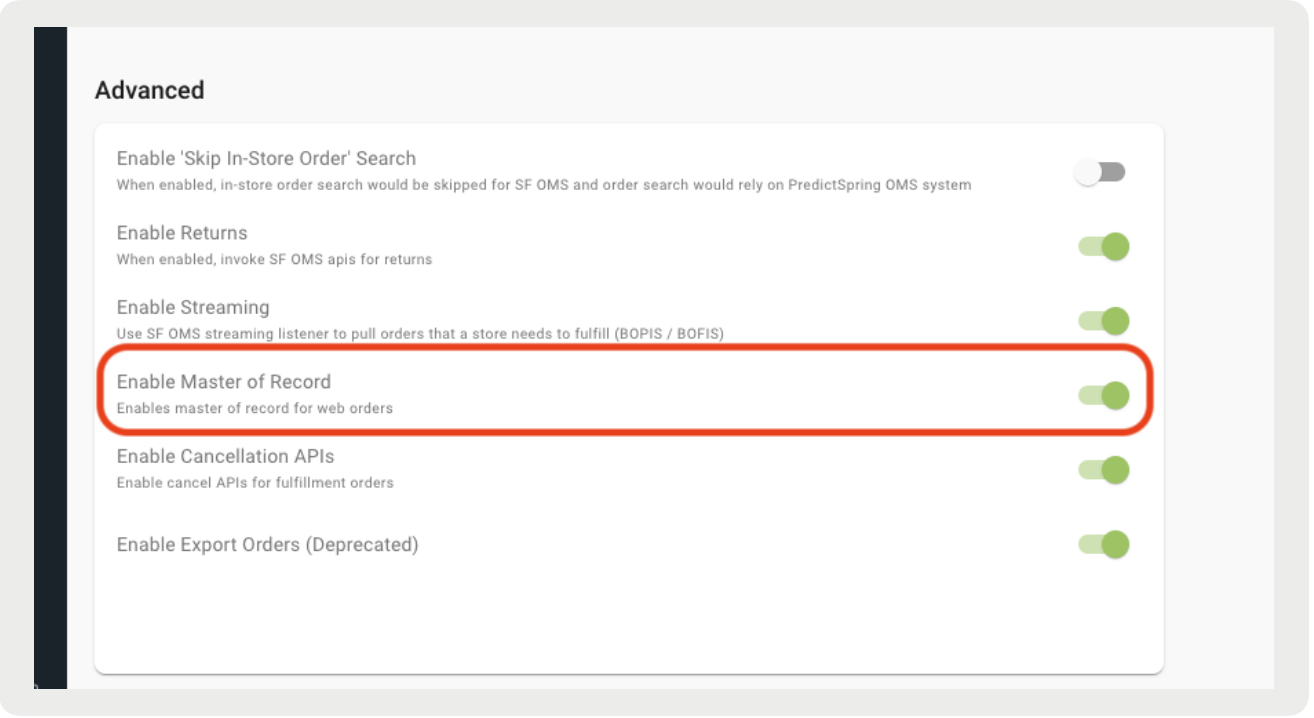
Under Advanced, enable the toggle for "Enable Master of Record".
For instructions on using an external order master, refer to this article.