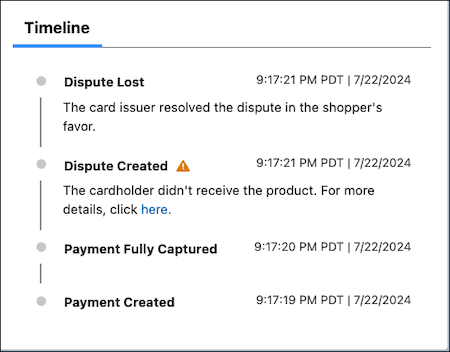
The payment timeline provides a view of key events that occur during a transaction’s
lifecycle. Use it to evaluate your business operations. You can access the timeline from each
payment intent record in the Salesforce Payments Workspace.
Required Editions
Use the timeline for:
- Transaction monitoring—Identify failed, expired, or disputed transactions, and
intervene in pending returns. Prevent transactions from falling into a failure state.
Determine failures in the payment pipeline.
- Payments pipeline health review—Assess the health of your payments pipeline,
collaborate with stakeholders to improve transaction success rates, and ensure effective
handling of returns.
- Event timestamps and dispute descriptions—Know when issues occur. Each event has a
timestamp recorded by the payment gateway, and each dispute includes a description related
to the event. The timeline reflects the time zone of the org, not your local time.
The Timeline lists events in chronological order, with the newest event listed first. It's
displayed on the right-hand side of the Payments Details view, providing access to transaction
history from any tab you’re viewing.