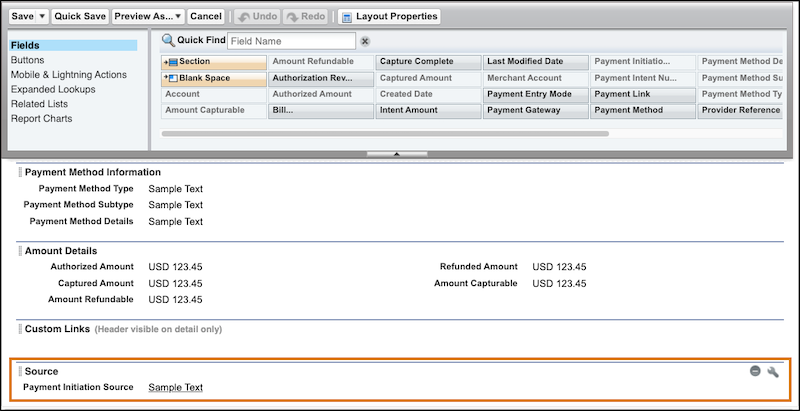
As of Spring ’25, you can view the origin of a payment on the payment intent record. If
you’ve been using Payments before the Spring ’25 release, you can add the Source section to the
record page to capture the information.
Required Editions
| User Permissions Needed |
| To edit record pages in the Payments app: |
Payments administrator permissions |
-
At the top of the page, click
 and select Setup.
-
Select Object Manager.
-
In the Quick Find box, enter and select Payment Intent.
-
Select .
-
On the palette at the top of the page, select Fields, and drag the
Section element onto the Payment Intent Detail part of the page.
-
Click
 to view the Section Properties page.
-
Enter Source as the section name, and select the column
layout.
-
In the palette, drag the Payment Initiation Source field to the Source section.
-
Save your changes.
-
Refresh the app to see the Source section on the Details tab of each payment intent
record.