With markets enabled, buyers can enjoy a more localized shopping experience. This
personalization enhances the buyer experience and facilitates smoother transactions for
international B2B buyers. Markets for B2B authenticated buyers is disabled by default. Enable
this feature from B2B authenticated user access under store settings.
Required Editions
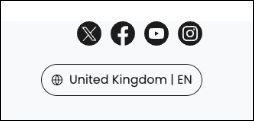
The location menu is in the footer on the store, and is available across all store
pages. Customers can use this menu at any time to change their location.
If markets are not enabled, when buyers change their location on the store,
the language and currency that are displayed on the store change accordingly. However, if
markets are enabled, when the buyer changes their location, the market associated with the
store also changes. Since markets are set up with different products and price books, buyers
can see different items in the store, different prices, or even different promotions when
they change their location.
-
In the navigation sidebar, select a store from the Store
dropdown.
-
Select , and then click Markets.
-
Enable B2B authenticated user access.
Now when a buyer changes the location on the store, the market associated with the store
also changes. You can disable this feature at any time. After you disable this feature, delete
all active carts from the Carts page.


