The embedded CDN (eCDN) web application firewall (WAF) protects your B2C Commerce storefront through two managed rulesets: the eCDN WAFv2 Managed Ruleset and the OWASP WAFv2 Managed Ruleset. You enable and tune each ruleset per zone.
Which Salesforce Commerce Product Do I Have?
The eCDN security team (or, for OWASP, the upstream project) updates the rules to cover new vulnerabilities and reduce false positives. You can turn each ruleset on or off and set the action it takes, but you can't customize individual rules within a ruleset. To enable and configure these rulesets for a zone, see Configure WAF Settings for an eCDN Zone.

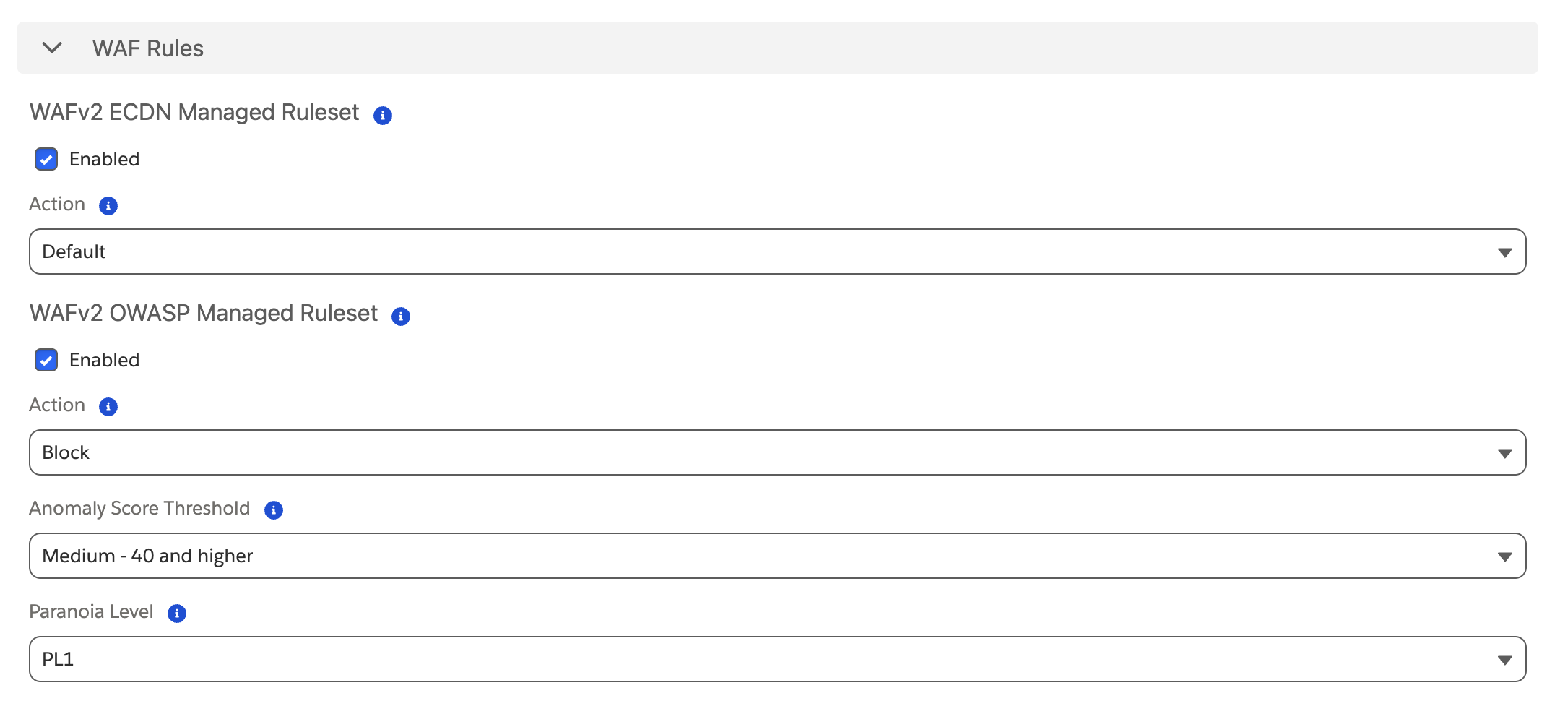
Each ruleset takes an action when a request matches. For the eCDN WAFv2 Managed Ruleset, setting the action overrides the default action defined for each rule. To restore per-rule defaults, set the ruleset action back to Default. The OWASP WAFv2 Managed Ruleset uses the same actions except Default. The available actions are:
- Default (recommended) — use the action defined for each rule.
- Managed Challenge
- Block
- JS Challenge
- Log
- Legacy Captcha
eCDN WAFv2 Managed Ruleset
The eCDN WAFv2 Managed Ruleset is the current-generation ruleset the eCDN security team maintains for broad web application protection across your B2C Commerce applications. The eCDN WAFv2 Managed Ruleset is enabled by default and updated frequently to cover new vulnerabilities and reduce false positives.
Select the action to perform. The Default option is recommended.
OWASP WAFv2 Managed Ruleset
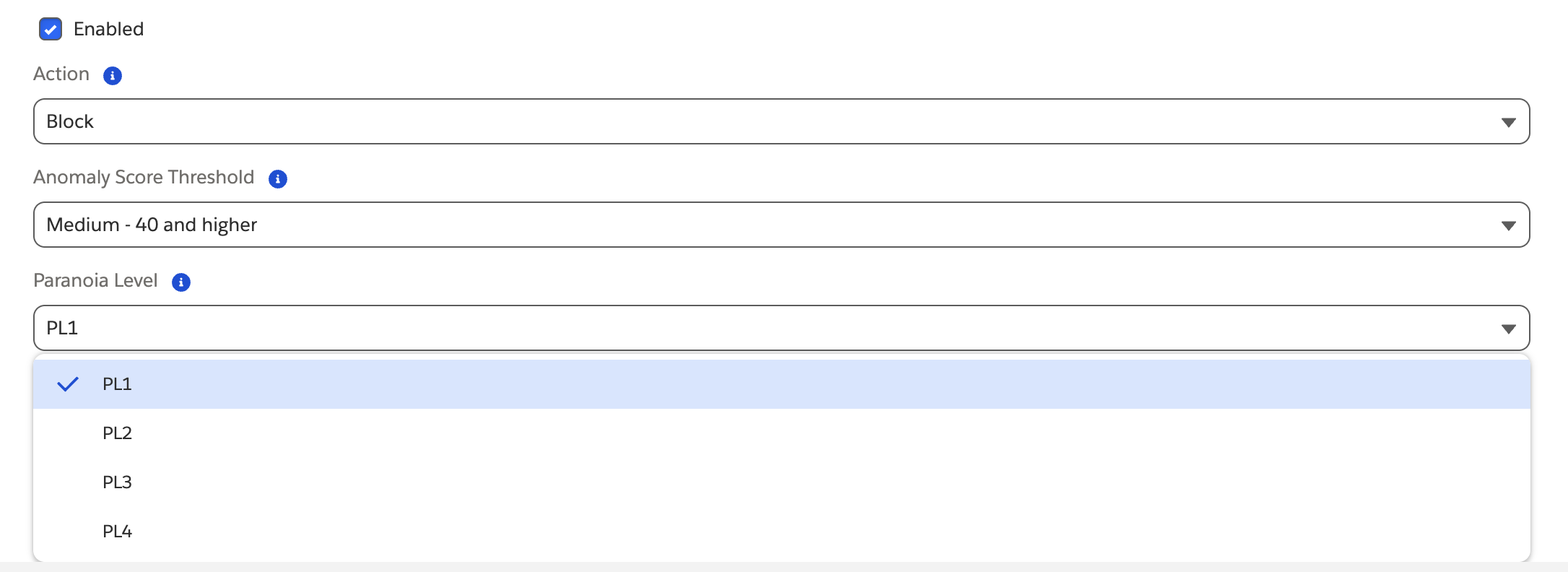
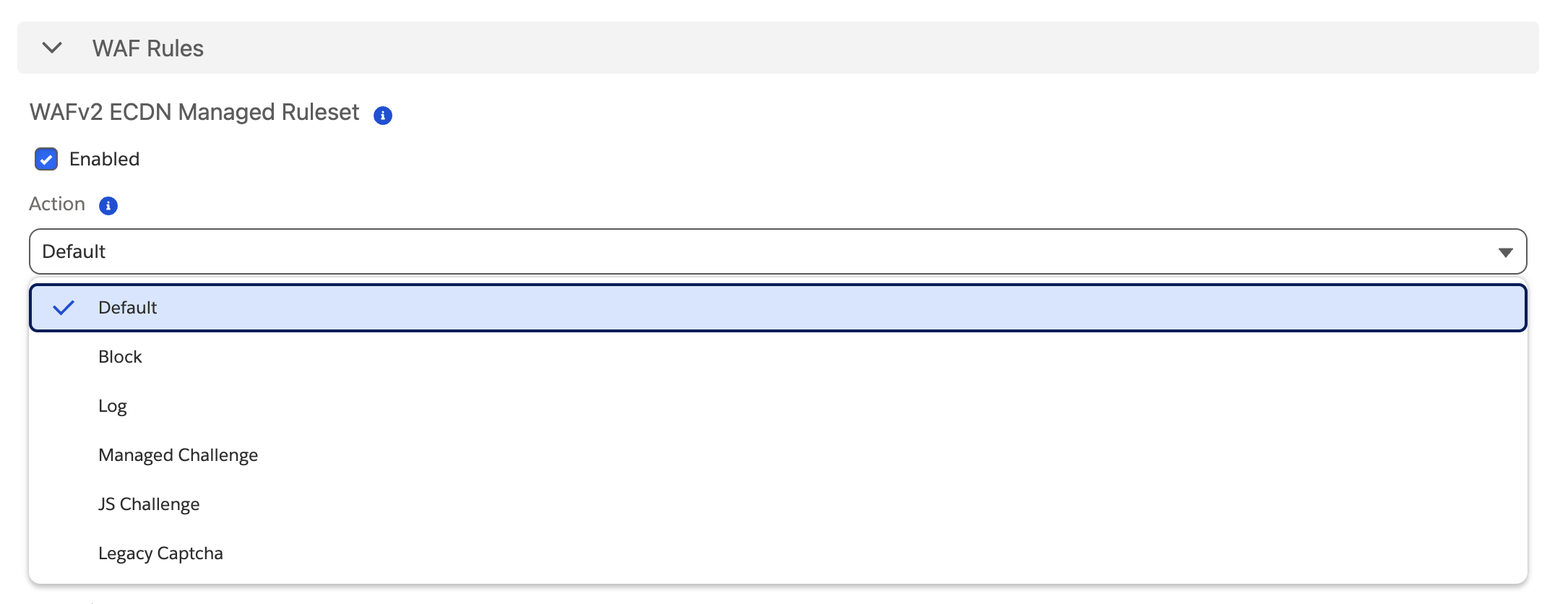
The OWASP WAFv2 Managed Ruleset for the B2C Commerce eCDN mirrors the OWASP ModSecurity Core Rule Set (CRS) and is kept aligned with the latest upstream version. The OWASP WAFv2 Managed Ruleset is enabled by default. Rather than acting on a single rule, the ruleset assigns each incoming request a threat score. Each rule a request triggers adds to the score, and WAF performs the configured action when the cumulative score exceeds the threshold. Some rules affect the score more than others.
Configure these settings:
- Paranoia Level — PL1 (default), PL2, PL3, or PL4. Each rule is assigned a paranoia level; setting a level enables all rules up to and including the level you set. Higher levels add stricter protection but can block more legitimate traffic (false positives).
- Anomaly Score Threshold — the score at which the ruleset acts:
- Low (60 and higher)
- Medium (40 and higher — default)
- High (25 and higher)
- Action — the action WAF performs when the threat score exceeds the threshold. See Ruleset actions.