
After completing the B2C Commerce Merchant Agent setup process, test the setup. Use the agent to create a boost rule with a natural-language prompt.
Complete the following prerequisites before you run the test.
- Verify that you have the user role with the BM_Agentforce_Org permission.
- You have completed the steps in Configure the Salesforce Sign-On URL in Business Manager.
- Sign in to Business Manager, and go to .
- Select a category, for example, Womens > Accessories > Shoes.
- To access the Merchant Agent, select Curate in the right-side panel.
-
Enter a prompt for a boost rule, such as,
Boost all brown shoes by
          70%
, then click Create. -
Review the rule.
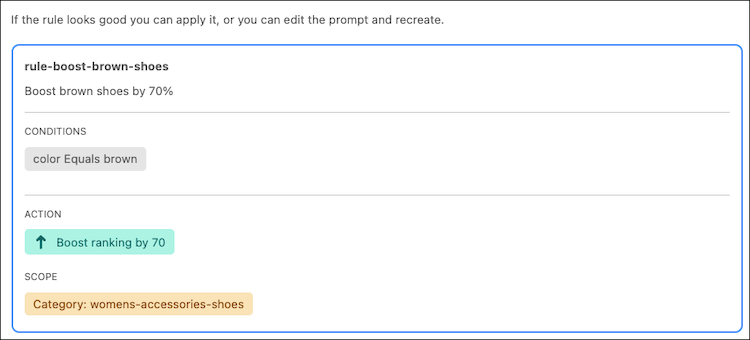 If the rule looks correct, you have configured the Merchant Agent correctly and it is ready for use.