
To give the agent secure access to the Shopper APIs, create a Shopper Login and API Access Service (SLAS) client and secret. The agent uses the SLAS client and secret to obtain a SLAS token for authorized calls to the APIs.
-
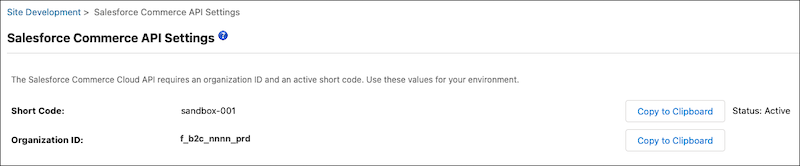
Locate and copy your Organization ID and Short Code of your B2C Commerce
instance.
- Log in to Business Manager.
-
Click App Launcher
 , and then go to .
- Go to Shopper Login and API Access Service (SLAS) Overview, and follow the steps to create the right client type for your situation.