
A SCAPI zone is the Salesforce-managed eCDN zone that fronts Salesforce Commerce API (SCAPI) traffic. Starting with B2C Commerce 26.10, the Production instance includes a subset of eCDN security controls and analytics for this zone in Business Manager and the CDN API, with no support case required.
Which Salesforce Commerce Product Do I Have?
For the full control matrix and Managed Runtime request-identification guidance, see SCAPI Zone in the developer documentation. Use the SCAPI zone to respond to abusive API traffic, such as credential stuffing against login endpoints, and to inspect HTTP and security traffic for your SCAPI hostname. Platform guardrails reject configurations that would break SCAPI routing or caching.
What Is a SCAPI Zone?
A SCAPI zone is the eCDN zone that fronts SCAPI traffic for your realm. Identify it by its shortcode-based hostname.
SCAPI zone hostname format:
<shortcode>.api.commercecloud.salesforce.com
Unlike storefront zones:
- You can't create a SCAPI zone. Salesforce auto-provisions it, and it appears in the Embedded CDN Settings zone list and the Configure Zones selector on the Production instance. For a SCAPI zone, Add Hostname shows 0 hostnames available.
- You can't add or remove hostnames on a SCAPI zone. The hostname and certificates are platform-managed.
- The Crypto tab is read-only. The Certificates table includes the certificate count and the Certificates table (hostname, cert status, hostname status, expiry, issuer, signature, and minimum TLS version). You can't upload, delete, renew, or otherwise manage certificates. This is the same read-only model used for the Default Domain. See Default Domain Support for B2C Commerce.
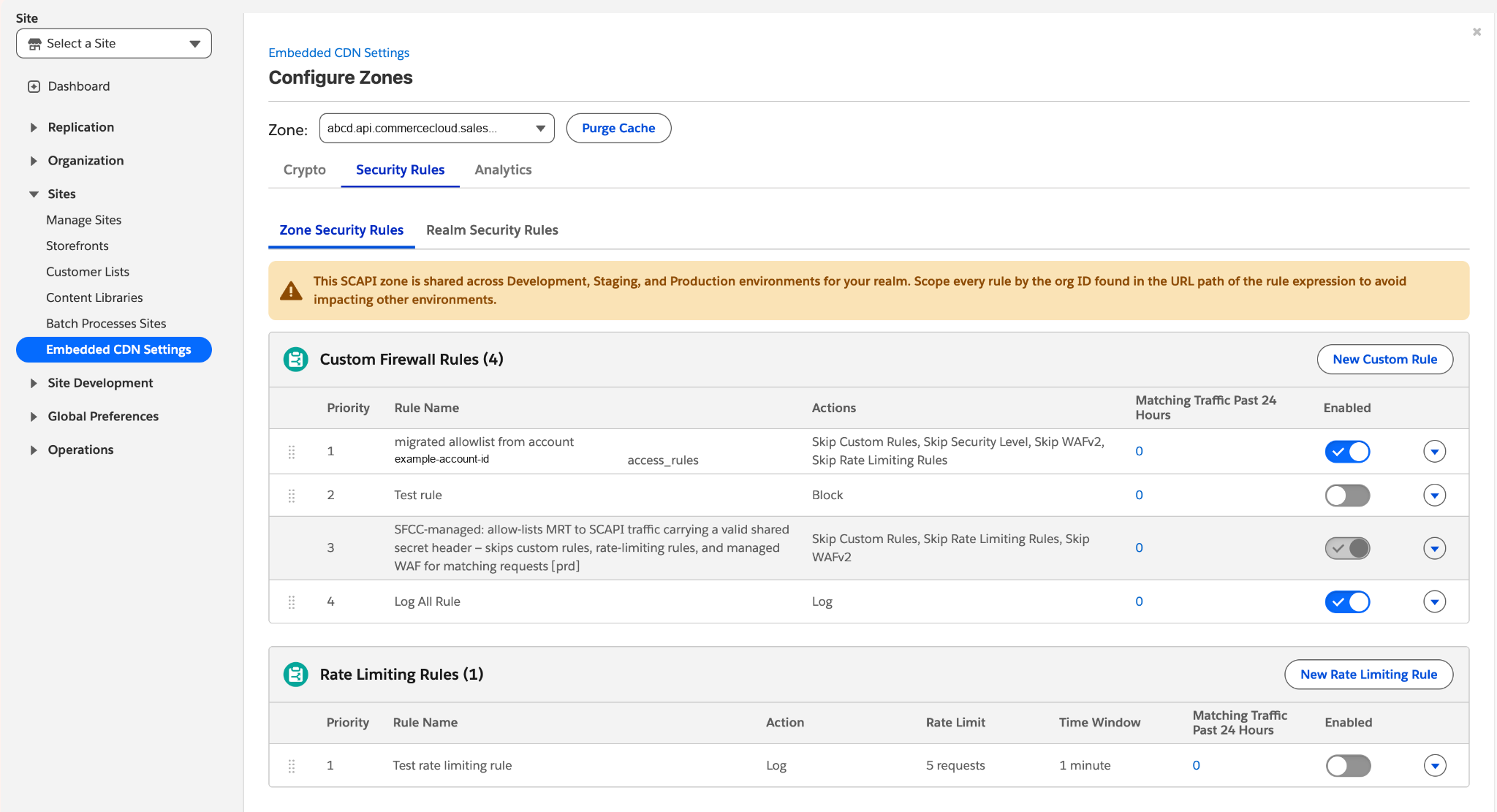
- There's one SCAPI zone for Development, Staging, and Production. A rule you add applies to all three environments unless you scope it. Scope every rule by the org ID in the URL path of the rule expression so that it doesn't affect other environments. Business Manager shows a warning banner on the Security Rules tab to remind you.
- Open and configure the SCAPI zone only on the Production instance. The zone doesn't appear in Business Manager or the CDN API on Development or Staging.
- Some rules are Salesforce-managed and locked. Platform-managed rules (for example, an allow-list for valid Managed Runtime (MRT) to SCAPI traffic that skips custom, rate-limiting, and managed WAF checks) are visible but not editable.
Security Rules tab for a SCAPI zone
Controls Available on SCAPI Zones
On the Production instance, configurations that would break SCAPI routing or caching are rejected at submission time with a clear error, before they're applied. Controls that don't apply to SCAPI zones aren't shown in Business Manager and are rejected at the CDN API level.
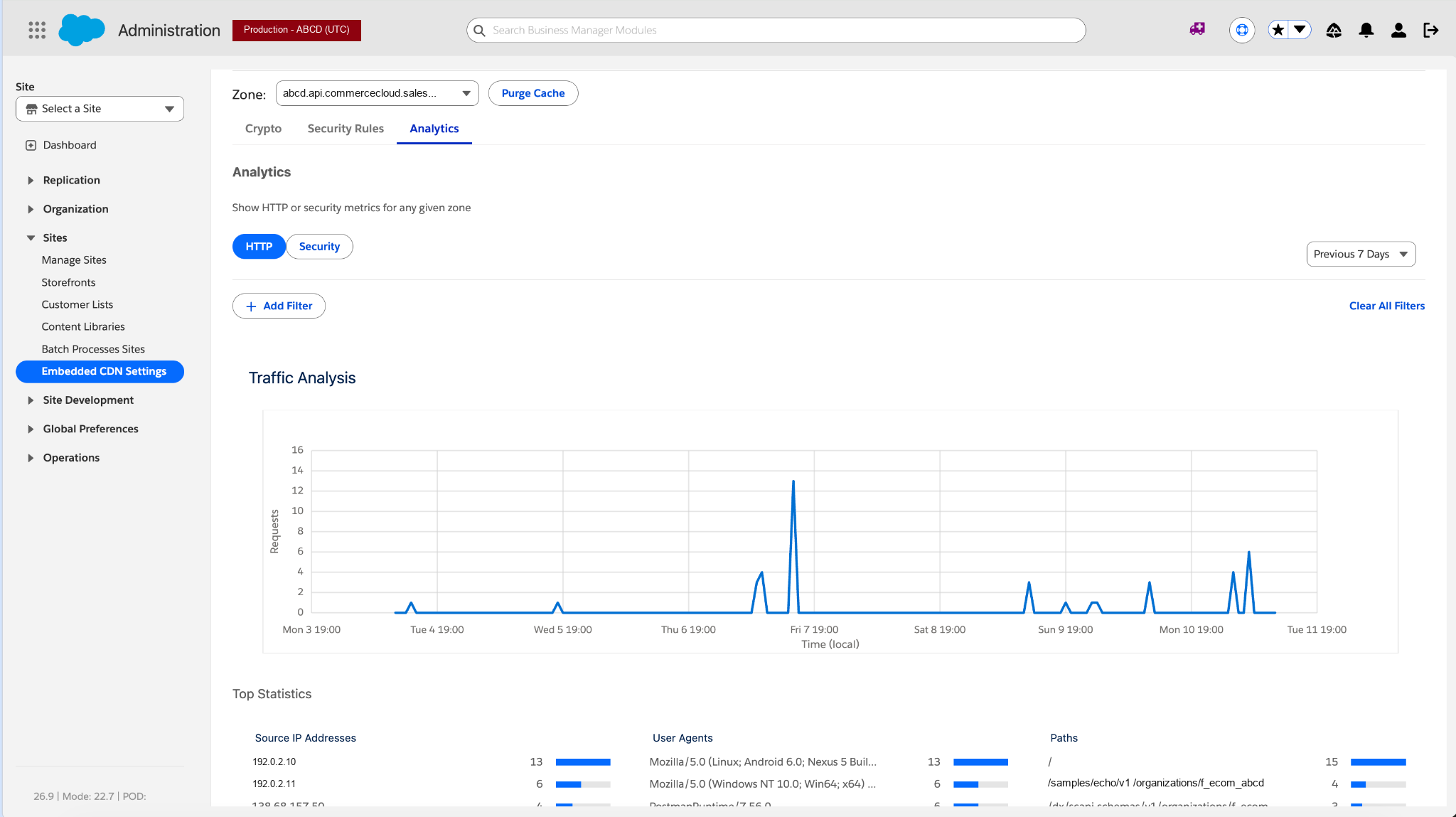
In Production Business Manager, you can use custom rules, rate limiting rules, IP access lists, HTTP and security analytics, cache purge by tag or path, and the read-only Crypto tab. These controls aren't available on SCAPI zones: eCDN WAF managed rules, mutual TLS (mTLS), TLS 1.3 configuration, MRT routing rules, HTTP Strict Transport Security (HSTS), hostname and certificate management, Speed settings, Under Attack Mode, custom error pages, Page Shield, notifications, Logpull, Logpush, Host Header Override, and cache rules (SCAPI caching is platform-managed).
Analytics tab for a SCAPI zone
Managed Runtime SCAPI Request Identification
Starting with B2C Commerce 26.10, you can lock down Shopper API requests on the SCAPI zone so that they are accepted only from your Managed Runtime (MRT) environments. In Business Manager, use these feature switches:
- SCAPI Zone Visibility makes the Security Rules tab available. This switch is on by default starting with B2C Commerce 26.10.
- Managed Runtime SCAPI Request Identification is enabled for each instance you want to protect: Development, Staging, and Production.
After setup finishes, a locked Salesforce-managed allow rule for that instance appears on the SCAPI zone's Security Rules tab. Open that tab from the Production instance. Enabling the feature switch doesn't stop direct SCAPI traffic. For how the SCAPI Identity Header works and how to write, order, test, and roll back the block rule, see SCAPI Zone in the developer documentation.
Related Tasks
The management flows for supported controls match storefront zones. For procedures, see:
- Access the SCAPI Zone in Business Manager
- Create a Custom Firewall Rule for an eCDN Zone
- Verify Third-Party Requests with Secret Headers
- Create a Rate Limiting Rule for an eCDN Zone
- Create and Manage Trusted IP Address Lists
- Analyze HTTP and Security Traffic for an eCDN Zone
- Purge the eCDN Cache
- eCDN Cache Rules and Cache Purge
- Configure an eCDN Zone for B2C Commerce in Business Manager
For developer guidance on applying these controls, including Leaked Credentials Detection and rate limiting on SLAS login, see Security.
SCAPI caching is platform-managed. For which responses are cached, how long they stay cached, and how cache tags work, see SCAPI Caching.
- Access the SCAPI Zone in Business Manager
Open the Salesforce-managed SCAPI zone from the Production instance in Business Manager to configure supported security controls, view HTTP and security analytics, and purge cache for B2C Commerce.