
Use the Granular Replication table to review past, ongoing, and upcoming granular replication jobs on your B2C Commerce site.
In Business Manager, click App Launcher  , and then select .
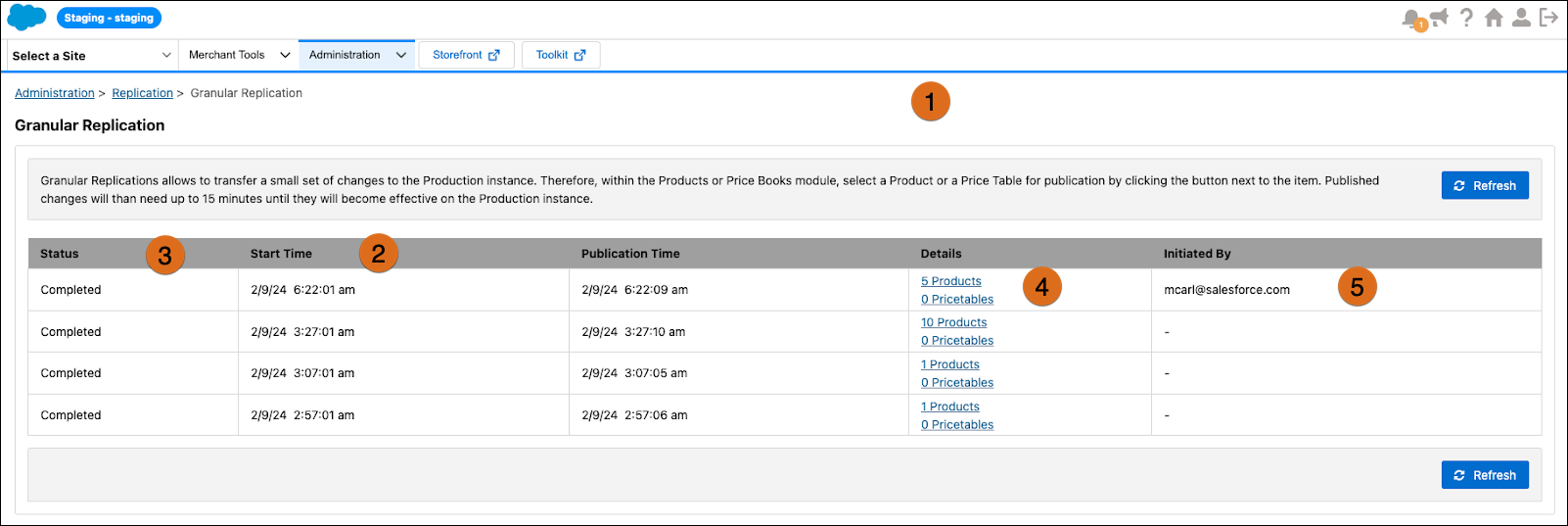
- The Granular Replications page (1) gives you full visibility into granular replication processing for the last 30 days.
- Start Time (2) refers to the granular replication process runtime.
- Publication Time (3) refers to when the specified updates are successfully transferred
to the production instance.
 Note Note: The duration doesn’t include cache invalidation, which can take an additional 5–10 minutes.
 - The Status field (4) for an upcoming process is set as Queued. When a process is ongoing, the Status field is set to In Progress.
- The Initiated By column (5) identifies the user who triggered the Granular Replication
update for each product, price, or content asset within that session. This is true
regardless of whether a single user or multiple users published the items within a
session.
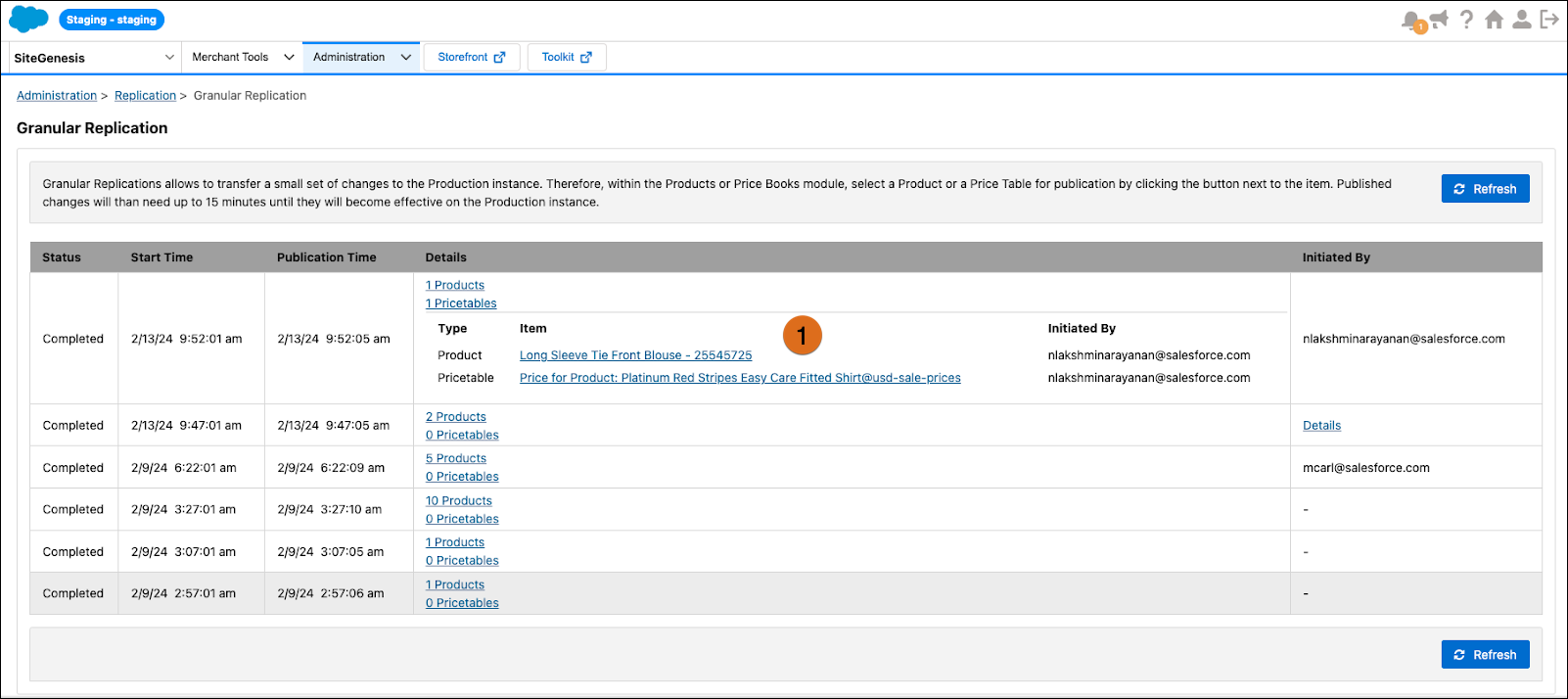
- To view the list of products, price table entries, and content assets (1) within a particular execution, click the link for the number of content asset entries in the Details column.