
Selectively invalidate content in the B2C Commerce eCDN cache by cache tag or path directly from Business Manager.
For storefront and Default Domain zones, content is available to purge after it's cacheable, which requires a cache rule and correct origin headers. See Create an eCDN Cache Rule.


A purge affects only content currently at the edge. Subsequent requests repopulate the cache according to your rules and origin headers.
-
In Business Manager, click App Launcher
 , and then select .
- Locate the zone that you want to configure, and then select Configure Zone from the dropdown menu.
-
Click Purge Cache.
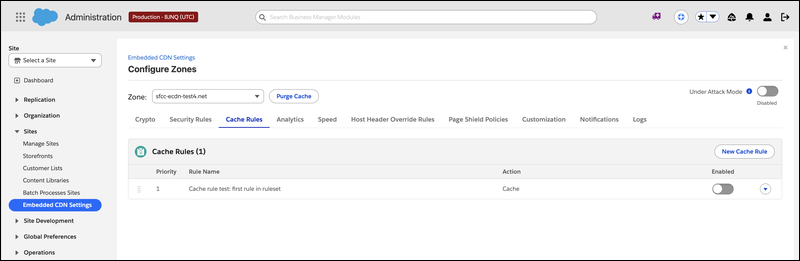
-
Select the purge method.
- To invalidate specific URLs, select By path, and then enter one or more paths.
- To invalidate all content stamped with specific cache tags, select By tag, and then enter one or more cache tags.
To prevent accidental large-scale or platform-breaking purges, B2C Commerce blocks these purge targets and returns an error message.
/*: Purges the entire site./cdn-cgi/*: Cloudflare-managed paths./on/demandware.static/-/Sites-*: Platform static content.
-
Confirm the purge.
eCDN removes the matching content from the edge cache.

Tag-based purge relies on the origin stamping responses with a Cache-Tag
header. For example: Cache-Tag: product-12345, category-shoes. Then
purge all content that carries a given tag in a single request. This approach is useful for
invalidating every page related to a product or category at once.
Path-based purge invalidates specific URLs, which is useful when you know exactly which pages changed.