
Use the storefront site preview controls to preview and test different test segments of A/B tests. When you preview an A/B test, B2C Commerce enables the related promotions, discounts, slots, and sorting rules for that test segment.
-
Click App Launcher
 , and then select .
- To see a preview of the test, select the test and go to the Segments tab.
-
Select the segment that you want to preview, then select
Preview.
The storefront opens.
-
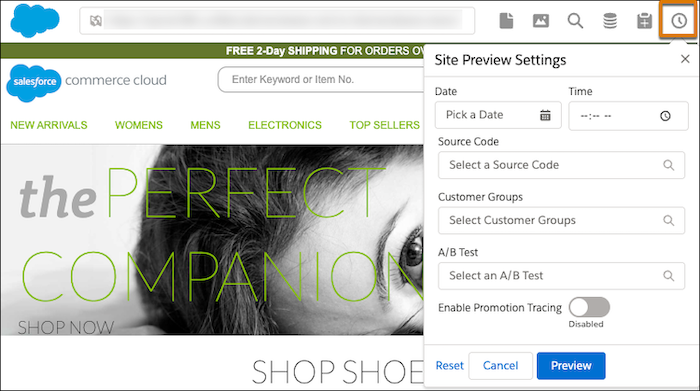
Select the clock icon in the top-right corner of the page.
-
Enter values for the Site Preview Settings, then click Preview
to see the results.
If an A/B test is disabled or inactive, the storefront shows an error.