To control how product data transfers during product feeds that support catalog unification, map B2C Commerce product fields to Point of Sale fields. Linking a site to a Merchant Locale Region (MLR) creates automatic field mappings between B2C Commerce and Point of Sale. You can edit some but not all default mappings.
Important Considerations
- Make sure that you map all required fields for Point of Sale, including Product ID, SKU, and GTIN (Global Trade Item Number).
- GTIN is for barcode scanning in physical stores and is typically different from Product ID or SKU.
- Under the Products tab, go to the Field Mapping section.
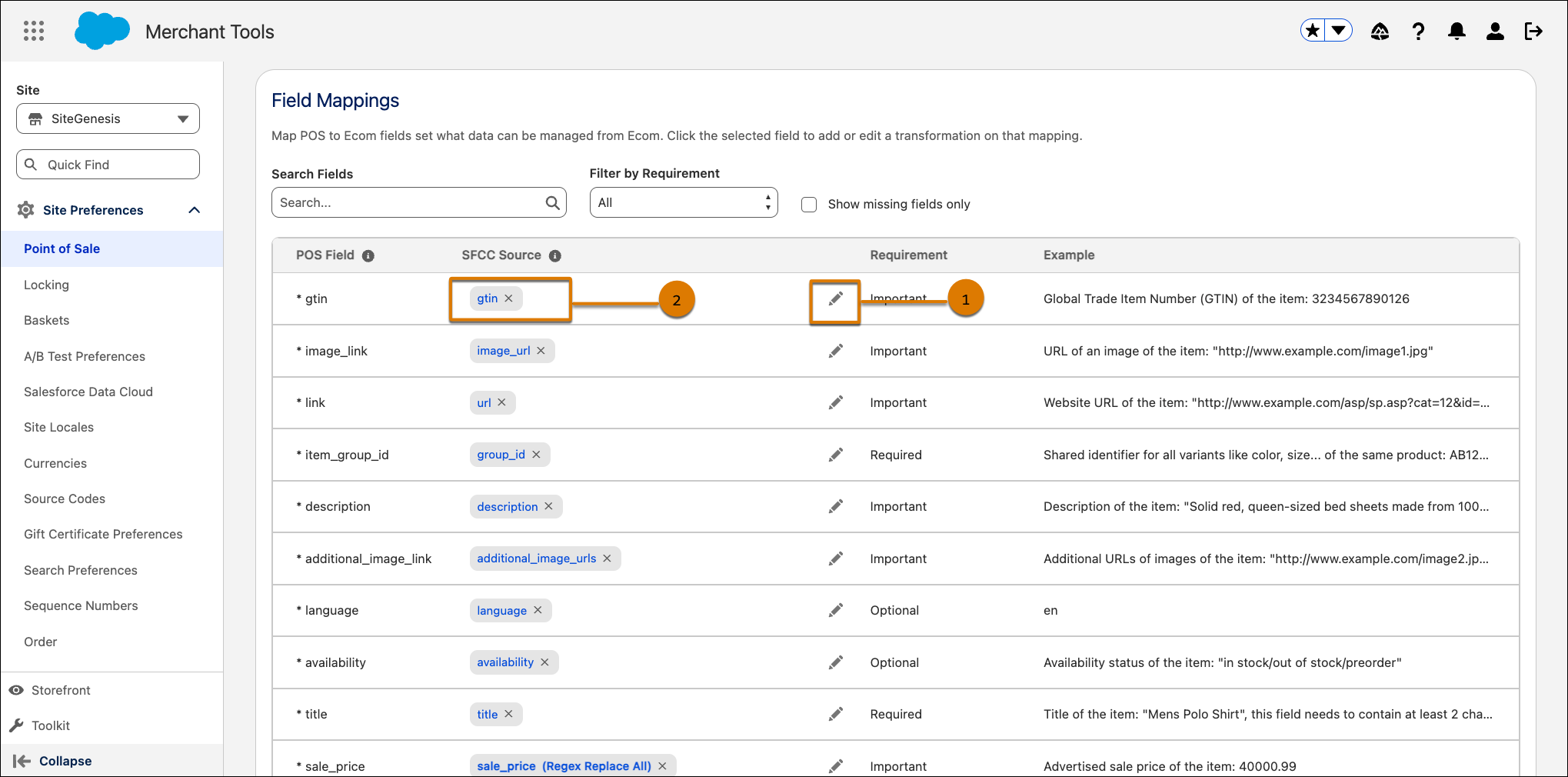
- Use the search and filter controls to find specific fields.
-
To modify a mapping:
- Click the pencil icon next to the field.
- Select one or more source fields from the dropdown.
-
(Optional) To apply transformations such as uppercase, lowercase, or numeric formatting,
click a mapped field pill.
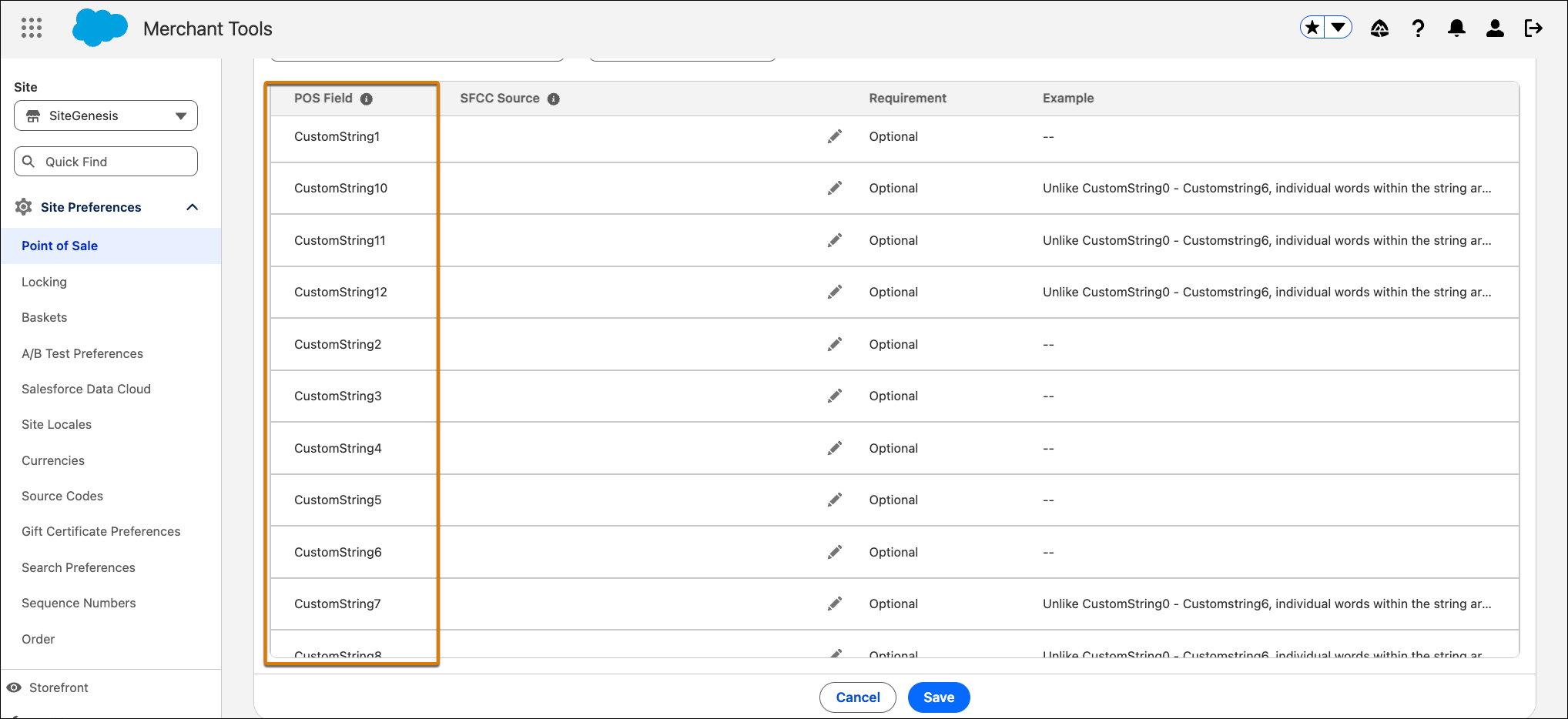
- To map custom fields, scroll down to the CustomString fields (CustomString0 through CustomString12) and map them to your B2C Commerce custom attributes.
-
Save your changes.