
B2C Commerce On-Demand Sandboxes (ODS) are served exclusively through the Salesforce-managed Default Domain starting with the 26.6 release. When you create a development, production, or partner ODS instance, B2C Commerce provisions the Default Domain automatically and handles DNS and certificates for you.
Which Salesforce Commerce Product Do I Have?

<realm>-<NNN>.dx.commercecloud.salesforce.com to
<realm>-<NNN>.my.commercecloud.salesforce.com, including for
already-provisioned sandboxes. Business Manager, WebDAV/code upload, jobs, and the Sandbox API
remain on the .dx host—only the storefront moves to
.my.

This table describes the hostnames, zone model, and required actions for the ODS Default Domain.
| Item | Details |
|---|---|
| Storefront hostname | <instance>.sbx.my.commercecloud.salesforce.com (for example,
bldp-001.my.commercecloud.salesforce.com). For existing ODS instances,
the host changes from .dx to .my when 26.6
default-domain routing is enabled. Wildcard certificate
*.sbx.my.commercecloud.salesforce.com is managed by Salesforce and is
publicly trusted—no customer TLS action is required.
|
| Business Manager hostname | <instance>.dx.commercecloud.salesforce.com, updated via Route
53 to proxy through the shared BM zone
(ccbm.<realm>-sbx.cc-bm.net). Wildcard certificate
*.dx.commercecloud.salesforce.com is managed by Salesforce. Business
Manager, WebDAV/code upload, jobs, and the Sandbox API remain on the
.dx hostname.
|
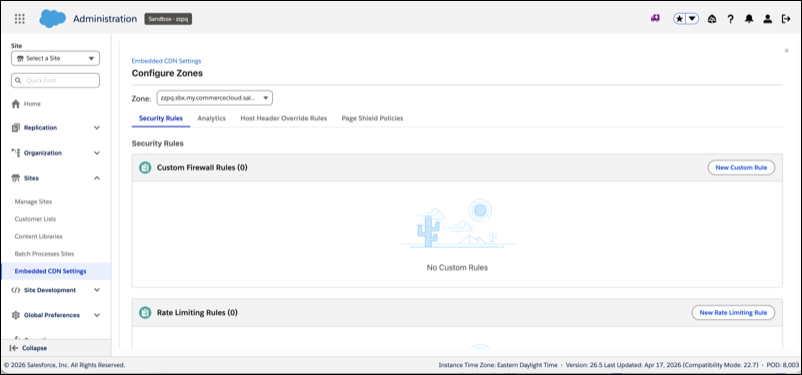
| Shared zone model | All ODS instances in a realm share one storefront zone and one BM zone. WAF rules, MRT routing rules, cache settings, host header overrides, and PCI policies configured on the zone apply to all instances in the realm. |
| Block All rule | No default Block All firewall rule is applied to ODS zones. Unlike some primary instance group (PIG) production zones, ODS zones are open by default. Add explicit rules as needed to restrict access. |
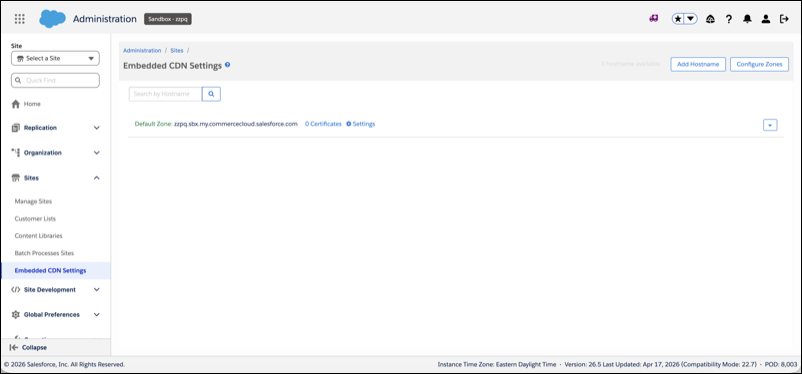
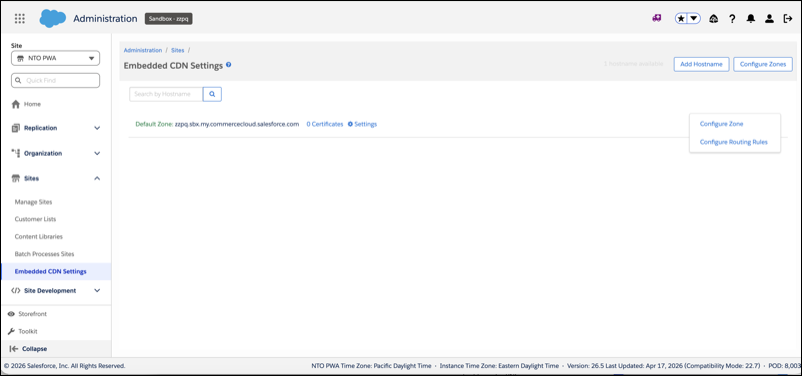
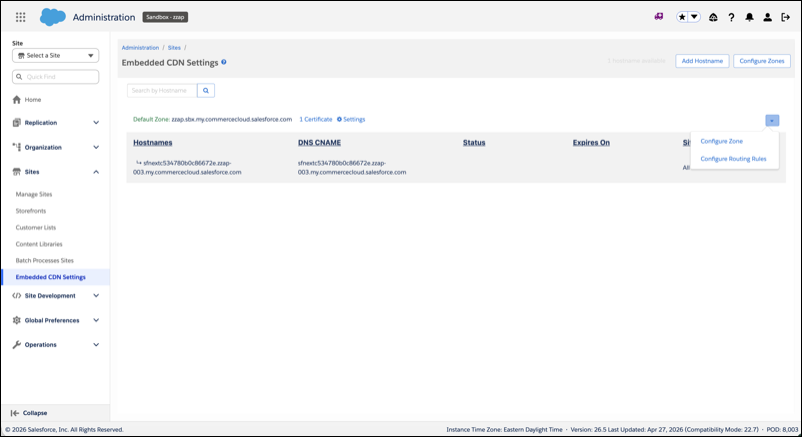
| BM UI visibility | After provisioning, the Default Zone appears in Business Manager under
Administration > Sites >
Embedded CDN Settings as the Default Zone row (for example,
zzpq.sbx.my.commercecloud.salesforce.com).
|
| Required customer actions for 26.6 rollout | If you have external integrations or test automation that reference the old
.dx storefront hostname, update them to use the new
.my hostname. This includes: CORS allowed-origins lists, third-party
service whitelists, end-to-end test base URLs, and any hard-coded storefront references.
The .my certificate is Salesforce-managed and publicly trusted, so no TLS
reconfiguration is needed.
|
Feature Parity with Production
All standard eCDN capabilities are available on ODS Default Domain zones, including edge caching, web application firewall (WAF) (OWASP ruleset, eCDN Managed ruleset, and custom rules), bot protection, DDoS mitigation, rate limiting, real-time analytics, Log Center metrics (HTTP status codes 502–530), PCI 4.0 / Page Shield, IP/ASN/geo blocking, MRT routing rules, image optimization (DIS), and log export (LogPush).
The following features aren't available or are out of scope for ODS:
- Custom domains: Not supported via eCDN, and not on the roadmap. ODS is served exclusively through the Salesforce-managed Default Domain.
- Per-instance eCDN configuration isolation: Out of scope. All ODS instances in a realm share the same eCDN configuration.
- Video optimization: Not supported. Use an external CMS or partner solution.
Custom Domains on ODS
Custom domains on ODS via eCDN aren't supported. ODS is served exclusively through the Salesforce-managed Default Domain, by design. The Default Domain provides a unique hostname with Salesforce-managed certificates and no certificate management.
Existing vanity hostnames on ODS (for example, CNAMEd to
dx.commercecloud.salesforce.com) aren't auto-migrated to eCDN and remain on
the legacy path. If you rely on them, move to the Default Domain. A blanket migration isn't
feasible because accounts commonly mix unique, non-unique, and unowned aliases, and any
account with non-unique or unowned hosts can't be migrated to eCDN.
If a true custom domain is required, use a Development or Staging (PIG) instance, where custom domains via eCDN are supported.