
Create a cache rule to make HTML pages and JSON responses eligible for caching at the eCDN edge for your B2C Commerce storefront. By default, eCDN caches only static content based on file extension.
A cache rule makes an otherwise-uncacheable content type eligible for caching, but it
doesn't force caching. For a response to be cached, your origin must still return appropriate
Cache-Control (or Expires) response headers. For details
about how eCDN decides what to cache, see eCDN Cache Rules and Cache
Purge.
Before you create a rule, review these limits.
- A zone supports a maximum of 200 cache rules.
- The expression length limit is 4,096 characters.
- eCDN supports only the
cacheaction. To prevent caching, configure your origin to sendprivate,no-store,no-cache, ormax-age=0. - eCDN caches GET requests only, regardless of the rule configuration.

-
In Business Manager, click App Launcher
 , and then select .
-
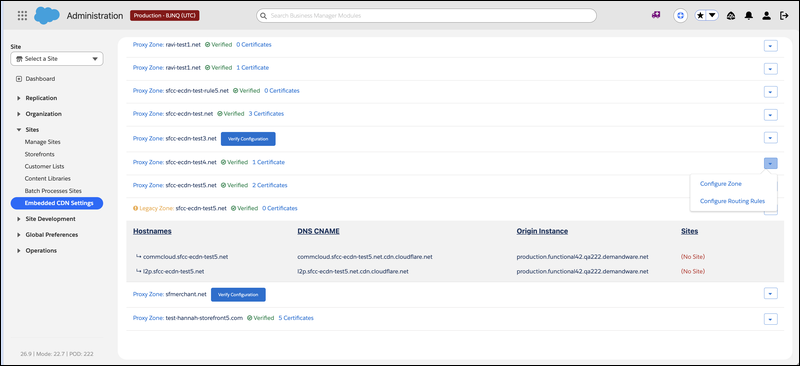
Locate the zone that you want to configure, and select Configure
Zone from the dropdown menu.
-
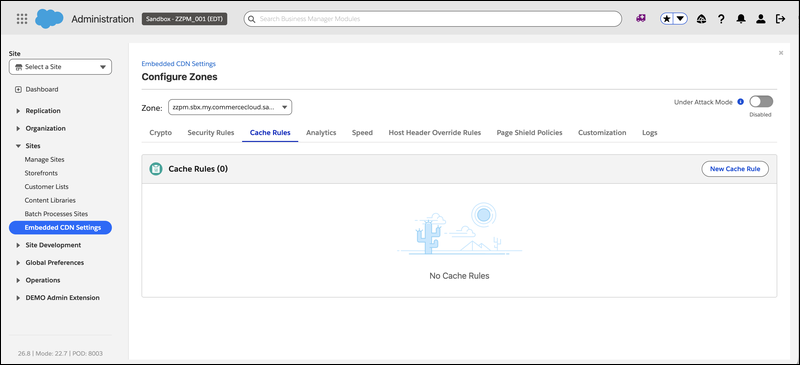
Open the Cache Rules section.
-
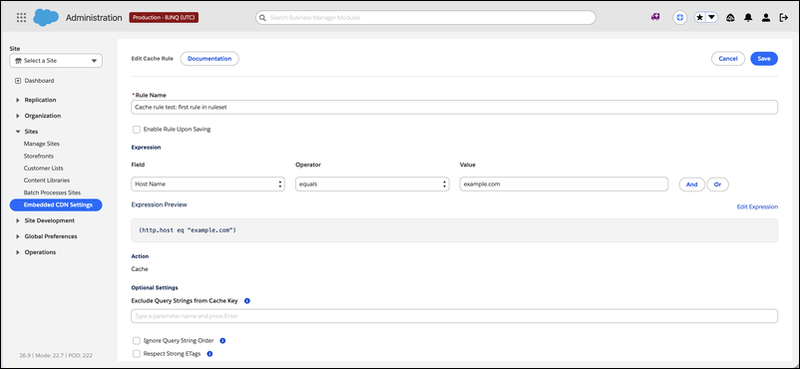
Click New Cache Rule, and then complete the rule fields.
Complete the required fields.
- Description: A human-readable label for the rule.
- Expression: The match condition (maximum 4,096 characters).
Supports fields such as
http.request.uri.path,http.request.uri.path.extension,http.host,http.cookie, andssl. - Action: Only
cacheis supported, which marks matching content as eligible for caching.
Complete the optional fields as needed.
- Enabled: Turns the rule on or off without deleting it. Selected by default.
- Exclude query strings: The query parameters to exclude from
the cache key (for example,
gclidandutm_campaign). - Ignore query string order: Sorts query parameters alphabetically so that ordering variations hit the same cache entry. Deselected by default.
- Respect strong ETags: Honors strong
ETagvalidators from the origin. Deselected by default. - Position: Places this rule before or after another rule to control precedence. By default, the rule is added at the end.
-
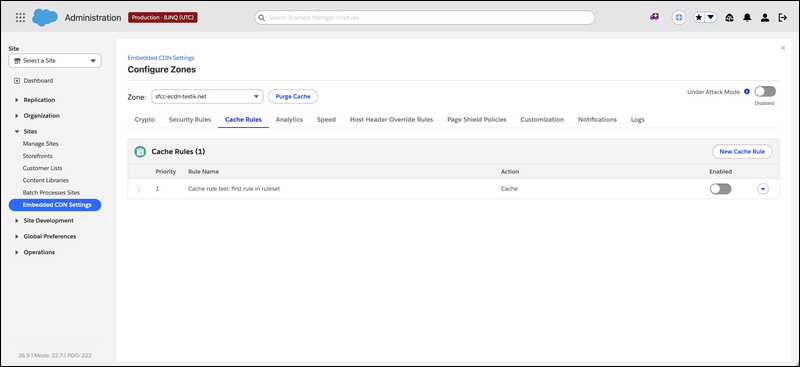
Order rules as needed.
When multiple rules match a request, the last matching rule takes effect.
-
Save the rule.
The rule applies at the eCDN edge for that zone.

To cache PWA Kit product detail pages (HTML), use this expression.
(http.request.uri.path matches ".*/product/[^/]+/?$" and http.request.uri.path.extension eq "html")For this rule, use these options:
- Exclude
gclidandutm_campaign - Ignore query string order
- Respect strong ETags
To cache SFRA content and marketing pages (HTML), use this expression.
((http.request.uri.path contains "/content/" or http.request.uri.path contains "/campaigns/") and http.request.uri.path.extension eq "html")After content is cacheable, you can invalidate it from Business Manager. See Purge the eCDN Cache.