
Configure web application firewall (WAF) managed rulesets for an eCDN zone for B2C Commerce by using the Security Rules tab in Configure Zones in Business Manager.
The Security Rules tab includes a WAF Rules section at the bottom of Zone Security Rules. Use this section to enable rulesets and configure how matched requests are handled. For information about what each ruleset does, see eCDN WAF Managed Rulesets.


- In Business Manager, click the App Launcher, and then select .
- Locate the zone you want to configure and select Configure Zone from the dropdown menu.
-
Select the Security Rules tab, then select the Zone
Security Rules sub-tab.
Zone Security Rules — Custom Firewall Rules and Rate Limiting
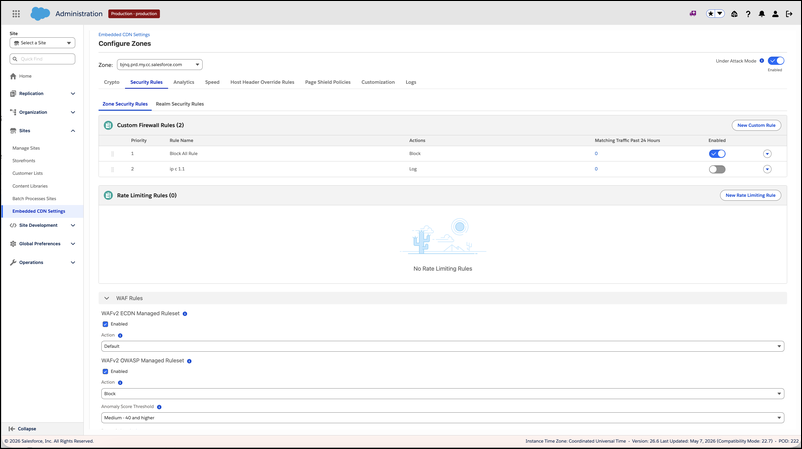
- Expand the WAF Rules section.
-
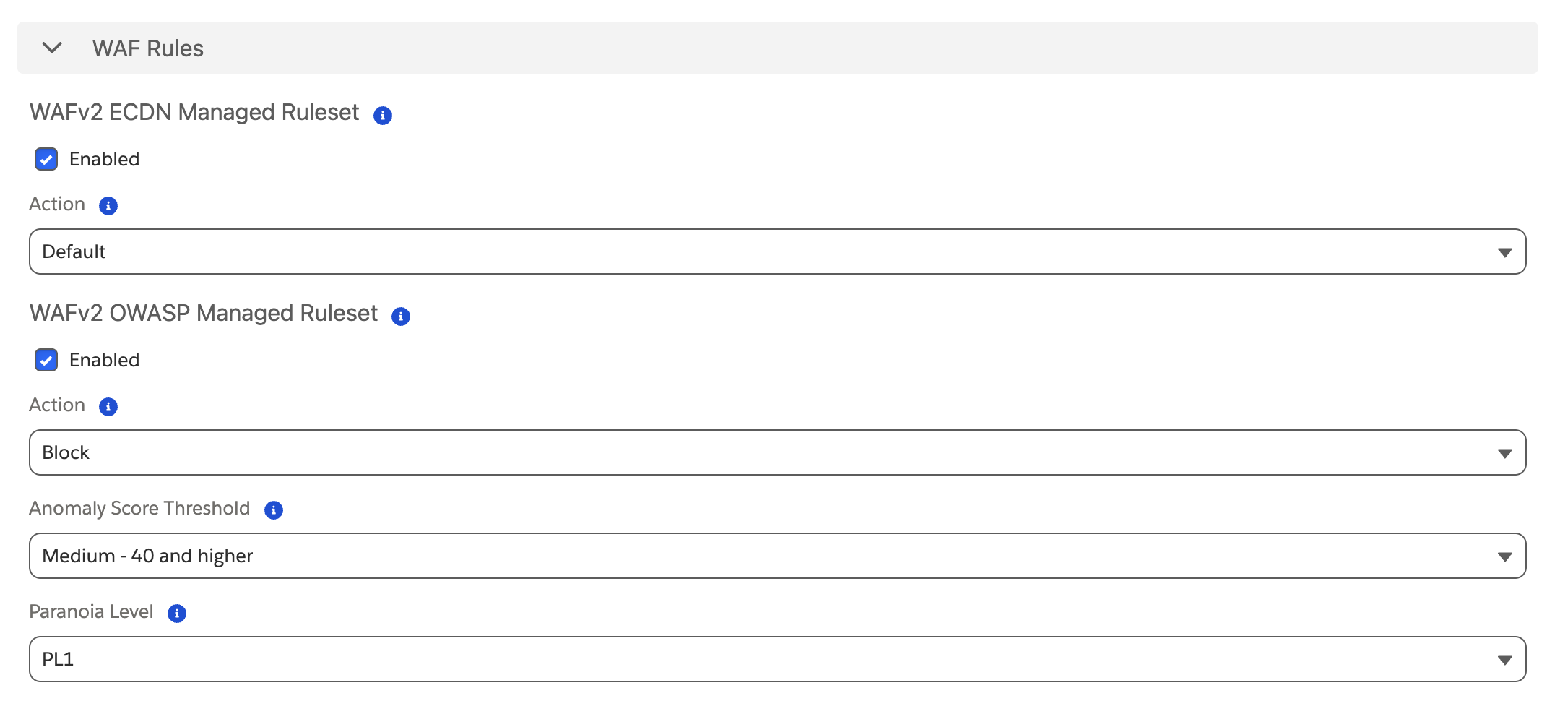
Configure the WAFv2 eCDN Managed Ruleset.
This eCDN-curated ruleset provides high-confidence, high-impact protections and is updated frequently to cover new vulnerabilities.
Field Description Enabled Turn the ruleset on or off. Action What to do on a match: Default, Block, Log, Managed Challenge, JS Challenge, or Legacy Captcha. -
Configure the WAFv2 OWASP Managed Ruleset.
This ruleset uses the OWASP ModSecurity Core Rule Set and is aligned with the latest upstream version.
Field Description Enabled Turn the ruleset on or off. Action What to do when the threat-score threshold is exceeded: Block, Log, Managed Challenge, JS Challenge, or Legacy Captcha. Anomaly Score Threshold Low (60 and higher), Medium (40 and higher), or High (25 and higher). Lower thresholds catch more requests but can increase false positives. Paranoia Level PL1 (default), PL2, PL3, or PL4. Higher levels add stricter rules and can increase false positives.
WAF Rules on a B2C Commerce 26.10 instance
After you enable a ruleset in Log mode, review the WAF logs before you switch to an enforcing action. When reviewing your logs, consider the following:
- Which rules are triggering, and how often?
- Which countries are triggering rules? Do you sell or ship product to those countries?
- What IP addresses are associated with triggered rules or suspected bad actors? An IP lookup on a troublesome address can identify where it's registered.
| IP Address Registered Source | Reason for Access |
|---|---|
| Search engines (typically good bots). | |
| Amazon Web Services (AWS) | Good scrubbing (information used across the Internet and intended to drive more sales). |
| Bad scrubbing (inventory scraping bots that target sites to identify valuable content like text, images, or prices). | |
| Competitor | Competitors scanning your site to gather intelligence. |
If the logs identify many bad actors, tighten protection. For example, raise the OWASP ruleset's Anomaly Score Threshold or paranoia level, or switch the ruleset action to Managed Challenge or Block. If WAF is matching real shopper activity, loosen those settings. For details on the fields in each log, see eCDN WAF Log Fields and JSON Output.