
To monitor the state of your B2C instances, view Control Center audit events in Log Center, the centralized location for log management. Audit events show all Control Center activity, regardless of which user performs an action, and if necessary, take corrective action to solve any issues.
The role you're assigned determines which events you can view. If your Account Manager role is Log Center External Administrator, you can see all events in your organization. If your Account Manager role is Log Center User, you can see only those events for instances assigned to you. For either role, an administrator must assign specific instances via Account Manager, so you can access the events.
This table lists the role assignments.
| If You have the Control Center role… | You also need the Log Center role… |
|---|---|
| Control Center User | Log Center User with tenant filter instanceID |
| Control Center Administrator | Log Center External Admin |

To view the audit events, go directly to Log Center and select Events, or access Log Center from Control Center.
Here's an example of audit events in Log Center.
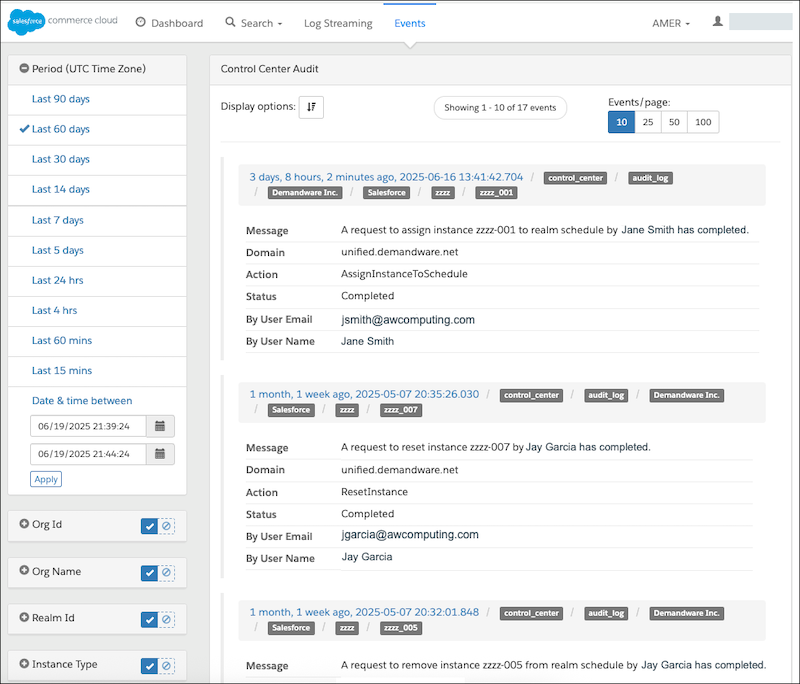
Each entry contains details about the event, including the action and who performed the action. In the left-side panel, select one or more filters to focus the results.