
Use a single wildcard custom hostname (for example, *.merchantsite.com)
to cover multiple subdomains and reduce onboarding and management overhead in B2C Commerce eCDN
via Business Manager.
A wildcard custom hostname such as *.merchantsite.com automatically covers
multiple subdomains like shop.merchantsite.com and
blog.merchantsite.com. Because you don't configure each subdomain
individually, wildcard hostnames significantly reduce the overhead of onboarding and
managing new hostnames.

shop.merchant.com) even if a wildcard certificate
(*.merchant.com) already exists. When both are present, the
specific-hostname certificate takes precedence per established hostname priority
rules.
| Requirement | Details |
|---|---|
| Zone Type | Wildcard custom hostnames are only supported for Proxy V2 zones. |
| Unique hostname across instances | Only one instance of a specific wildcard custom hostname is allowed across all
e-commerce instances (for example, development, staging, production). If you use
*.merchantsite.com in production, use a different hostname like
*.dev-merchantsite.com or *.stg-merchantsite.com
for other instances to avoid conflicts.
|
| Certificates | Customers can choose between eCDN Managed Certificate (handled and renewed by eCDN, reducing overhead) or Self-Managed Certificate (customers upload their own certificate). |
| SAN coverage (self-managed) | For self-managed certificates, Subject Alternative Names (SANs) cover both the
wildcard hostname (for example, *.merchantsite.com) and the root
domain (for example, merchantsite.com). Failure to cover both
results in an error during upload in the Business Manager (BM) UI. |
| SAN coverage (eCDN managed) | For eCDN managed certificates, SAN values automatically include both the wildcard and root domain. |
| Legacy/O2O conflict | If a customer already has an active legacy zone (via eCDN or as an existing
Cloudflare customer/O2O) for the fully qualified domain name (FQDN) (for example,
merchantsite.com), the legacy zone takes priority over the Proxy
zone. In this scenario, wildcard custom hostnames do not work. See Hostname priority.
|
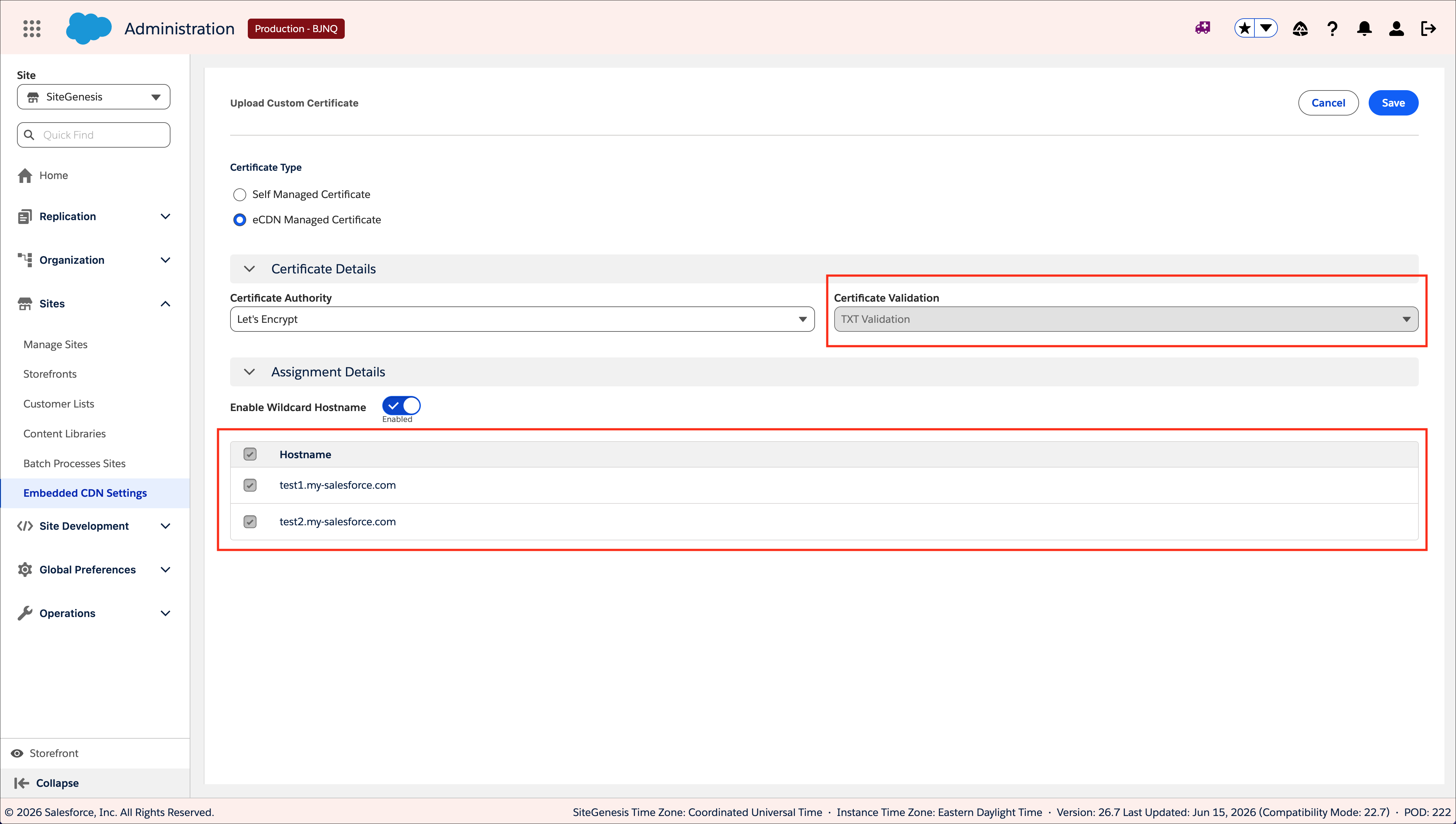
| Certificate validation method | When using eCDN managed certificates for wildcard hostnames, certificate validation uses the TXT method. Activating the certificate requires adding the necessary CNAME/TXT DNS records to your authoritative DNS. |
-
Make sure that your aliases include all hostnames associated with the domain.
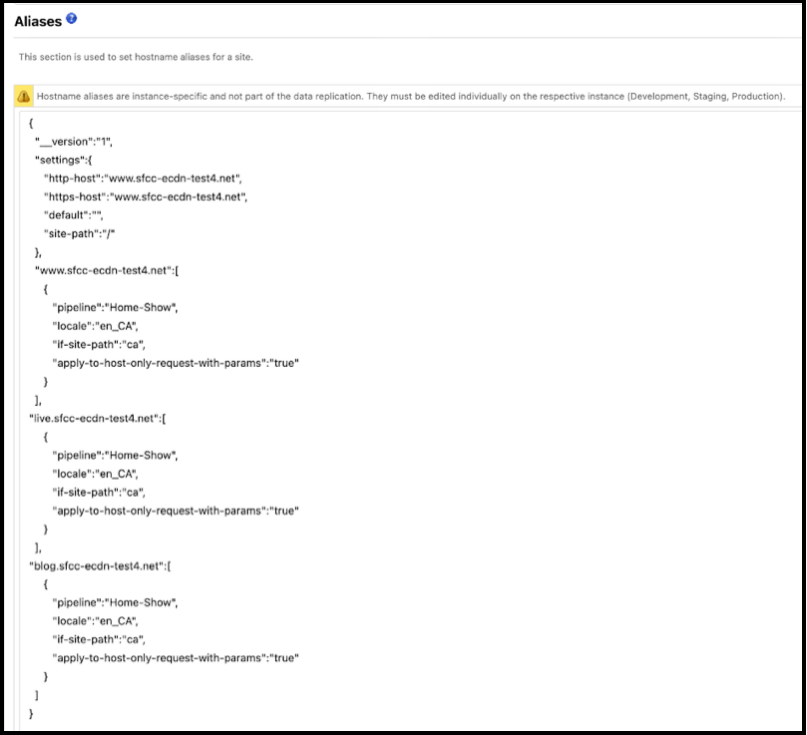
-
After you configure the proxy zone and it's active, verify that all hostnames added to
the alias file appear on the eCDN settings page.
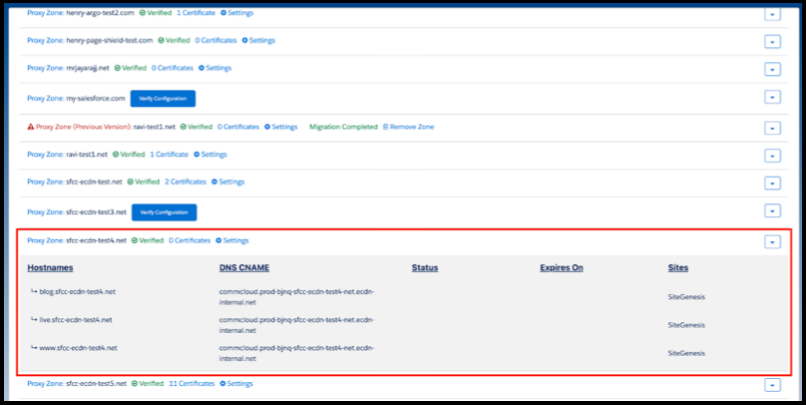
-
Select Settings/Certificates next to the proxy zone to open the
SSL configuration window.
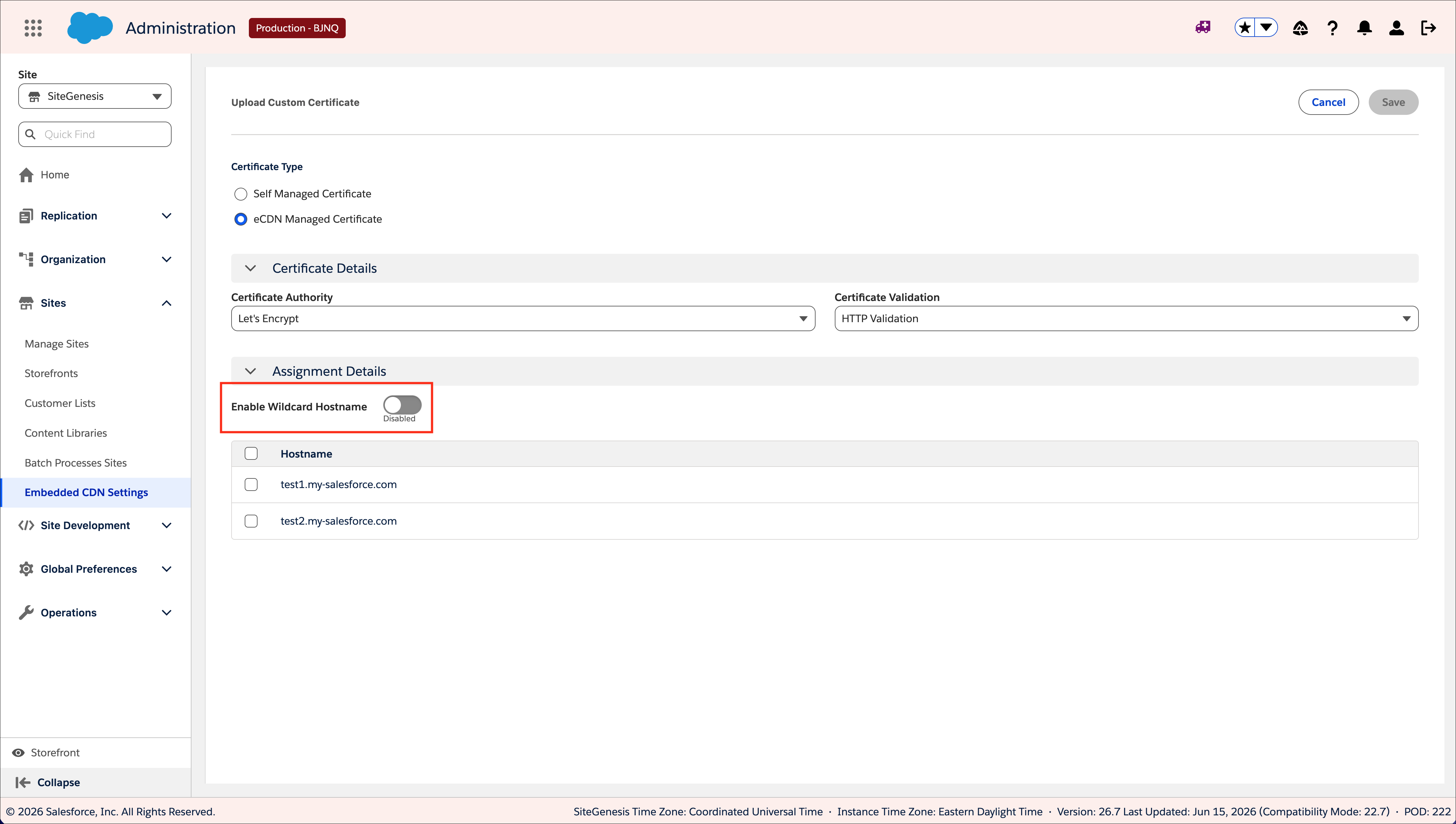
-
Select Add Certificate to open the certificate dialog and locate
the Enable Wildcard Hostname toggle.
-
Select a certificate type: Self-Managed Certificate or eCDN-Managed
Certificate.
 Tip Use an eCDN-managed certificate to reduce renewal and expiration management overhead.
If you select an eCDN-managed certificate and enable Enable Wildcard Hostname, all hostnames are auto-selected and disabled (greyed out). Wildcard hostnames require the validation method to be TXT.
-
Complete TXT validation to activate the certificate.
For the eCDN-managed certificate, TXT validation is required to activate the certificate. We strongly recommend managing TXT validation by adding the DCV delegation CNAME record and its corresponding value to your authoritative DNS. These appear in the certificate summary pane.
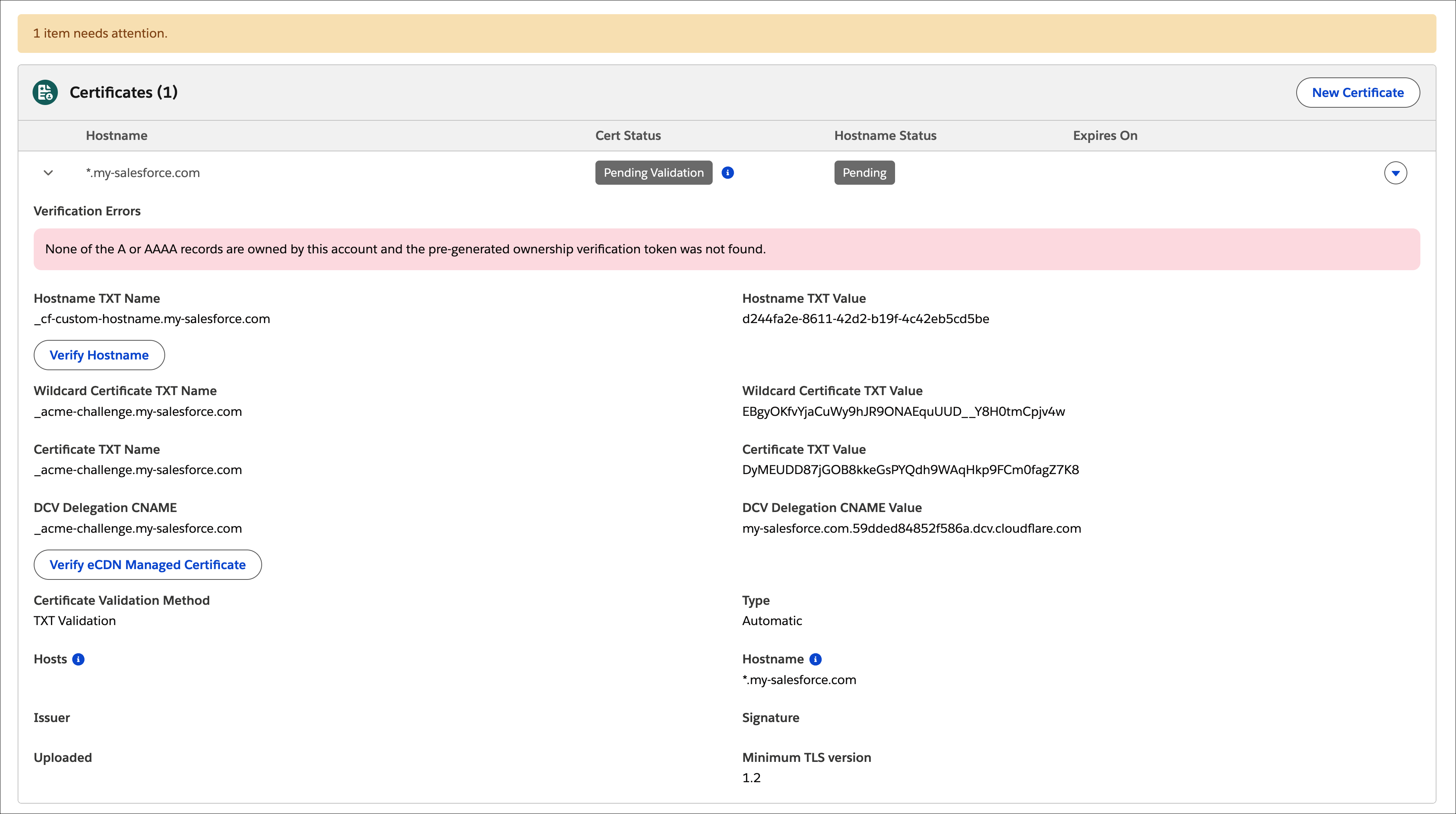
When using DCV delegation, eCDN handles both initial certificate activation and subsequent renewals automatically. If you don't use DCV delegation, activate the certificate by adding both the certificate and wildcard TXT records to your authoritative DNS.
Tip If you don't add the DCV delegation CNAME, you are responsible for manually renewing the TXT validation records in your authoritative DNS after every certificate renewal.It takes a few minutes for DNS propagation to complete and activate the certificate. The certificate's status changes to Active on the Certificate tab when the process is complete, and eCDN removes the activation records from display.
After you complete all steps, every hostname associated with the domain serves traffic.
shop.merchant.com) even if a wildcard certificate
(*.merchant.com) already exists. When both are present, the
specific-hostname certificate takes precedence per established hostname priority
rules.