Open the Salesforce-managed SCAPI zone from the Production instance in Business Manager to configure supported security controls, view HTTP and security analytics, and purge cache for B2C Commerce.
Which Salesforce Commerce Product Do I Have?
There's one SCAPI zone for Development, Staging, and Production. After Salesforce provisions the zone, open it from the Production instance. The zone doesn't appear in Business Manager or the CDN API on Development or Staging. For what the zone is and which controls it supports, see SCAPI Zone Support for B2C Commerce.
-
In Business Manager on the Production instance, click App Launcher
 , and then select .
-
Locate the SCAPI zone by its
<shortcode>.api.commercecloud.salesforce.comhostname.Embedded CDN Settings — SCAPI zone in the zone list
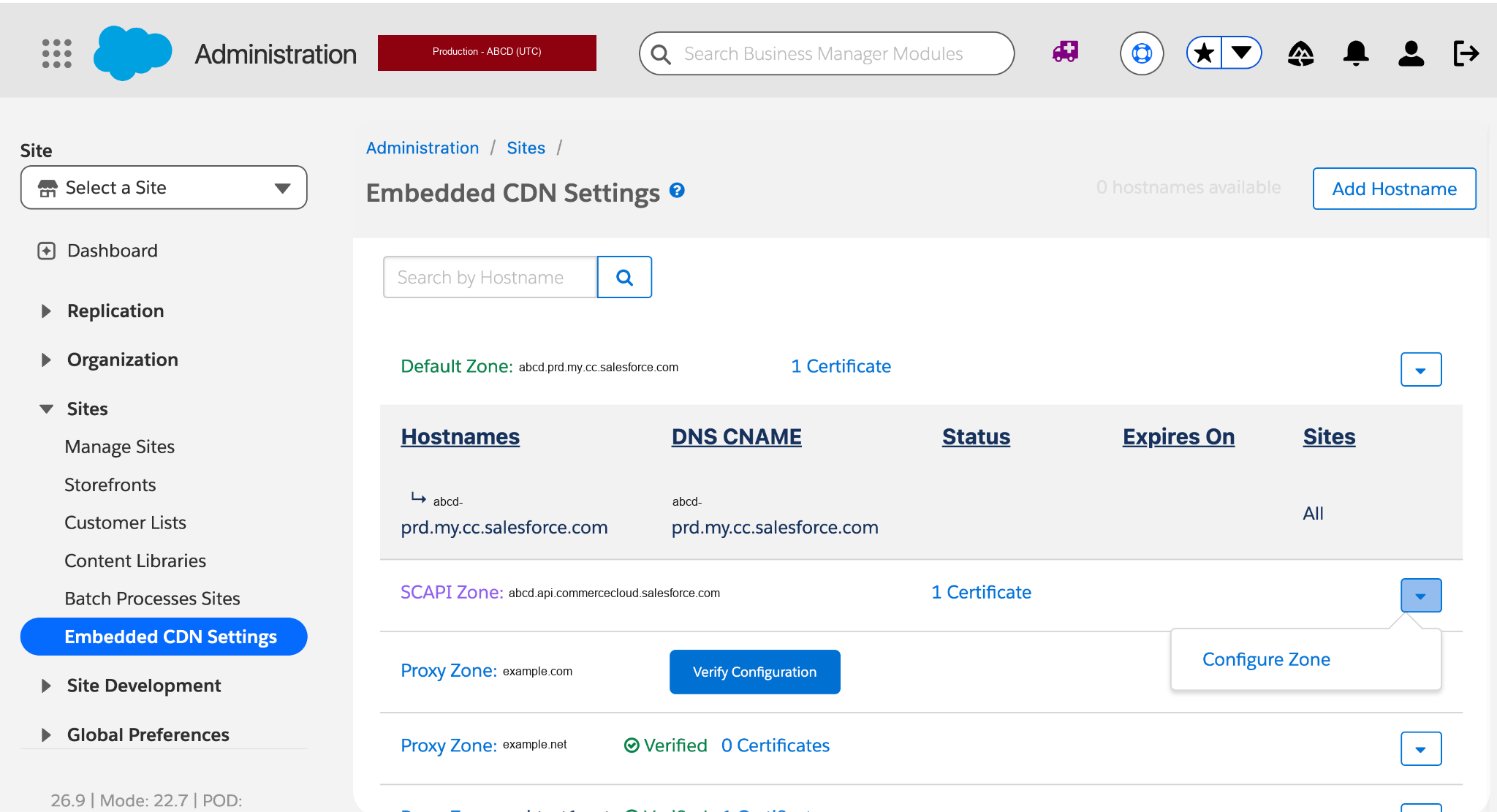
- Open the row's dropdown menu and select Configure Zone.
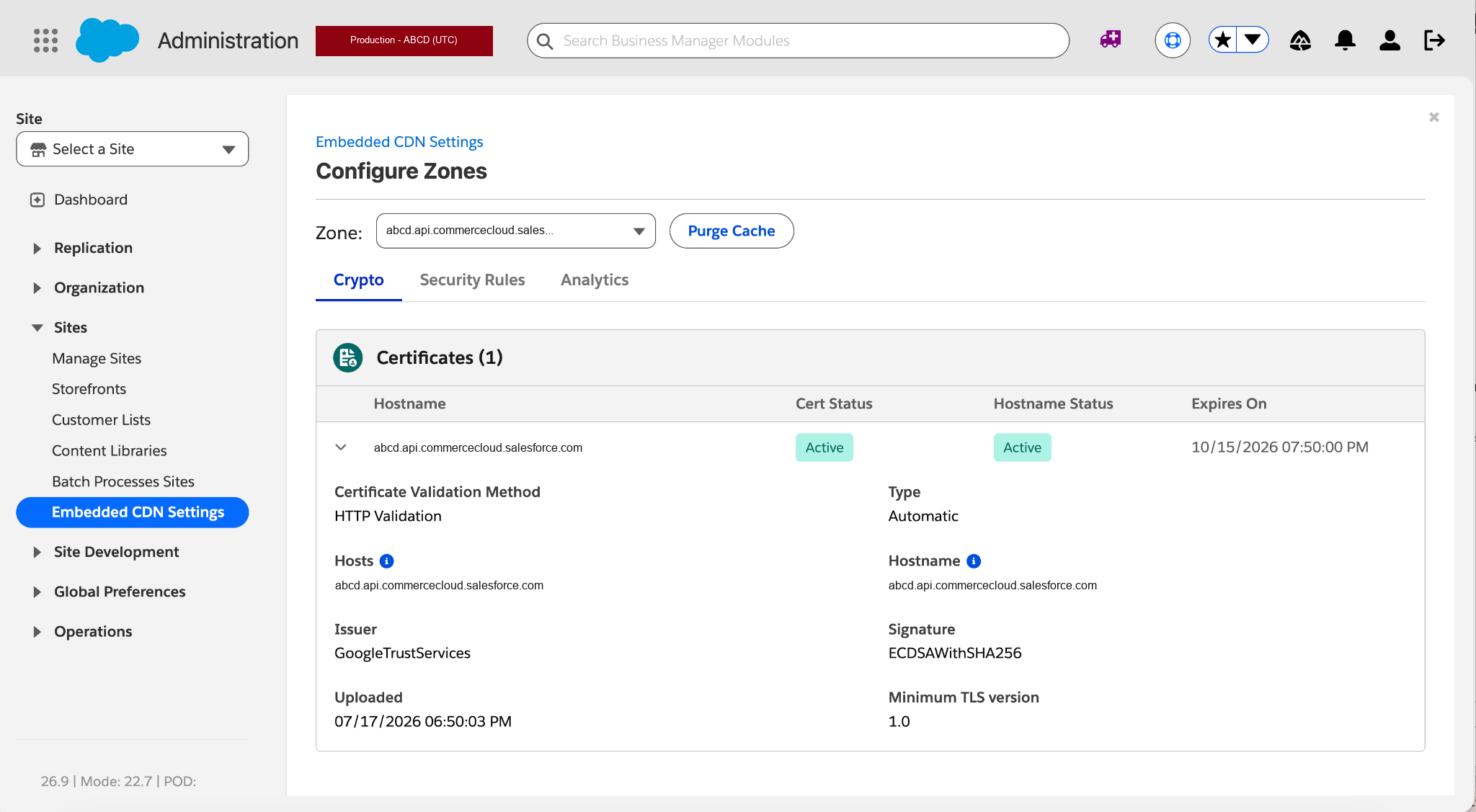
The Configure Zones screen for a SCAPI zone provides three tabs—Crypto (read-only), Security Rules (custom rules, rate limiting rules, and IP lists, with Zone and Realm sub-tabs), and Analytics (HTTP and Security)—plus a Purge Cache button. Controls that don't apply to SCAPI zones aren't shown.
Configure Zones — Crypto tab for a SCAPI zone