
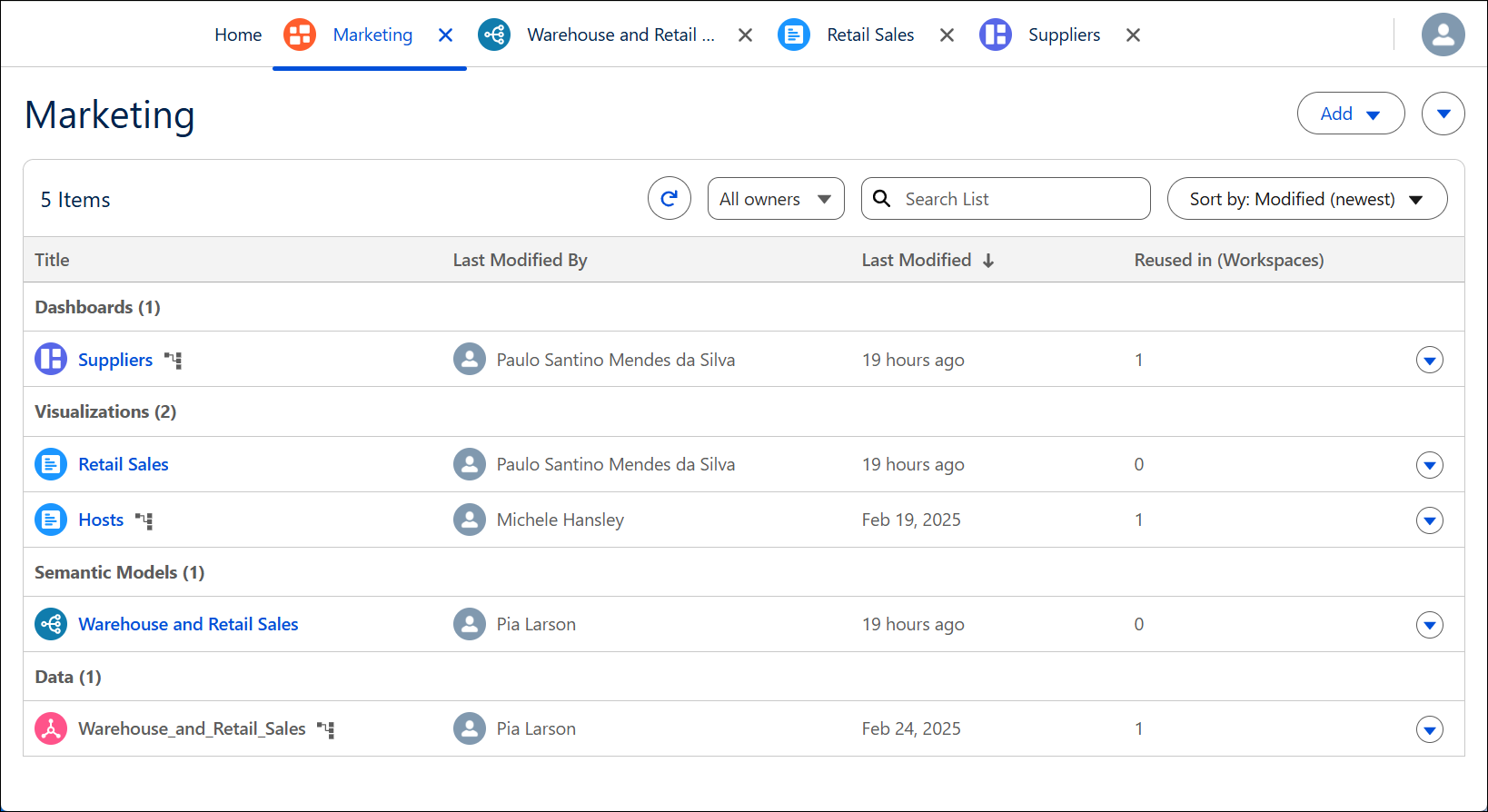
Inside a workspace, assets are organized by type. The list view shows your available workspace assets in real time. The layers of the workspace add context about the building blocks of workspace assets, so an analyst has the information needed to answer questions with data.
Required Editions
| View supported editions. |
When reading through assets from the bottom to the top, each type of asset is a building block for the next type of asset above it in the list. For example, you use data to create a semantic model, which you can use to create a visualization. You can combine visualizations to create a dashboard for performing analytics.
A workspace includes these asset types.
-
Data: Connections between your workspace and a data model object (DMO), data lake object (DLO) or calculated insight object (CIO) in Data 360. A DMO is a grouping of data (made up of attributes) created from data streams (a data source brought into Data 360), insights, and other sources. A CIO is a type of DMO created after a calculated insight is processed. You can use data connections to build semantic models.
-
Semantic models: Metadata in Data 360 that groups semantic definitions tailored for a specific analytical use case. A semantic model consists of one or more data objects. You can use a semantic model to build a visualization.
- Visualizations: A visual representation of your data exploration that starts with a semantic model of data. You can use visualizations to create dashboards in the same workspace.
-
Dashboards: A visual representation of multiple visualizations or other analytic assets for the purpose of conveying different but related information.
To refine the list of assets appearing in your list view, use the Owner filter or search field.
Workspace Assets and Dependencies
Changes to an asset also change the asset’s dependencies. For example, if you update a semantic model, the visualizations that use that semantic model also change.
Likewise, you can create an asset while authoring another. For example, you could create a visualization while authoring a dashboard, and both new assets (dashboard and visualization) are added to the workspace.
You can only delete an asset in the workspace that it was created in. If the asset is reused from another workspace, you can remove it from your workspace but not delete it. The original asset remains in the source workspace as well as other workspaces that are reusing the asset.
Workspace Tabs
Each workspace or asset you open appears as a tab. You can work in multiple workspaces or on multiple assets at one time. If you open an asset, it appears as a tab to the right of the workspace list tab. Creating, adding, or editing an existing asset opens the asset in an additional new tab.
