
Make Tableau Next visualizations easier to interpret and draw attention to important insights by customizing their appearance using the Style pane. Create a cohesive visual style that aligns with your organization’s presentation or brand standards. Apply settings for text, lines, backgrounds, and marks across an entire visualization. Or customize specific elements, such as field labels, axes, and headers. Available formatting options vary by visualization layout.
Required Editions
| View supported editions. |
In the Style pane, use visualization-level settings (1) to format the visualization as a whole. Use Style-Specific Elements (2) to format individual components. Formatting applied to specific elements takes precedence over visualization-level formatting. Preview formatting changes as you make them, and save the visualization when you’re ready.
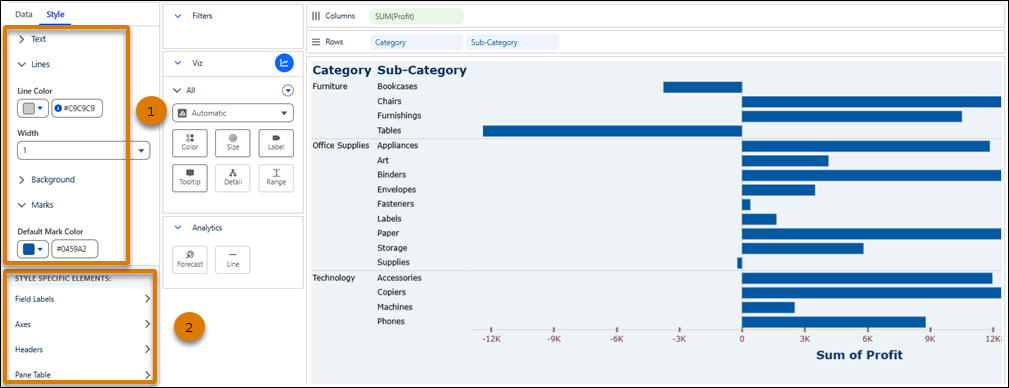
Visualization-Level Formatting in Tableau Next
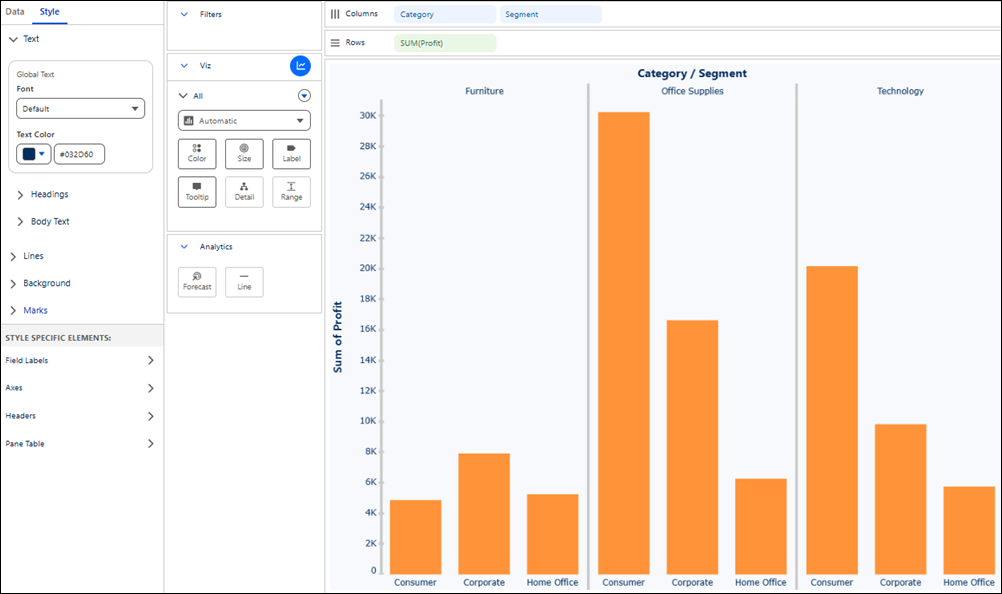
Establish a consistent visual baseline across a Tableau Next visualization that makes the data easier to read and understand. Visualization-level settings control text, lines, the background, and marks. Available setting groups vary by layout. Formatting applied to individual elements takes precedence over these settings.
Required Editions
| View supported editions. |
| Setting Group | Description and Options | Available IN |
|---|---|---|
| Text |
Set the default font and text color with global text. Format the font, size, color, style, and direction of headings and body text separately. Formatting applied to headings or body text takes precedence. |
Viz, Table, Map, Flow, Radial |
| Lines |
Format axis lines in Viz layouts and lines between columns in Table layouts. Set the line color and width. |
Viz, Table |
| Background |
Set the background color of the visualization. |
Viz, Table, Flow, Radial |
| Marks |
Set the default color of marks in the visualization. |
Viz |
Element-Specific Formatting in Tableau Next
Customize specific elements in Tableau Next visualizations to improve readability and draw attention to important data. Available elements and formatting options vary by visualization layout. Element-specific formatting takes precedence over visualization-level formatting.
Required Editions
| View supported editions. |
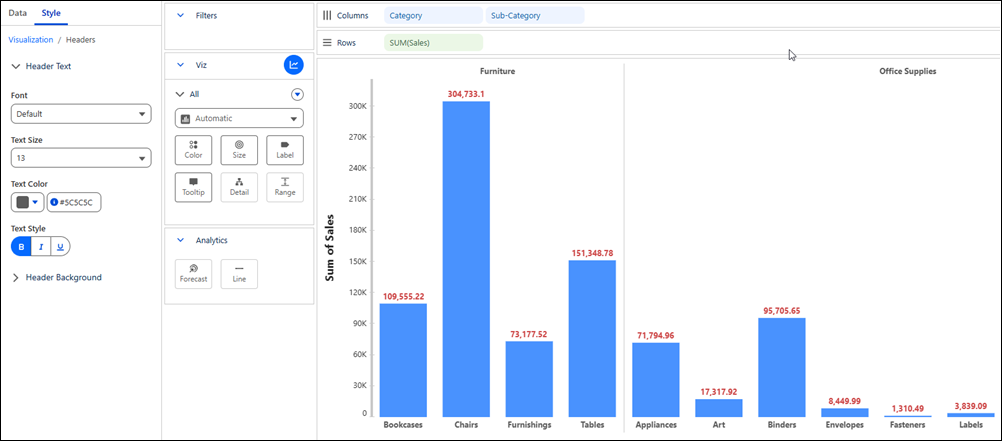
This table describes the element-specific setting groups and formatting options. It also identifies the layouts that support each group.
| Element | Setting Group | Description and Options | Available In |
|---|---|---|---|
| Field Labels | Label Text | Format the field label text. Set the font, text size, text color, text style, and text direction. | Viz, Table, Flow, Radial |
| Label Background | Set the background color behind field labels. | Viz, Table, Flow | |
| Axes | Axis Labels | Format the axis label text. Set the font, text size, text color, text style, and text direction. | Viz |
| Axis Tick Labels | Format the axis tick label text. Set the font, text size, text color, text style, and text direction. | Viz | |
| Axis Rulers | Set the line color and width of axis rulers. | Viz | |
| Axis Ticks | Set the line color and width of axis ticks. | Viz | |
| Headers | Header Text | Format the header text. Set the font, text size, text color, and text style. | Viz, Table, Radial |
| Header Background | Set the background color behind headers. | Viz, Table | |
| Pane Table | Marks | Set the default color of marks in the pane table. | Viz |
| Mark Labels | Format the mark label text. Set the font, text size, text color, and text style. | Viz | |
| Totals | Grand Total Label | Format the grand total label text. Set the font, text size, text color, text style, and text direction. | Table |
| Grand Total Value | Format grand total values. Set the font, text size, text color, text style, and text direction. | Table | |
| Subtotal Label | Format the subtotal label text. Set the font, text size, text color, text style, and text direction. | Table | |
| Subtotal Value | Format subtotal values. Set the font, text size, text color, text style, and text direction. | Table |