Install trusted Tableau Next analytics templates from AgentExchange directly in Tableau Next Marketplace. Only packages reviewed and approved by Salesforce are available. After you install the package, use the templated assets as a starting point to build custom solutions in your Tableau Next workspaces.
Required Editions
| User Permissions Needed |
| To install app packages: |
Tableau Unmetered Admin or Tableau Next Admin permission set |
| To create assets from templates: |
Tableau Unmetered Platform Analyst or Tableau Next Platform Analyst permission set |
-
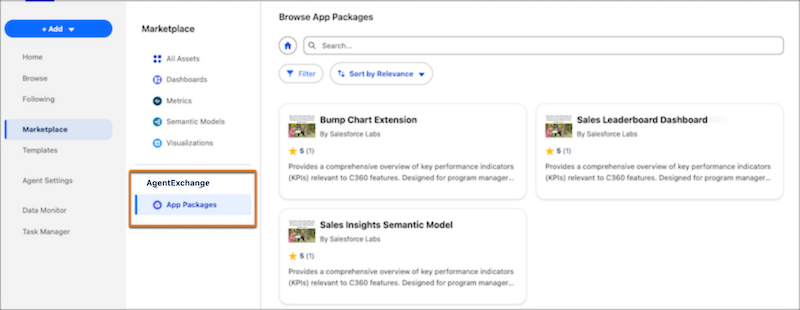
In Tableau Next, select Marketplace, and then select App Packages.
All available Tableau Next app packages appear.
-
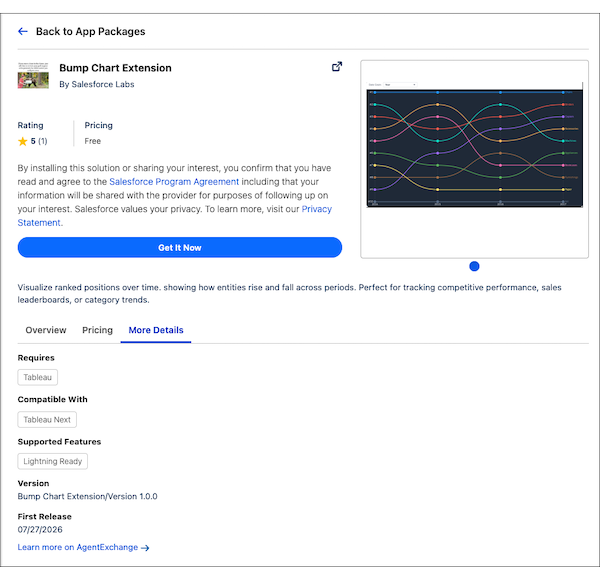
Select a package and review the package details.
The package details include licensing agreements, pricing, and the package contents.
-
To install the package, click Get It Now.
-
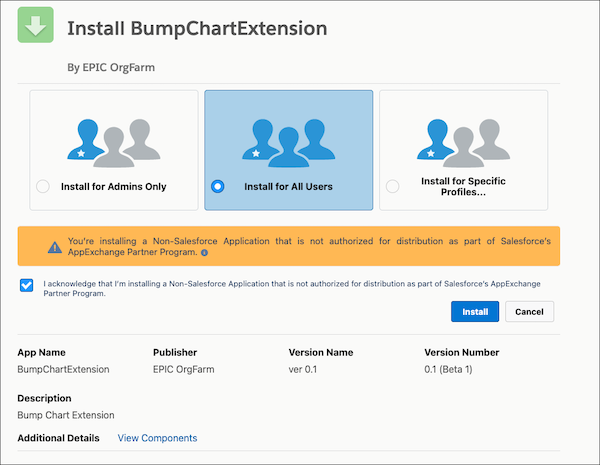
Select who to install the package for and then click Install.
-
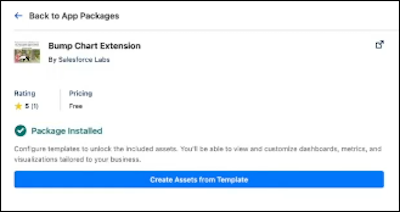
To create assets from the installed templates, click Create Assets from Template.
Templated assets can have different installation flows. Some assets install automatically, while others require a configuration flow for user input, such as selecting a data source or workspace.
Use the created Tableau Next assets to build custom solutions for dashboards and semantic models.