
Create an input node for each dataset that you want to add to the batch data transform. The batch data transform creates an input node when you create a transform by using a data object, but to add more data, you add another node.
- From the Data Transforms section, select the data transform that you want to update.
- In the canvas, click + Add Data.
-
Select the input data from the data objects list, and then select the columns to include.
The list is automatically filtered to the transform's source workspace. To find a specific data object, you can further filter by dataspace or workspace, or search by name.
 Note You can't mix Data Lake Objects (DLOs) and Data Model Objects (DMOs) as inputs to the same Data Transform. If you select DMOs, they must all belong to the same dataspace.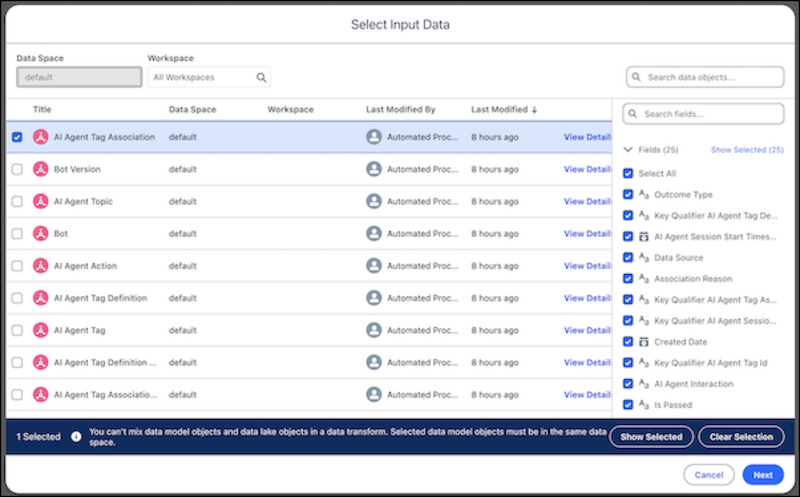
-
Click Next.
An input node for each input data selection is added to the canvas.