
Centralize your data management by building a curated library of data connectors within the new Connector Catalog. This unified interface shows all supported platforms alongside their specific connection features and requirements.
Required Editions
When exploring the Data Connector Catalog, keep the following functionalities and visual cues in mind:
- Beta vs. Generally Available (GA) Connectors: Connectors are clearly labeled to indicate their release status. A beta tag highlights connectors that are available for evaluation and testing but may have limited support or ongoing refinements. Connectors without this label are generally available (GA), fully validated, and officially recommended for production use.
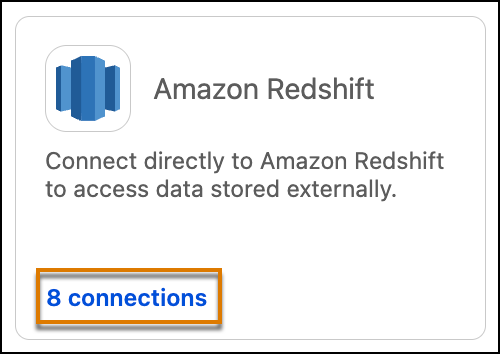
- Reviewing Existing Connections: Each connector tile features a dedicated link showing your current configurations. Clicking this link enables you to quickly view existing, active connections established for that particular data source before you decide to set up a new one.
- Creating a New Connection: Once you select your desired connector and click Next, the system automatically advances you to the connection creation page. Here, you can enter the required credentials, connection details, and authentication settings to deploy your new integration.
- Open your workspace and select Add, then Data from the menu.
-
Click From Connector to open the Connectors Catalog.
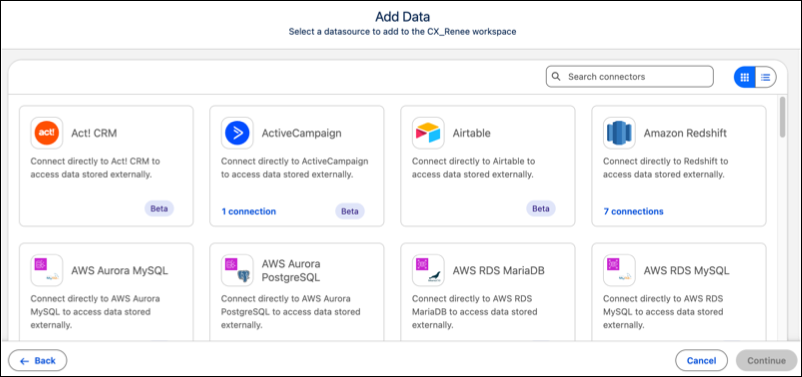
 Note To switch the card view to a list view, click the list toggle.
 - To create a connection, click a connector and click Continue.
-
To use an existing connection, click the connections link in the connector then click
Continue.
-
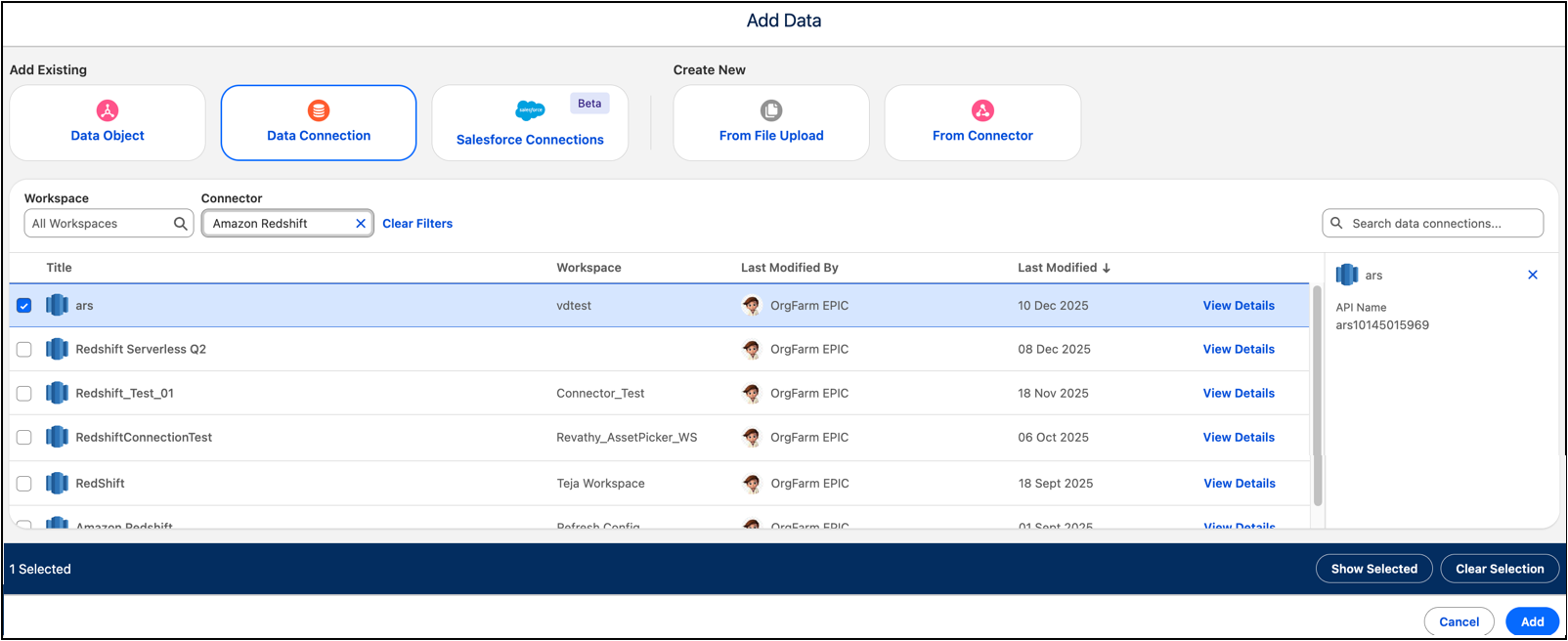
Select one of the available connections and click Add.
- Data Source Connectors
Connect Tableau Next to external data sources, including Amazon Redshift, Databricks, Google BigQuery, Snowflake, and PostgreSQL databases. - Review Data Uploaded to Tableau Next
After you upload an existing data asset or a file to a Tableau workspace, you can review the fields and data types, along with up to 100 rows of data in each field. After reviewing, you can use newly uploaded data immediately for models or visualizations.