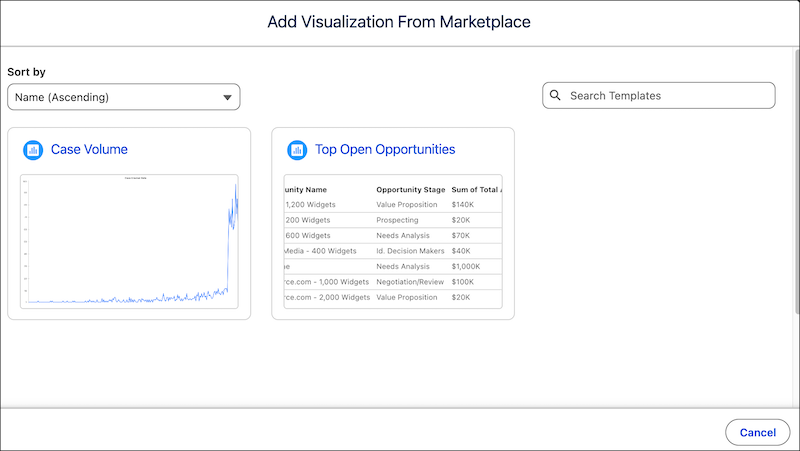
When designing Tableau Next visualizations, you can start with a new or existing
visualization or you can use an out-of-the-box visualization template to decrease your design
lift. Tableau Next visualization templates provide insights tailored to your data and how you
want to present it.
Required Editions
Access your org’s Marketplace from the Tableau Next home page or from any workspace when you
add a new visualization. The Marketplace presents the available visualization templates to
install.
These templates are designed to work with the Sale Insights and Service Insights semantic
models.
- Configure a Case Volume Visualization
The Tableau Next Case Volume visualization template provides instant insights to track and optimize the total case volume across different origins and timelines. This visualization uses the data from the Service Insights semantic model. Designed to allow analysts to visualize their data instantly and provide stakeholders with actionable insights, bypassing the time-consuming process of manual configuration and complex data modeling.
- Configure a Top Open Opportunities Visualization
The Tableau Next Top Open Opportunities visualization template provides instant insights for sales managers to review and track top open opportunities. This visualization uses the data from the Sales Insights semantic model. Designed to allow analysts to visualize their data instantly and provide stakeholders with actionable insights, bypassing the time-consuming process of manual configuration and complex data modeling.