Uncover meaningful insights from your data with the Tableau Next’s primary authoring
interface: the Visualization Builder. Create visualizations or tables in your workspace that
connect related data and explore trends, and analyze performance. Use the results to draw
conclusions about your business and make informed decisions.
Required Editions
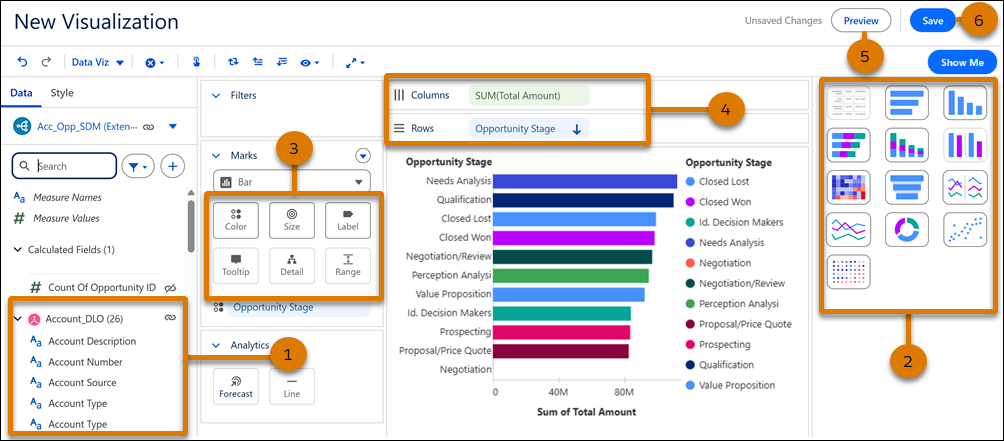
In the Data pane (1), choose the semantic model fields you want to include in the
visualization. To get started, select a chart type or table view from the Show Me pane to see
which fields are required (2). Customize its colors, and add more details, such as labels and
tooltips in the Marks card (3). Double-click or drag and drop fields to assign them to columns
or rows (3). Preview your visualization (5) and save (6) it when you’re ready.