The Tableau Next Service Agent Model and Metrics template is designed to enhance
service agent performance and conversation metric tracking. It helps you optimize agents by
providing a tailored set of data. The template installs the semantic model, 14 pre-configured
metrics, and over 30 calculated fields. These insights offer a detailed analysis of agent sessions
across various dimensions, enabling data-driven decisions, improving agent quality, and
identifying specific areas for agent improvement.
Required Editions
| User Permissions
Needed |
| To view Marketplace templates: |
Tableau Unmetered Platform Analyst or Tableau Next Platform Analyst permission set |
| To install semantic models in Data 360: |
Data Cloud Architect permission set |
| To install and view Service Agent Analytics: |
Agentforce Service Agent Configuration permission set |
This template requires:
- Installation and set up the Agentforce Analytics Foundations. For more information, see Set Up Agent Analytics
. These steps include installing the required data kit and enabling session tracing.
- A minimum of one Service Agent.
- AI Agent DMOs: AI Agent Interaction, AI Agent Interaction Message, AI Agent Interaction
Step, AI Agent Moment, AI Agent Moment Interaction, AI Agent Session, AI Agent Session
Participation, AI Agent Tag, AI Agent Tag Association, AI Agent Tag Definition, and AI Agent
Tag Definition Usage.
This template is designed to work with the AI Agent DMOs, mapping your Agentforce analytics
data for use in insights.
-
On the Tableau Next home page, select Marketplace.
-
In the Search box, enter Service, and select the Service Agent Model and Metrics tile.
-
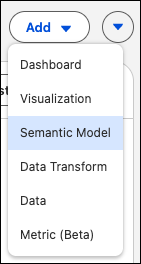
Or, from your Tableau Next workspace, click Add, and select
Semantic Model.
-
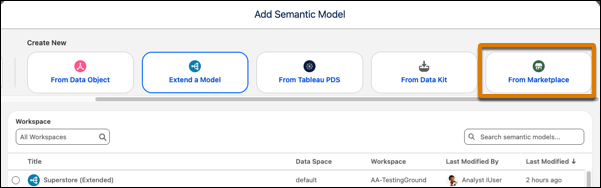
Under Create New, select From Marketplace.
-
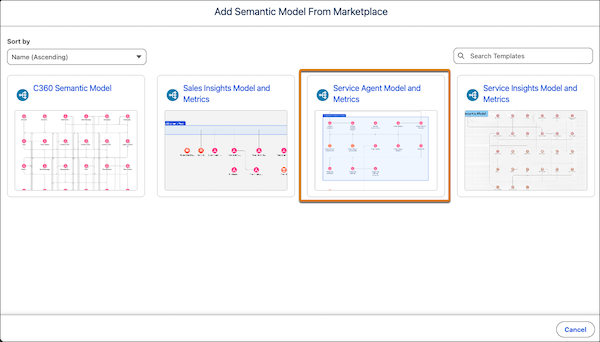
Select the Service Agent Model and Metrics tile.
-
View the template details and click Next.
-
Select the data space for the semantic model.
-
Click Next to start the installation process.
The template checks your org to make sure that all prerequisites and permissions are set up correctly to install the semantic model
and its supporting metrics. If the template validation is successful, the installation process begins. If it fails, you’re provided with
a list of errors to resolve.