
Use dashboard templates to share your data knowledge with your team, allowing others to install and customize shared insights.
Required Editions
| View supported editions. |
| User Permissions Needed | |
|---|---|
| To view, create, and edit Tableau Next templates: | Tableau Unmetered Platform Analyst or Tableau Next Platform Analyst permission set |
| To list Tableau Next templates in the Marketplace: | Tableau Unmetered Admin or Tableau Next Admin permission set |
- In Tableau Next, open and edit the dashboard you want to create a template for.
-
From the action menu on the left, select Generate
Template.
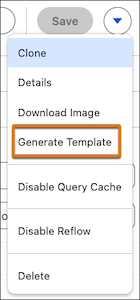
- Using the template builder, add details to your template.
Add details to your template to tell Marketplace users why they should use your template. Details include name, description, highlights, tags for target audiences and industries, and any preview photos.
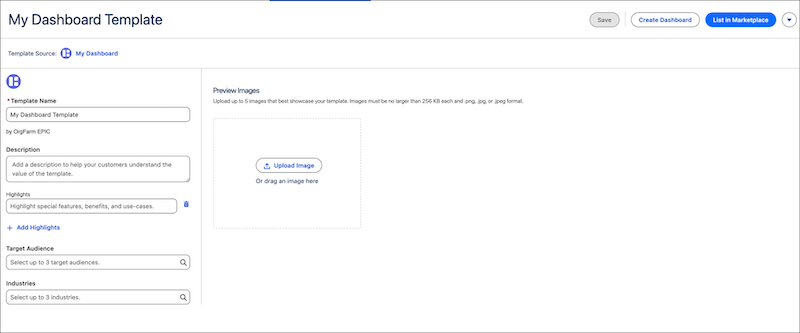
- Click Save to create the template.
-
To test your template, click Create Dashboard.
Use this to verify that dashboards can be created from this template and function as you want them to.
To share your template with other users in your org, you can list it in the Marketplace. Listing your template makes your template available to all users when they click Add Dashboard.