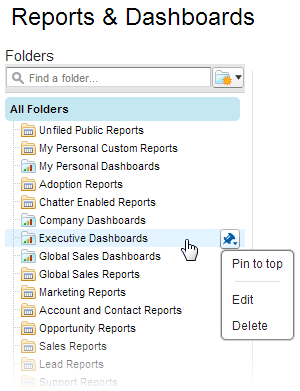
Pin your most-used report and dashboard folders to the top of the folder list so you
don’t have to scroll down every time you need them.
Required Editions
| Available in: Salesforce Classic |
| Available in: All Editions |
-
In the list of report and dashboard folders, hover over any folder, then click
 .
.
-
Select Pin to top.
Your folder moves to the top of the folders list.
Each new folder that you pin goes to the top of the list, above any folders you have already
pinned. To move a pinned folder back to the top, pin it again.