
When you no longer need a row-level formula in your report, delete it.
Required Editions
| Available in: Lightning Experience |
| Available in: Essentials, Group, Professional, Enterprise, Performance, Unlimited, and Developer Editions |
| Available in: Enhanced Folder Sharing |
| User Permissions Needed | |
|---|---|
| To create, edit, and delete formulas in private reports: |
|
| To create, edit, and delete formulas in public and private reports: |
|
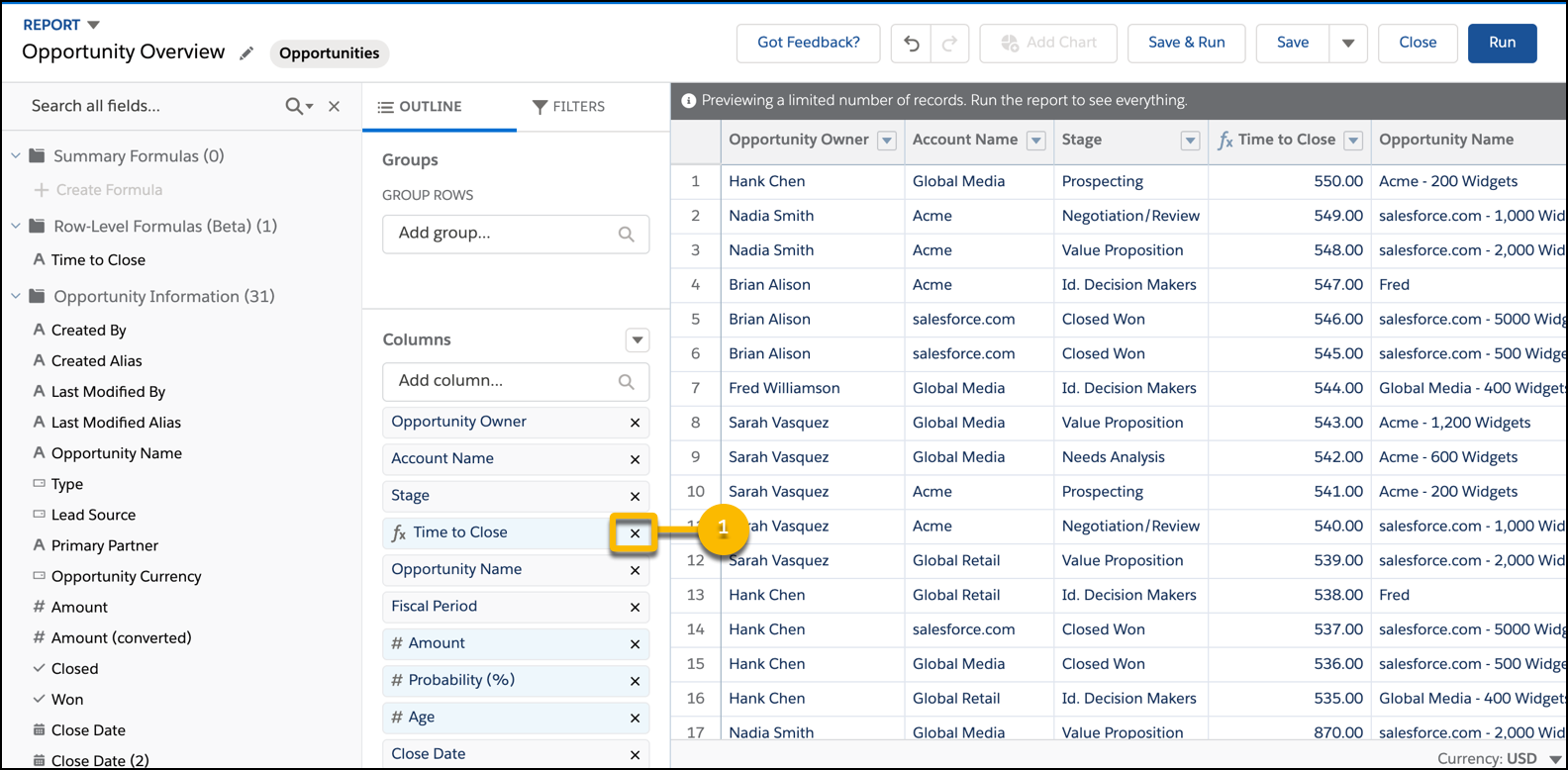
Delete row-level formulas directly from the Lightning report builder. Here's how.
- Edit a report.
-
From the Columns section of the Outline pane, find the row-level formula you want to delete
and click x.
-
If you mistakenly remove a row-level formula from the report, you can recover it by
clicking
 .
.
- To save and run the report, click Save & Run.
The row-level formula column is removed from the report and from the row-level formulas folder in the Fields pane.