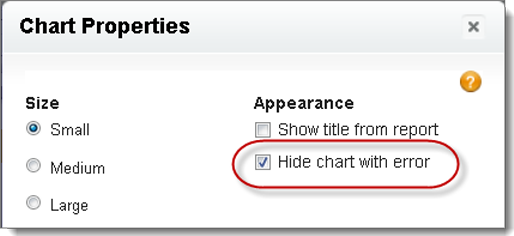
A chart can sometimes, for whatever reason, show an error on the detail page instead of
data. Since a chart with an error isn’t that useful, you have the option to hide it from
viewers.
Required Editions
| Available in: Salesforce Classic
and Lightning Experience |
| Available in: Essentials, Group, Professional,
Enterprise, Performance, Unlimited, and Developer
Editions
|
| Available in: Enhanced Folder Sharing |
| User Permissions Needed |
| To create, edit, and delete reports: |
- Enhanced Folder Sharing
- Create and Customize Reports
AND
Report Builder
|
To hide such a chart, select Hide chart with error from the
Chart Properties dialog box in the page layout editor.
A chart can show an error on a page for one or more of these reasons.
-
The viewer doesn’t have access to the field that’s used for
filtering.
-
The viewer doesn’t have access to the report folder.
-
The report chart has been deleted from the report.
-
The report definition has changed.
-
The report itself is no longer available.