
Quick search allows you to find folders within the Lightning Reports tab, Dashboards tab, or selected folder context.
Required Editions
| Available in: Lightning Experience |
| Available in: Professional, Enterprise, Performance, Unlimited, and Developer Editions |
Use global search when you want to find folders across your entire org. Use quick search when you want to find folders within the select context.
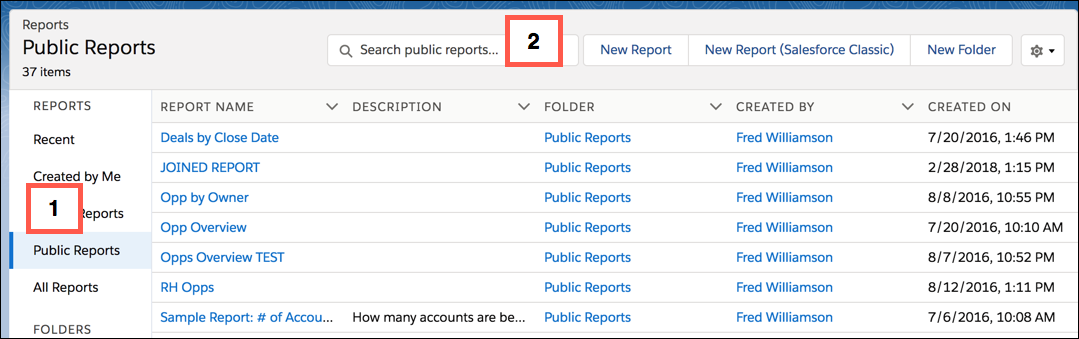
Find the quick search box at the top of each report, dashboard, and folder page. Select a scope on the side menu [1] and the search context instantly changes to that scope.[2]
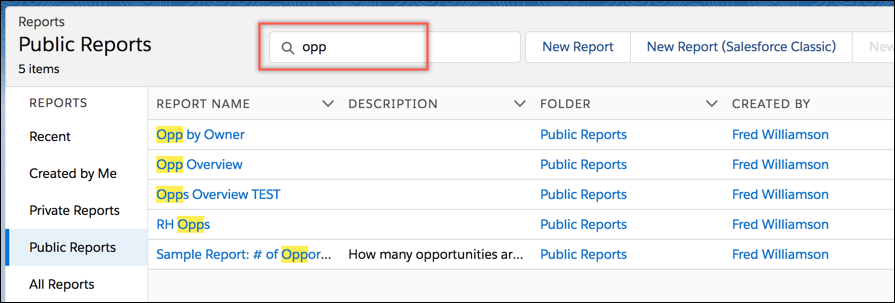
Start entering text to see the list of matches within the selected scope.
Here are some things to remember about quick search:
- Quick search shows only the first 20 results. A message indicates if there are more results that aren’t showing.
- The context is always what is selected on the side menu.
- Quick search on folders finds all folders and subfolders, but not the reports and dashboards in the folders.
- The options to customize columns and create folders are disabled during quick search.
- Quick search keeps the current custom column selections and sorting.